SAP & Oracle partner and support companies

Loading

SAP

What is SAP Fiori?

SAP Fiori is the user interface or user experience (UX) that supplements and can replace the SAP GUI. This streamlined application uses tiles to encapsulate standard tasks, such as approving purchase requisitions, viewing sales orders, and approving timesheets. What is SAP Fiori? This is still a question worth asking as the UX is evolving and getting more sophisticated since its initial launch in 2013.

you can also read for:Table Maintenance Generator from SAP RAP – FIORI UI App

What is SAP Fiori?

Fiori is a streamlined application, delivering a role-based user experience that can be personalized across all lines of business, tasks, and devices. It uses tiles to encapsulate standard tasks like viewing sales orders or approving timesheets. Based on customer input, SAP devised the SAP Fiori UX with user-friendliness and ease of use in mind. The UX also provides mobile deployment capabilities so users can work without needing access to a computer.

Ultimately, there’s a night and day difference between the SAP GUI and SAP Fiori UX. While the older GUI was bulky and hard to learn or train on, SAP Fiori has the seamless movements and controls you would expect out of any mobile application. The screens are simple, customizable, and modern, and there are none of the unnecessary tabs and fields the previous UX had.

SAP Fiori 2.0

SAP Fiori 2.0 launched in October 2016 as an update to Fiori adding UX functions that were missing in the first version, e.g. enhanced navigation, multi-application management, and proactive system notifications. Developed as the latest evolution for SAP HANA and S/4HANA, version 2.0 offers a new visual design that can adapt Fiori UIs to corporate identities. Other features introduced in SAP Fiori 2.0 include an Overview Page, which streamlines information flow, List Reports, Object Pages, and a Launchpad for navigating apps. The Launchpad enables querying for apps that may be required for new processes and new ways to organize tools intuitively. A Viewport expands users’ desktops to the right and left. SAP Fiori 3.0 is the new target design being planned from SAP, which evolves the design system to fully support the Intelligent Suite.

The Benefits of Fiori

What are some SAP Fiori benefits? Users report increased productivity with Fiori. Research reveals that Fiori delivers a 64% reduction in time needed to complete a task compared to SAP GUI. It’s simpler and easier to learn, so it drives a strong adoption rate and cuts training time. Employees tend to get less frustrated with Fiori.

SAP Fiori offers more intuitive workflows that feature business logic instead of SAP logic. Users who are not experts in SAP find this easier to use. People can move around in the organization more readily. They don’t have to retrain on SAP to switch roles. The UX also results in improved mobility. In contrast to the mouse-and-keyboard structure of the SAP GUI, Fiori-based applications are usable by mobile employees on a variety of device types.

On the application development side, users of SAP Fiori on HANA find less need to build their own tools. This is partly the result of the expanding Fiori library. In addition, the SAP/Apple partnership provides a range of preset app options.

SAP Fiori Architecture

Developed to meet new enterprise IT criteria, SAP devised Fiori to be available on-demand in the cloud and on-premises. Fiori must also support multiple device form factors. Some architectural principles underpinning Fiori include:

  • Central Access to apps through the SAP Fiori launchpad – supporting personalization, navigation and configuration
  • Security with single sign-on (SSO) as well as role-based authentication and authorization
  • Open Data Protocol (OData), which facilitates secure provisioning and data consumption

Fiori also embeds analytics into apps, if those are required. Developers can engage in custom development, so they are able to design, build and deploy SAP Fiori apps rapidly. They achieve this goal by using Fiori’s enterprise-ready UI development toolkit, which is based on SAPUI5 with support for HTML5 and JavaScript. This makes possible app extensibility, with possible enhancements to apps through the SAP Web IDE and its templates.

As a result of this architecture, SAP Fiori is not tied to a specific device, session, or user. Fiori app users can start a task and save it in an incomplete form. Later, they can resume working on it from a different device. The app automatically saves data asynchronously. Users can even hand off partially completed tasks to one another.

Deployment Options

When it comes to SAP Fiori deployment options, admins have five basic choices: Fiori Front End Server (FES) embedded deployment, FES hub deployment, gateway embedded, gateway hub, and cloud. Each approach suits a specific set of requirements and SAP landscape preferences.

  • FES embedded deployment, where Fiori is embedded in a single SAP landscape, is the simplest deployment option9. It is best for situations where there is a single Fiori instance running.
  • FES hub deployment, which bundles the Fiori UI components, SAP Launchpad and SAP Gateway. Business logic and traditional UIs stay on the back end, so you can integrate multiple back end systems like SAP CRM and SRM.
  • Gateway embedded, where the SAP Gateway is embedded in the back end, which makes it possible to integrate cloud FES instances with a cloud connector.
  • Gateway hub, here SAP Gateway serves as a hub – making it easy to connect the backend with FES in the cloud
  • SAP Fiori Cloud, with FES in the cloud on a standalone basis. It connects to back end systems that are on-premises.

Launchpad Configuration

SAP Fiori Launchpad configuration involves a shell that hosts SAP Fiori apps. At the same time, the shell provides the apps with configuration, navigation, and personalization services, along with embedded support. The result is tile-based information architecture. Each tile represents a business application, which can be launched by the user. Tiles display according to the user’s role and indicate live statuses, such as how the number of open tasks.

SAP GUI vs. Fiori

Ultimately, how can you compare the SAP GUI vs. Fiori? Fiori offers a number of clear benefits over SAP GUI, including better productivity and multi-device task workflows. In architectural terms, Fiori gives you the advantage of RESTful APIs, which are more fluid and easily connected than traditional SAP application integration tools.

Fiori is projected to replace SAP GUI, particularly in organizations that are migrating to HANA and S/4HANA. This is mostly the result of a better UX overall, developed to enhance the new database. The older GUI is comparatively bulky and difficult to learn (or train). Fiori is built in HTML5. As a result, it has the kind of seamless movements and controls you expect from a modern mobile app. The screens are simple and clean in design, matching what users expect from today’s applications.

Moving forward with SAP Fiori

SAP Fiori is simple for users, but behind the scenes, it can be challenging to set up and manage. Configuration and gateways require expertise to navigate the pitfalls of the project as well as being able to identify the additional stakeholders needed for mobilizing your applications. Additionally, if you’re harnessing SAP Fiori as part of a more complex project, such as an SAP HANA migration, an SAP-certified partner like Secure-24 can ease the transition and help optimize your new IT landscape.

What is the difference between SAP and SAP Fiori?

SAP and SAP Fiori are related but distinct components within the SAP ecosystem. Here’s a breakdown of their differences:

  1. SAP: SAP (Systems, Applications, and Products in Data Processing) is a leading enterprise resource planning (ERP) software that provides integrated business solutions to manage various aspects of an organization, such as finance, human resources, sales, procurement, inventory, and more. SAP is a comprehensive suite of applications designed to streamline business processes, enhance efficiency, and provide valuable insights through data analytics.
  2. SAP Fiori: SAP Fiori is a user experience (UX) and design framework developed by SAP to improve the user interface (UI) and user experience of SAP applications. It focuses on providing a modern, intuitive, and consistent user interface across different devices, including desktops, tablets, and smartphones. SAP Fiori aims to make SAP applications more user-friendly, responsive, and visually appealing.

Key differences between SAP and SAP Fiori:

Scope: SAP is the entire suite of ERP applications that cover various business functions, while SAP Fiori is a design framework focused on improving the user experience for SAP applications.

Functionality: SAP offers a wide range of functionalities to manage business processes across departments, while SAP Fiori enhances the user interface and user experience of specific SAP applications.

User Experience: SAP’s traditional user interfaces have been criticized for their complexity and lack of user-friendliness. SAP Fiori addresses these concerns by providing a more modern, streamlined, and intuitive user experience.

Device Support: SAP Fiori is designed with responsive design principles, allowing it to adapt and provide an optimal user experience on various devices, including desktops, tablets, and smartphones. Traditional SAP interfaces might not be as well-suited for mobile devices.

Adoption: SAP Fiori is not a separate application or module but a design language and set of guidelines. It can be applied to specific SAP applications to enhance their user experience. SAP customers can choose to adopt SAP Fiori and apply it to their existing SAP applications.

In summary, SAP is the overarching ERP software suite that covers a wide range of business processes, while SAP Fiori is a design framework focused on improving the user experience of specific SAP applications. By incorporating SAP Fiori, SAP aims to make its applications more user-friendly, visually appealing, and accessible across different devices.

You may also like

O DATA Complete Overview Blog Series

abap ale idoc rfc step by step

SAP Fiori

ABAP troubleshooting tips
SAP

Top 5 Troubleshooting Tips for ABAP Developers

Whether you’re just getting started with ABAP (Advanced Business Application Programming) or have been coding for a while, you’ve probably hit that frustrating wall where things just don’t work as expected. Don’t worry—you’re not alone. Every ABAP developer, from beginner to pro, faces bugs, performance issues, and mysterious short dumps. But with the right approach, you can troubleshoot like a pro, save time, and write cleaner, more efficient code.

In this guide, we’ll walk through the Top 5 Troubleshooting Tips for ABAP Developers, helping you understand not just the “how” but also the “why” behind each solution. This is your first step toward mastering ABAP, improving your problem-solving skills, and advancing your SAP career.

🌟 1. Leverage the Power of the ABAP Debugger

The ABAP Debugger is your best friend when things go wrong. It allows you to step through your code line by line and inspect the values of variables, structures, and tables during runtime.

💡 Real-World Example:

Imagine your report isn’t displaying the correct sales data. With the debugger, you can step into the internal table population logic and identify where the data is getting filtered incorrectly.

🛠️ Pro Tip:

Use breakpoints strategically and explore the “new” debugger for an enhanced UI experience. You can even set conditional breakpoints to pause execution only when specific conditions are met.

🔍 2. Read and Interpret Short Dumps (ST22)

If your program crashes unexpectedly, check transaction ST22—SAP’s Short Dump Analysis tool. It provides detailed logs of runtime errors, including the exact line number and a description of the issue.

💡 Real-World Application:

You might see a “READ_TABLE_LINE_TOO_LARGE” error. This tells you the data structure you’re trying to read is larger than expected, often due to a mismatch between internal table types.

🛠️ Pro Tip:

Look beyond the error line. Sometimes the actual problem originates earlier in the program. Use the call stack in the dump to trace the issue from the root.

🚀 3. Monitor Performance with SAT and ST05

In the world of enterprise applications, performance is king. Tools like SAT (Runtime Analysis) and ST05 (SQL Trace) can help you find performance bottlenecks and optimize your ABAP programs.

💡 Use Case:

If your report is taking too long to execute, SAT helps you pinpoint which methods or function modules are consuming the most time. ST05 can show you inefficient database queries.

🛠️ Pro Tip:

Focus on reducing database round trips. Looping over SELECT statements is a common beginner mistake—retrieve data in bulk instead.

🧩 4. Check Data Dictionary and Object Consistency

Sometimes the issue isn’t in your logic but in the underlying Data Dictionary objects—like mismatched data types, missing foreign keys, or inconsistent domain definitions.

💡 Scenario:

You’re getting a runtime error when moving data from one structure to another. Checking SE11 might reveal that the fields look similar but are of different data types.

🛠️ Pro Tip:

Always use LIKE or TYPE declarations from the Data Dictionary to ensure consistent typing across programs and modules. Run consistency checks (SE14, SE11) regularly after changes.

🛠️ 5. Use System Logs and Job Logs for Background Issues

When working with background jobs or scheduled programs, errors might not appear in the frontend. Instead, you’ll need to check logs via SM21 (System Log) and SM37 (Job Monitoring).

💡 Example:

A batch job that updates customer master data fails silently. In SM37, you can view job logs to identify authorization errors or timeouts that aren’t visible in ST22.

🛠️ Pro Tip:

Schedule a test run of your background jobs in dialog mode first. This allows you to catch logical or data errors before they go into production.

📈 Market Trends: Why Troubleshooting Skills Matter

As SAP systems continue to evolve, with S/4HANA and cloud-based SAP solutions on the rise, companies expect developers to write high-performing, scalable, and error-free code. Mastering the art of troubleshooting not only makes you a better developer—it also increases your value in the job market.

💬 According to a 2024 survey by SAPinsider, 85% of companies cited efficient issue resolution as a top skill when hiring ABAP developers.

Whether you’re aiming for your first SAP job or looking to upskill, these foundational troubleshooting techniques will give you an edge.

💡 Final Thoughts

Learning ABAP can feel overwhelming at first, especially when errors seem cryptic or unfamiliar. But here’s the good news: every problem you face is an opportunity to level up your skills. With the right mindset and tools, you’ll go from frustrated to confident in no time.

Remember, even SAP experts started where you are now—with their first debug session, their first short dump, and their first “aha!” moment.

🚀 Ready to Go Deeper?

Your ABAP journey doesn’t have to stop here. If you’re serious about mastering ABAP and boosting your SAP career, check out our curated ABAP courses, hands-on tutorials, and certification guides on our website.

👉 Explore Advanced ABAP Courses Now

✅ Blog Summary

Top 5 ABAP Troubleshooting Tips:

  1. Use the ABAP Debugger to inspect logic and variables.
  2. Analyze short dumps with ST22 for runtime errors.
  3. Monitor performance using SAT and ST05.
  4. Verify data consistency with SE11 and SE14.
  5. Check logs for background job issues in SM37 and SM2

What is AWS Lambda?A Beginner’s Guide to Serverless Computing in 2025

Java vs. Kotlin: Which One Should You Learn for Backend Development?

Where to Find Your Salesforce Organization ID

How Salesforce Stands Out from Other CRMs

Oracle Cloud SAP Integration Diagram
SAP

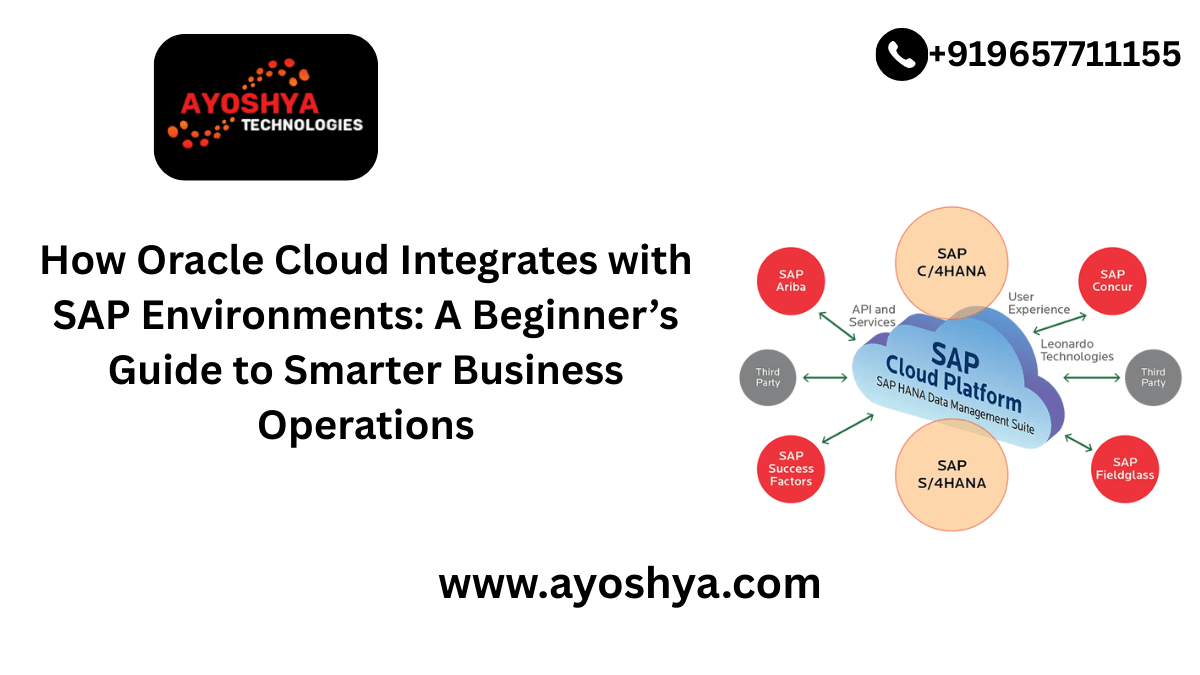
How Oracle Cloud Integrates with SAP Environments: A Beginner’s Guide to Smarter Business Operations

In today’s fast-moving digital economy, businesses are constantly seeking ways to streamline operations, improve agility, and cut costs. One of the most effective ways to achieve this? Integrating powerful enterprise tools like SAP with flexible, scalable platforms like Oracle Cloud.

Whether you’re a business decision-maker, a finance associate, or just someone curious about enterprise IT, understanding how Oracle Cloud integrates with SAP environments is a powerful step toward digital transformation — and financial success for your organization.

Let’s break down the essentials in a conversational and beginner-friendly way.

🌐 What is Oracle Cloud?

Oracle Cloud is a comprehensive suite of cloud services including Infrastructure as a Service (IaaS), Platform as a Service (PaaS), and Software as a Service (SaaS). It’s used by businesses around the world to run workloads, manage databases, and scale applications.

Key benefits of Oracle Cloud:

  • High-performance computing
  • Cost-effective storage
  • Secure, scalable environments
  • AI and analytics capabilities

🏢 What is SAP?

SAP (Systems, Applications, and Products in Data Processing) is one of the world’s leading Enterprise Resource Planning (ERP) systems. It’s used to manage everything from supply chain logistics and finance to human resources and customer relationships.

Popular SAP products:

  • SAP S/4HANA
  • SAP ECC
  • SAP Business One

Most large enterprises use SAP as the digital core of their operations.

🔄 Why Integrate Oracle Cloud with SAP?

Here’s the big idea: Businesses that use SAP often face high on-premises infrastructure costs, slow performance, or limited flexibility. Integrating Oracle Cloud with SAP allows organizations to:

  • Modernize legacy SAP systems without a full replacement
  • Improve performance of SAP applications with scalable cloud infrastructure
  • Enhance disaster recovery and security
  • Lower TCO (total cost of ownership) by reducing physical infrastructure

In short, you’re unlocking more value from your existing SAP investment.

🚀 How Does the Integration Work?

Oracle Cloud offers certified infrastructure for running SAP workloads, meaning it meets SAP’s strict requirements for performance and compatibility.

There are three major integration approaches:

1. Running SAP on Oracle Cloud Infrastructure (OCI)

SAP applications and databases can be hosted directly on OCI, offering high availability and fast data processing. This is ideal for large-scale operations using SAP S/4HANA.

✅ Tip: Many businesses start with moving non-production SAP systems (like development or testing environments) to OCI before fully migrating.

2. Hybrid Integration

You can run some SAP systems on-premises and others in Oracle Cloud. This hybrid model is great for companies transitioning to the cloud in stages.

✅ Real-world example: A retail company keeps their customer database on-premise for compliance but runs SAP analytics in Oracle Cloud to take advantage of AI tools.

3. Connecting SAP with Oracle Cloud Services

Use Oracle Cloud’s advanced services (e.g., Oracle Autonomous Database, AI/ML tools, or analytics) alongside your SAP environment via APIs and connectors. This enhances your SAP data with smart tools for reporting and decision-making.

✅ Practical tip: Use Oracle Analytics Cloud with SAP to get deep insights into sales trends, employee productivity, or supply chain performance.

📊 Market Trends: Why This Matters Now

Here’s the big picture:
According to Gartner and IDC, over 70% of enterprises using SAP are planning cloud migrations by 2027, and Oracle Cloud is one of the top platforms being considered.

Industry insights:

  • SAP support for older systems ends soon (e.g., SAP ECC by 2027), driving cloud transitions.
  • Regulatory pressures require better data compliance and security — a strong point of OCI.
  • Real-time analytics is a growing need; Oracle’s AI tools can fill that gap for SAP users.

If you’re in a growing business or an industry with heavy data use — retail, finance, logistics — this integration can give you a major competitive edge.

🧩 Common Use Cases of Oracle Cloud + SAP

Let’s make it real. Here’s how companies are using this integration today:

  • Finance teams using SAP for core processes and Oracle Cloud for analytics dashboards
  • Manufacturers managing production schedules in SAP, while predictive maintenance runs in Oracle’s AI engine
  • Retail chains using Oracle’s infrastructure to ensure SAP systems scale during seasonal traffic spikes

💡 Getting Started: Your First Steps

If this sounds complex, don’t worry — you don’t have to dive in all at once. Here’s how beginners (and companies) typically start:

  1. Assess current SAP infrastructure
  2. Choose one SAP workload to move or enhance
  3. Engage cloud experts or IT partners
  4. Start small — test Oracle Cloud for non-critical SAP systems
  5. Scale and automate based on success

Oracle also offers preconfigured SAP environments and automation tools to make this easier.

✅ Beginner tip: Use Oracle’s Cloud Calculator to estimate costs before migrating.

🎓 Take the Next Step Toward Digital Mastery

If you’re serious about building cloud literacy, improving your career, or helping your business thrive — now’s the time to level up.

👉 Explore our beginner-to-advanced cloud integration courses, where we break down:

  • Cloud architecture basics
  • SAP migration strategies
  • Real-life case studies
  • Hands-on Oracle Cloud labs

With the right knowledge, you can confidently guide your company — or your career — into the future of enterprise tech.

🌟 Conclusion

Oracle Cloud and SAP aren’t just big enterprise buzzwords. Together, they form a powerful engine for smarter, faster, and more resilient business operations. Whether you’re part of a large enterprise or just starting your journey in IT and finance, understanding how these two giants work together is a valuable step toward long-term success.

YOU MAY LIKE THIS

What is AWS Lambda?A Beginner’s Guide to Serverless Computing in 2025

Java vs. Kotlin: Which One Should You Learn for Backend Development?

Where to Find Your Salesforce Organization ID

How Salesforce Stands Out from Other CRMs

SAP

Just 3 Changes to Improve the SAP ABAP Performance by 95 Percent

Just 3 Changes to Improve the SAP ABAP Performance by 95 Percent. For one of our custom program, assuming the Business Group executed it totally open, it required very nearly 10,000 seconds. So they were encouraged to continuously run the report for certain information values in the determination screen. Regardless of whether they need to execute for every one of the clients (clear open) in the determination screen, they were asked not to leave it clear. All things considered, they were approached to put clients input field in reaches and afterward run various positions. Let’s get started with Just 3 Changes to Improve the SAP ABAP Performance by 95 Percent.

For example:

Users 00000001 – 00005000 – Job 1
Users 00005001 – 00010000 – Job 2
Users 00010001 – 00015000 – Job 3
Users 00015001 – 00020000 – Job 4 – and so on.

sap abap selection screen

Be that as it may, one of the Business Colleagues was troubled. He could have done without the plan to run different positions and afterward collect the outcomes. He needed to run the report completely open and have only one spool with the result. He made his voice clearly, made it heard and persuaded the administration to tune this program. Therefore, this feared program came to our plate to break down in the event that we can make some improvement.

performance tuning abap

Our most memorable move was to run the work completely open and check what amount of time it required. It required 9991 seconds unequivocally. We ran it completely open on numerous occasions to check assuming any support would do any deceive. Yet, the occupation got some margin to wrap up.

Then we took a gander at the program and did two or three changes, which we accepted had the most extreme effect. So, we followed “The Pareto Guideline”, otherwise called the “80/20 Rule”. I’m certain a large portion of you have caught wind of this 80-20 Rule. That’s what the law expresses, for some occasions, generally 80% of the impacts come from 20% of the causes.

In our unique situation, 80% of Execution Issues have 20% causes. Or on the other hand, 80% of Execution can be improved by fixing the main 20% terrible programming.

We did only 3 changes and the effect was colossal. Check the underneath work run Length. With only 3 changes, the run time tumbled from 9991 seconds to 496 seconds.

Indeed, an improvement of more than 95%. Isn’t it staggering? Albeit 496 seconds is definitely not an optimal opportunity to finish a report. Yet, to get that decrease in time with only some minor code change was truly worth focusing on.

The Pareto Principle

A few people might request evidence. How might we accept assuming both the positions ran for same information and gave a similar output.?Yes, it did. Also, here is the confirmation.

This is the Info. We need for all Clients. And every one of our clients start with 0.

The work which ran for 9991 seconds gave 632 Pages yield.

The work which ran for minimal under 500 seconds likewise gave 632 Pages yield

Presently, you could be interested to be aware, what was the mysterious change which we did? However, not a big deal.

You may be frustrated in the wake of learning the change.

Yet at the same time, we needed to distribute this article on the grounds that occasionally we don’t have to move the mountain to achieve something. Now and again, the arrangement is straightforward and inside our span. We generally need NOT must have In that frame of mind to see the exhibition improvement.

Now and again, tweaking our code in the conventional data set could get the job done. This is only a guide to illustrate, how awful we can program. On the off chance that all ABAPers deal with minor things like displayed underneath, the client’s SAP Framework would be a lot quicker, smoother and all the more significantly upgraded even without HANA.

This doesn’t mean we can keep away from HANA.

Changes done:

  1. Change Standard Table Types to Hashed and Sorted Internal Tables wherever possible.

Really take a look at the remarked Information in green. All Standard Inward Tables are supplant by Hashed and Arranged Inside table.

Hashed internal table
  1. Alternative for ‘For All Entries’

HRP1001 has more than 4.5 million passages in our framework and the beneath FOR ALL Sections (FAE) select took until the end of time.

Before Code Change

    SELECT * FROM hrp1001 INTO TABLE it_hrp1001
      FOR ALL ENTRIES IN it_pa0001
      WHERE objid = it_pa0001-plans
      AND begda LE sy-datum
      AND endda GE sy-datum.

After Code Change

In the wake of breaking down the runtime information, we found that the FAE driver table IT_PA0001 had just 7000 one of a kind passages, yet the FOR ALL Sections took practically enduring to finish on the grounds that the chose data set had over 4.5 million records. So we chose to put these 7000 odd passages to Reach Table and use it in the WHERE provision.

  RANGES: lr_objid   FOR hrp1001-objid.
  DATA:   lwa_objid  LIKE LINE OF lr_objid.

  DATA:   lit_pa0001 TYPE STANDARD TABLE OF pa0001.

  IF it_pa0001 IS NOT INITIAL.
*   Keep a local copy
    lit_pa0001 = it_pa0001[].

    SORT lit_pa0001[] BY plans.

*   Keep unique entries
    DELETE ADJACENT DUPLICATES FROM lit_pa0001 COMPARING plans.

*   Populate the range table which can be used in WHERE clause
    lwa_objid-sign = 'I'.
    lwa_objid-option = 'EQ'.
    LOOP AT lit_pa0001 INTO DATA(lwa_pa0001).
      lwa_objid-low = lwa_pa0001-plans.
      APPEND lwa_objid TO lr_objid.
    ENDLOOP.

*   FAE replaced by Range Table
    SELECT * FROM hrp1001 INTO TABLE it_hrp1001
      WHERE objid IN lr_objid[]        
      AND begda LE sy-datum
      AND endda GE sy-datum.

  ENDIF.

3. As a matter of fact, there is no Third point. This is the eventual outcome of Primary point. The Circles and Peruses of HASHED and Arranged tables are of course proficient than STANDARD Interior Tables.

There’s nothing more to it. Only the over two changes further developed the presentation decisively (by 95%). Ideally, this article would rouse you to utilize the Arranged and HASHed table more frequently than STANDARD.

Question: Before we close today, let me ask you, Do you have any idea about what number of kinds of interior tables we have in SAP?

Reply: Did you say 3? Standard/Arranged/Hashed? Ideally not.

As a general rule, are just 2 kinds of Interior tables. File Table and HASHED Tables.

Then what might be said about Norm and Arranged? The two of them fall under Record Table umbrella.

This picture would explain, Kinds of Inward Tables in SAP.

Types of Internal Tables in SAP

Yet, for what reason would we say we are covering Inside Tables here?

Isn’t Inward Tables hypothesis for novices in ABAP?

Valid, inward tables are the fundamental idea which is told to novices. In any case, now and again, we want to remind our accomplished people also that the second conspicuous guilty party for a large portion of the Presentation Issues after Data set Admittance is tasks with Inner tables. Off-base or Inaccurate Data set Get presumably causes issue, yet off-base Interior Table at some unacceptable spot likewise adds affront to the injury.

In this way, Inside Tables being the focal build inside the application improvement with ABAP, its significance can’t be subverted.

How to chose the internal table type?

Standard Interior Table (Listed)

I. Assuming that you are certain, your inner table would not very many records (under 100) it could be fitting to swear off an unequivocal key by and large (which is required in arranged and hashed tables) then, at that point, Standard Inside tables can be utilized. Standard tables are appropriate for information which are once in a long while or not the slightest bit looked for explicit

ii. On the off chance that the interior table information are seldom or not by any stretch of the imagination looked for explicit models then Standard Inner Table would be reasonable for such information.

iii. Thumb Rule – In the event that searches are not required in the inner table, it does not merit the expenses to make and to keep the extra key-structures required for the other table sorts (arranged/hashed). Utilize Standard Inside Table securely.

Arranged Inward Table (Recorded)

I. If you have any desire to Circle with WHERE condition. On the off chance that this is finished with appropriate Keys (even fractional), the inside fabricated key-designs will be utilized to track down the relating sections as fast as could be expected.

ii. In the event that the information should be looked with Keys. On the off chance that the Peruses would be finished with Incomplete Keys, Arranged is the best table sort not Hashed table.

iii. Thumb Rule – In the event that the unambiguity of the Keys can’t be ensured for example just Halfway Keys are known, then Arranged Inward Tables ought to be utilized.

Hashed Interior Table (Hashed)

I. Assuming you have the Total Key (NOT Fractional), Hashed Inner Table is your most ideal decision.

ii. On the off chance that unambiguity of the Keys CAN be ensured for example Full Keys are accessible for the hunts, Hashed in the Best.

iii. Thumb Rule – In the event that the pursuit term generally utilizes the total key (every one of the fields of the key are checked against the comparing esteem) Hashed table sort is normally awesome.

Outline of the above clarification of Time Expenses for Key Access.

BEST PRACTICE GUIDELINES FOR DEVELOPMENT

Rundown of the above clarification for When to Utilize Which Table Sort?

When to Use Which Table Type?

As our SAP Tutors generally say, on the off chance that we could advance our custom codes in the conventional data set, we could accomplish enormous improvement in execution even before we move to HANA. Hope enjoyed “Just 3 Changes to Improve the SAP ABAP Performance by 95 Percent” blog.

YOU MAY BE INTERESTED IN

Oracle Interview Questions and Answers

Best Practices for SAP ABAP Development: A Comprehensive Guide

Best Oracle certification course in Pune

SAP

SPTA Parallel Processing Framework in ABAP

Parallel Processing Technique in SAP ABAP using SPTA Framework: SPTA Parallel Processing Framework in ABAP

With the approach of HANA and In-Memory handling, this point could look mis-planned. Yet, there are numerous associations, which actually have no arrangement to move to HANA inside couples of years. As is commonly said, the show should continue and that spurred us to distribute this long forthcoming article here for those ABAPers, who actually need to bargain a great many lines in cluster occupations and who feel the “Evenings are getting excessively more limited to execute those bunch occupations in SAP” (propelled from a companions blog). Let’s go deep into the SPTA Parallel Processing Framework in ABAP.

Why parallel processing required?

Parallel processing is required mainly to improve the performance of any ABAP program. Using parallel processing framework we can significantly improve the processing time of any program, particularly where data volume is very high. The basic concept behind the parallel processing framework is to divide the large volume of data into several small work packets and process different work packets into different tasks. So each work process will be processed at the same time in parallels and it will significantly reduce time. Nowadays every distribution-related projects have a large volume of data so invoking parallel processing framework is very useful to reduce time.

Conventional Parallel Processing

We can use parallel processing framework by calling any RFC enabled function module in NEW TASK. In this way, after determining the number of work packets we can create different tasks for each work packets and process them in parallel.

Why SPTA structure required?

SPTA structure is the most modern and gotten system for equal handling given by SAP. If we have any desire to deal with numerous records and need to refresh/check different data set tables in equal, all things considered, utilizing traditional method for conjuring equal handling is troublesome and there can be some ABAP memory issue. In any case, in SPTA system there are work in security for all the ABAP memory related issues so it is exceptionally secure. Additionally, SPTA system is extremely simple to carry out and everything the equal handling work is dealt with by SAP we don’t have to annoy how to deal with it. Along these lines, it is likewise an extremely refined structure.

SPTA Equal Handling Structure

To conjure SPTA structure we really want to call capability module SPTA_PARA_PROCESS_START_2. This is a standard SAP gave capability module. In this capability module, we need to utilize three subroutines to construct our own handling rationale.

SPTA_PARA_PROCESS_START_2
  • BEFORE_RFC_CALLBACK_FORM: This routine is called by the capability module prior to calling the RFC capability module. Here we need to fabricate different work bundles which we need to process in the RFC capability module.
  • IN_RFC_CALLBACK_FORM: This routine is called by the capability module after work bundles are made. In this daily practice, we can utilize our own RFC empowered capability module or custom code to deal with each work parcels.
  • AFTER_RFC_CALLBACK_FORM: This routine is called toward the end by the capability module. In the wake of handling of practically everything parcels, we need to gather every one of the handled information.

We have referenced server bunch likewise while calling the capability module. The server gathering can be kept up with in the RZ12 exchange. However, this is Premise action.

In the evolving boundary, we need to pass our complete inner table which contains every one of the information. From this inward table, we will make different little work bundles (for example Interior tables) for equal handling.

In the get back to program name, we need to pass the calling program name.

Trust you are not mistaking Equal Handling for Equal Cursor Strategy. If it’s not too much trouble, read this Graphical and Measurable Examination of Equal Cursor Procedure in Circles.

Presently we will talk about the really three subroutines and how to call them in subtleties.

  • BEFORE_RFC_CALLBACK_FORM: In this daily schedule, we need to make little inner tables which we are alluding as work parcels for equal handling in the IN RFC schedule. If it’s not too much trouble, allude the beneath screen capture.
BEFORE_RFC_CALLBACK_FORM

Every one of the boundaries which are passed in this subroutine are compulsory. Here first we need to make little work parcels. In the above code, it is characterized like one work bundle will contain 10 records. In the wake of making one work parcel I have ENCODE the information for additional downstream handling. Additionally, we need to illuminate task chief that one RFC can be begun by passing ‘X’ in the START_RFC field.

  • IN_RFC_CALLBACK_FORM: In this daily schedule, we need to compose own handling rationale to deal with every one of the information. We can call a RFC empowered capability module from this everyday practice or we can compose our own rationale inside this routine moreover. For each work bundles, various errands will be made and each undertaking will call this everyday practice for handling of information. Kindly allude beneath screen capture.
IN_RFC_CALLBACK_FORM

In the above code, I have first decoded the encoded information which is coming from BEFORE_RFC_CALLBACK_FORM routine for each work bundles. Then, at that point, compose your own rationale or call RFC empowered capability module for handling. In the above model, I just arranged the arbitrary information. On the other hand I have encoded information for the downstream handling in AFTER_RFC_CALLBACK_FORM schedule.

  • AFTER_RFC_CALLBACK_FORM: In this routine after processing of all the data we have to collect data. In this routine basically, we have to prepare final internal table after all the data processing. Please refer the attached screenshot.
AFTER_RFC_CALLBACK_FORM

In the above model I have decoded the information once more and afterward showed all the record. Here in the event that any unit fizzles during handling in IN_RFC_CALLBACK_FORM no information will be accessible to gather since, supposing that any unit bombs we should not get ready last table with less number of legitimate records. We can get the bombed unit by utilizing IF_RFCSUBRC and IF_RFCMSG.

So by utilizing this capability module, we can conjure equal handling system in a complex and secure way.

If it’s not too much trouble, download the code utilized in the above showing from Here.

Kindly note: We can plan our own equal handling strategy without utilizing SPTA System. The idea continues as before in the hand craft too for example Records get handled into various errands and that runs equal. So the handling time is diminished complex.

YOU MAY LIKE THIS

Why SAP jobs are highly paid?

How Managed Services Can Supercharge Your SAP ROI

What salary should you expect in SAP industry?

SAP

SORTing Algorithm – Performance Comparision

In one of our past articles, we discussed the Arranging Calculation rationale which is asked in numerous Level One MNCs. We showed not many ways of accomplishing it. In the wake of going through the different Arranging strategy, our companion Stephan Koester from Koester-Counseling was questions to approve the exhibition of the various SORTs. In this will see SORTing Algorithm – Performance Comparision.

In this way, he thought of one program utilizing similar code bits and attempted to figure out which Arranging Calculation is the most advanced one. The finding is very fascinating.

For the examination, Stephan made the tables with columns 2 to the power n where n beginning from 1 till 13. So, the table had column counts 2, 4, 8, 16, 32, 64, 128, 256, 512, 1024, 2048, 4096, 8192. Let’s go for practical on SORTing Algorithm – Performance Comparision.

Guinea Pig for the Experiment – i.e The Test Data

To test the presentation better, he made two tables. One in rising request from 2 till 2 to the force of 13. What’s more, the subsequent table in sliding request from 2 to the force of 13 till 2.

Techniques Used

Assuming you really take a look at the code beneath, he utilized 3 strategies to Sort and record the time.

  1. Sorted Non Unique
  2. Sorted Unique
  3. Manual Sort Algorithm

Program with 3 SORT Algorithm

REPORT zstkoes_sort_performance.
DATA:
  lv_time_first  TYPE timestampl,
  lv_time_second TYPE timestampl,
  lv_time_third  TYPE timestampl,
  lv_time_fourth TYPE timestampl,
  lv_time_fifth  TYPE timestampl,
  lv_time_sixth  TYPE timestampl.

DATA:
  BEGIN OF gs_time,
    count             TYPE i,
    sorted_unique     TYPE timestampl,
    sorted_nonunique  TYPE timestampl,
    manual_sort_logic TYPE timestampl,
  END OF gs_time,
  gt_times LIKE TABLE OF gs_time.

TYPES:
  tt_int TYPE TABLE OF i WITH EMPTY KEY,
  BEGIN OF gtys_integer,
    integer TYPE i,
  END OF gtys_integer,
  gtyt_interger                  TYPE TABLE OF gtys_integer WITH EMPTY KEY,
  gtyt_interger_sorted_unique    TYPE SORTED TABLE OF gtys_integer WITH UNIQUE KEY integer,
  gtyt_interger_sorted_nonunique TYPE SORTED TABLE OF gtys_integer WITH NON-UNIQUE KEY integer.

DATA:it_three TYPE tt_int.

DO 13 TIMES.
  DATA(lv_count) = 2 ** sy-index.
  DATA(lt_table1) = VALUE gtyt_interger( FOR count2 = 1 THEN count2 + 1 UNTIL count2 > lv_count ( integer = count2 ) ).
  DATA(lt_table2) = VALUE gtyt_interger( FOR count = lv_count THEN count - 1 UNTIL count = 0 ( integer = count ) ).

  IF sy-index EQ 2.
    cl_demo_output=>begin_section( title = |Sample table| ).
    cl_demo_output=>write_text( text = |All tables follow the same rule:{
                                        cl_abap_char_utilities=>newline }First table: 1 to count{
                                        cl_abap_char_utilities=>newline }Second table: count to 1| ).
    cl_demo_output=>write_data( value = lt_table1 name  = |First Table| ).
    cl_demo_output=>write_data( value = lt_table2 name  = |Second Table| ).
    cl_demo_output=>begin_section( title = 'Time needed' ).
  ENDIF.

* 1. Sorted Non Unique
  GET TIME STAMP FIELD lv_time_first.
  DATA(lt_table4) = CORRESPONDING gtyt_interger_sorted_nonunique( BASE ( lt_table1 ) lt_table2 ).
  GET TIME STAMP FIELD lv_time_second.

* 2. Sorted Unique
  GET TIME STAMP FIELD lv_time_third.

* DISCARDING DUPLICATES can be used with NW7.51 and higher
  DATA(lt_table3) = CORRESPONDING gtyt_interger_sorted_unique( lt_table1 DISCARDING DUPLICATES ).
  lt_table3 = CORRESPONDING #( BASE ( lt_table3 ) lt_table2 DISCARDING DUPLICATES ).
  GET TIME STAMP FIELD lv_time_fourth.

  DATA(it_one) = VALUE tt_int( FOR count2 = 1 THEN count2 + 1 UNTIL count2 > lv_count ( count2 ) ).
  DATA(it_two) = VALUE tt_int( FOR count = lv_count THEN count - 1 UNTIL count = 0 ( CONV #( count ) ) ).

  CLEAR: it_three.
  GET TIME STAMP FIELD lv_time_fifth.
  APPEND LINES OF it_one TO it_three.
  APPEND LINES OF it_two TO it_three.

* 3. Manual Sort Logic
  DATA(lv_len) = lines( it_three ).
  DATA(i) = 1.
  WHILE i < lv_len.
    DATA(lv_min) = it_three[ i ].
    DATA(j) = i + 1.
    WHILE j < lv_len + 1 .
      IF it_three[ j ] < lv_min.
        DATA(lv_temp) = lv_min.
        lv_min = it_three[ j ].
        it_three[ j ] = lv_temp.
      ENDIF.
      j = j + 1.
    ENDWHILE.
    it_three[ i ] = lv_min.
    i = i + 1.
  ENDWHILE.

  GET TIME STAMP FIELD lv_time_sixth.

* Populating the table with the time for the 3 techniques
  gt_times = VALUE #( BASE gt_times ( count = lv_count
                                      sorted_unique = lv_time_fourth - lv_time_third
                                      sorted_nonunique = lv_time_second - lv_time_first 
                                      manual_sort_logic = lv_time_sixth - lv_time_fifth ) ).
ENDDO.

cl_demo_output=>write_data( value = gt_times ).
cl_demo_output=>display( ).

Result

Allow us to run and check the time taken for each Sort Calculation

True to form, the Manual Arranging calculation took outstanding time contrasted with the standard punctuation. The SORTED_UNIQUE fared better compared to SORTED_NONUNIQUE. Albeit the time contrast is very tiny yet Arranged One of a kind procedure was reliably better compared to Arranged NON Interesting and with more volume of information, the hole among Special and NON Remarkable would be more noticeable and significant.

Keyword – DISCARDING DUPLICATES

We previously referenced about the new watchword Disposing of in past article. It is accessible from NW7.51. Check beneath, NW 7.4 doesn’t remember it.

SAP Netweaver 740
DISCARDING keyword available after NW751

Keywords – CORRESPONDING, BASE, DISCARDING DUPLICATES

In the event that you really want a reference code bit to populate table with Non One of a kind and Exceptional information, check the underneath program given by Stephan. He has made two inner tables and afterward embedded information of both the tables into one. One of the last table is Arranged One of a kind and the other one is Arranged NON Special. This is a genuine model for everybody to learn present day Sentence structures and be more proficient at their work place.

REPORT zstkoes_sort.
TYPES:
  BEGIN OF gtys_integer,
    integer TYPE i,
  END OF gtys_integer,
  gtyt_interger                  TYPE TABLE OF gtys_integer WITH EMPTY KEY,
  gtyt_interger_sorted_unique    TYPE SORTED TABLE OF gtys_integer WITH UNIQUE KEY integer,
  gtyt_interger_sorted_nonunique TYPE SORTED TABLE OF gtys_integer WITH NON-UNIQUE KEY integer.

DATA(lt_table1) = VALUE gtyt_interger( ( integer = 9 ) ( integer = 1 ) ( integer = 9 ) ).
DATA(lt_table2) = VALUE gtyt_interger( ( integer = 20 ) ( integer = 9 ) ( integer = 4 ) ).

* CORRESPONDING can be used with NW7.40PL2 and higher
DATA(lt_table4) = CORRESPONDING gtyt_interger_sorted_nonunique( BASE ( lt_table1 ) lt_table2 ).

* DISCARDING DUPLICATES can be used with NW7.51 and higher
DATA(lt_table3) = CORRESPONDING gtyt_interger_sorted_unique( lt_table1 DISCARDING DUPLICATES ).
lt_table3 = CORRESPONDING #( BASE ( lt_table3 ) lt_table2 DISCARDING DUPLICATES ).

cl_demo_output=>write_data( value = lt_table1 name  = |First Table| ).
cl_demo_output=>write_data( value = lt_table2 name  = |Second Table| ).
cl_demo_output=>write_data( value = lt_table3 name  = |Sorted Table with unique key| ).
cl_demo_output=>write_data( value = lt_table4 name  = |Sorted Table with non-unique key| ).

cl_demo_output=>display( ).

Output

YOU MAY LIKE THIS

What are SAP managed services?

Transaction to launch Fiori launchpad

SAP ABAP Training Institute in Pune, SAP ABAP Courses Online

SAP

CDS – 23: CDS Performance Analysis – Basics – 1

Compact discs Perspectives work on the code pushdown system where the information concentrated computations/collections are finished in the DB layer (rather than the conventional application layer), which gives a lift to execution. Let’s go in CDS – 23: CDS Performance Analysis – Basics – 1.

Everyones assumption is that with the code pushdown the wizardry ought to happen like clockwork. The presentation ought to continuously be better on the off chance that not advanced. Be that as it may, companions in genuine task situations, everything is certainly not a cheerful way. There have been cases where the inquiry doesn’t give the normal presentation elevate. In this multi-part series, we will initially take a gander at dissecting the exhibition of the basic question and afterward articulate various ways of tuning it.

The web is overflowed with Center Information Administrations, however you will scarcely find any great instructional exercises or series on Advancement and Execution Tuning of ABAP Center Information Administrations. Ideally, this series will help our SAP Brotherhood. CDS – 23: CDS Performance Analysis – Basics – 1.

Basics First.

  • ABAP Cds sees are created utilizing ADT and their execution occurs in the DB.
  • Scientific Question Cds act uniquely in contrast to Utilization View Albums due to the hidden comments which influence execution (We will examine this To some degree 2).
  • It is feasible to investigate Logical Inquiry Discs through exchange RSRT to recognize Fiori or approval related issues. This is one of the initial steps prescribed to segregate and recognize assuming that the issue is execution related.
  • To comprehend the execution, we really want to distinguish the SQL articulation that is created by the Compact discs. (Here we should give close consideration to the genuine factors and worth that are utilized).

For instance: Execution of Preliminary Equilibrium Albums (IFIGLBALCUBE/I_GLACCTBALANCECUBE) in 1709 produces the accompanying SQL explanation.

You can definitely relax, we will find in the ensuing presents on how on get this SQL explanation.

SELECT /* CDS access control applied */ "COMPANYCODE" "K____360" , 
"CHARTOFACCOUNTS" "K____359" , 
"GLACCOUNT" "K____366" , 
"FISCALPERIODDATE" "K____443" , 
"COMPANYCODECURRENCY" "K____479" , 
COUNT(*) "Z____110_SUM" , SUM( "DEBITAMOUNTINCOCODECRCY" ) 
"Z____3159_SUM" , SUM( "ENDINGBALANCEAMTINCOCODECRCY" ) 
"Z____3163_SUM" , SUM( "CREDITAMOUNTINCOCODECRCY" ) 
"Z____3187_SUM" 
FROM /* Entity name: I_GLACCTBALANCECUBE CDS access controlled */ 
"IFIGLBALCUBE" ( "P_FROMPOSTINGDATE" => ? , "P_TOPOSTINGDATE" => ? ) 
"A1" WHERE "MANDT" = ? AND "COMPANYCODE" = ? AND 
"LEDGER" = ? GROUP BY "COMPANYCODE" , "CHARTOFACCOUNTS" , 
"GLACCOUNT" , "FISCALPERIODDATE" , 
"COMPANYCODECURRENCY" ORDER BY "A1" . "COMPANYCODE" , "A1" . 
"GLACCOUNT"  WITH HINT
(DOUBLE_PREAGGR_BEFORE_JOIN,USE_OLAP_PLAN,RESULT_LAG ('hana_long')) 
WITH RANGE_RESTRICTION('CURRENT')
  • In the event that the Compact discs view has approval limitations through DCL (Information Control Language) this will have an essential impact in the SQL explanation framed. In the past proclamation, “Cds access control” shows that a relating DCL exists and approval limitations have been applied during execution.
  • In the event that Compact discs question has DB hints (prev model has HINT(DOUBLE_PREAGGR_BEFORE_JOIN,USE_OLAP_PLAN,RESULT_LAG (‘hana_long’))) as a feature of the explanations, this will likewise have an impact in the execution plan(creation of the SQL proclamation) of the Cds.
  • Cds sees work on a stacking model. (Sees are stacked and reused to accomplish more prominent adaptability and strength). On the off chance that the stacking is poor, this will be a channel on the presentation.

How to understand the stacking model?

In ADT, subsequent to opening the connected Discs view, right snap and pick

Open With -> Dependency Analyzer.

  • This will open the SQL Reliance Tree which shows how the choice occurs starting from the top

Really focus on the Tabs at the lower part of the screen.

  • SQL Dependency Graph is a visual portrayal of the Tree and assists you with better grasping the information base choice. (This is a decent device to use to eliminate any undesirable branches from the SQL question to upgrade the presentation).
  • Complexity Metrics give an obvious sign of the quantity of data set tables utilized by the Discs view. (kindly note that runtime affiliations are excluded from this rundown just plan time affiliations, joins, associations, collections and so on.)

This gives a fundamental thought on how Discs view work in the engine and what are the significant contemplations that influence execution. In the accompanying posts, we will take a gander at the SQL explanation, Plan Viz, Execution Plan and Comments to tweak and accomplish ideal execution.

This is only a hint of something larger. We will jump all the more profound to get better understanding of the Cds Execution Tuning. Kindly stay tuned.

YOU MAY LIKE THIS

What salary should you expect in SAP industry?

Transaction to launch Fiori launchpad

What is replication flow in Datasphere?

SAP

Do all ABAPers know Fixed Point Arithmetic?

A mystery to start.. (Do all ABAPers know Fixed Point Arithmetic)

What might be the result of this compose articulation.

DATA: v_kwert_n TYPE kwert.

v_kwert_n = '1.234'.

WRITE:/ 'From Program: ', v_kwert_n.

Did you figure it could be ‘1.234’? Or on the other hand assuming that you were infront of the framework and you ended up taking a gander at the information component KWERT and it has 2 decimal. So you figured it would be ‘1.23’. Let’s go into the practical on this question, do all ABAPers know Fixed Point Arithmetic?

Allow me to show what my result was.

1

Oopss!!! This isn’t the very thing you anticipated. Correct?
Presently, you would attempt to challenge this result by really, composing the above lines of code in your framework. What!!! You get an alternate result.

Your result for a similar code.

2

All in all, for what reason is it different in yours and mine? Allow me to acquaint you with the top story, ‘Fixed Point Number-crunching’ (FPA). My program had the Proper Point Number juggling (menu->go to->attribute) uncontrolled. Yours’ absolute requirement been checked naturally.

3

As indicated by SAP, Fixed point number-crunching:
Assuming that you mark this checkbox, all estimations in the program will utilize fixed point math.

In the event that you don’t choose this actually look at box, stuffed numbers (ABAP/4 sort P, Word reference types CURR, DEC or QUAN) will be treated as whole numbers when they are utilized in tasks, examinations, and computations, regardless of the quantity of decimal spots characterized. Transitional outcomes in math estimations will likewise be adjusted to the following entire number. The quantity of decimal spots characterized is possibly considered when you yield the response utilizing the Compose explanation.

As a program quality, the decent point mathematics decides if for quantities of type p the decimal point is regarded by tasks or not.

Presently, let us see the way of behaving of the beneath code.

* In calling Program
DATA:
v_kwert TYPE kwert,
v_kwert_n TYPE kwert.

v_kwert_n = ( 1000 * '1.234' ) / 1000.

* Calling FM to multiply the same number with 1000 and divide by 1000
CALL FUNCTION 'Elearning'
IMPORTING
xkwert = v_kwert.

WRITE:/ 'From Program: ', 20 v_kwert_n.
WRITE:/ 'From FM: ', 20 v_kwert.
* In FM Elearning.
FUNCTION Elearning.

xkwert = ( 1000 * '1.234' ) / 1000.

ENDFUNCTION.

Check, the numerical articulation is precise in the calling program and called FM. Yet, the result is unique, in light of the fact that the Program has Fixed Point Math unrestrained while the FM has it checked.

4

Mess about by turning the FPA on and off on the other hand in program and FM and see the result.

SAP unequivocally suggest not turning off the proper point number-crunching in any program.

Genuine Venture Situation: Really look at the down to earth issue, where the client has issue in computation in VOFM routine where the standard SAP program SAPLV61A doesn’t have Fixed Point Math checked.

In such cases, we ought to call a custom FM with Fixed Point Arithimetic checked and do the computation in the FM and pass the last worth to the primary program (VOFM).

With the above gyan (sanskrit word for information), let us check whether we could decide the right result of the beneath code (taken from SAP Help documentation)

CLASS cl_test DEFINITION.
 PUBLIC SECTION.

 CLASS-METHODS meth RETURNING value(p) TYPE string.

ENDCLASS.

CLASS cl_test IMPLEMENTATION.
 METHOD meth.

 p = '1000'.

 ENDMETHOD.
ENDCLASS.

* Calling in program
START-OF-SELECTION.

DATA v_pack TYPE p DECIMALS 2.

v_pack = cl_test=>meth( ).

write:/ v_pack.

The present Something worth mulling over.
I) What might be the result worth of variable v_pack assuming that the Decent Point Number juggling is checked?
ii) What might be the result worth of variable v_pack in the event that the Decent Point Number juggling isn’t checked?

Assuming that you enjoyed it, kindly offer it! Much obliged!

YOU MAY BE INTERESTED IN

SAP ALE IDoc Configuration Steps: Streamlining Communication

Adapting generative AI to business context

How to integrate sap with other systems ?

SAP career path comparison chart for ABAP, FICO, MM
SAP

ABAP vs. FICO vs. MM: Which SAP Career Path Is Right for You?

Are you considering a career in SAP but feel overwhelmed by the options—ABAP, FICO, MM? You’re not alone. Many beginners and even seasoned professionals find it challenging to decide which SAP module offers the best growth and aligns with their career goals.

Let’s break it down in simple, beginner-friendly terms so you can make an informed and confident choice. Whether you’re a student exploring tech careers, a professional looking to switch roles, or an employee in a company where SAP is being implemented, this guide is for you.

What Is SAP and Why Does It Matter?

SAP (Systems, Applications, and Products) is one of the world’s leading enterprise resource planning (ERP) systems. Used by top global companies, SAP helps manage business operations and customer relations more efficiently.

SAP offers various modules tailored to different business functions. Among the most popular are:

  • ABAP (Advanced Business Application Programming) – the programming language used in SAP.
  • FICO (Financial Accounting and Controlling) – used to manage financial transactions and reporting.
  • MM (Materials Management) – handles procurement and inventory processes.

Now, let’s dive into each of these and find out which path might be your gateway to growth.

ABAP: For the Problem-Solvers and Coders

What it is: ABAP is SAP’s proprietary programming language. If you’re passionate about coding, logic-building, and developing customized solutions within the SAP framework, ABAP is your jam.

Who it’s for:

  • Computer science graduates
  • Coders and developers
  • Tech-savvy professionals who enjoy problem-solving

Career opportunities:

  • SAP ABAP Developer
  • SAP Technical Consultant
  • Integration & Customization Expert

Market demand: As more companies move to SAP S/4HANA, there’s a growing demand for ABAP developers who can adapt to new systems and build custom apps.

Pros:

  • High technical skill = higher pay potential
  • Constant learning as technology evolves
  • Great for freelance and remote opportunities

Cons:

  • Steep learning curve for non-techies
  • Limited if you’re not interested in coding

FICO: For the Finance-Savvy Professionals

What it is: FICO stands for Financial Accounting and Controlling. It’s used to manage an organization’s financial data, reporting, and compliance.

Who it’s for:

  • Finance or accounting graduates
  • Business analysts
  • Professionals in banking or audit

Career opportunities:

  • SAP FICO Consultant
  • Financial Analyst with SAP skills
  • ERP Implementation Specialist

Market demand: FICO remains one of the most in-demand modules, especially with companies prioritizing transparency and regulatory compliance.

Pros:

  • Strong industry demand in finance-heavy sectors
  • Blends accounting knowledge with technology
  • Easier transition for those from finance backgrounds

Cons:

  • Less flexibility outside finance domains
  • Can be complex without accounting fundamentals

MM: For the Organizers and Supply Chain Strategists

What it is: MM (Materials Management) focuses on the logistics of purchasing, inventory, and supply chain management within SAP.

Who it’s for:

  • Supply chain professionals
  • Logistics managers
  • Industrial engineers

Career opportunities:

  • SAP MM Consultant
  • Procurement Specialist
  • Inventory and Warehouse Analyst

Market demand: With global supply chains becoming more complex, MM consultants are key players in ensuring efficient operations.

Pros:

  • Critical in manufacturing and retail industries
  • Excellent for those with strong organizational skills
  • High synergy with roles in logistics, procurement, and operations

Cons:

  • May require learning cross-modules (like SD or WM)
  • Less technical than ABAP, which could limit certain roles

Which SAP Path Offers the Best Growth?

Truthfully, all three paths offer great growth, but your personal strengths and interests will determine which one leads to success for you.

ModuleBest ForLearning CurveSalary PotentialIndustry Demand
ABAPCoders, Tech EnthusiastsHighHighHigh
FICOFinance ProfessionalsMediumHighVery High
MMSupply Chain ProsMediumMedium-HighHigh

👉 Real-world example:
Rahul, a commerce graduate, pivoted to SAP FICO after working in accounting. Within 2 years, he became a Senior SAP FICO Consultant working with Fortune 500 clients.

Meanwhile, Sneha, a computer science graduate, dove into ABAP. Today, she’s building custom SAP applications as part of an international tech team.

Practical Tips for Beginners

  1. Assess your background: Start with what you already know. Are you better with numbers, code, or processes?
  2. Try sample modules: Many platforms offer SAP trial systems or mini-projects to help you get a feel.
  3. Talk to mentors: Reach out on LinkedIn or SAP forums. Ask professionals what their day-to-day work looks like.
  4. Certify: SAP certifications (like SAP Certified Application Associate) can give you credibility and open doors.

Where to Start Learning?

You’re already one step ahead just by researching! But if you’re serious about building a career in SAP, structured learning is the next step.

👉 Explore our beginner to advanced SAP courses – designed by industry experts with real-world case studies, hands-on projects, and career mentorship.

Final Thoughts: Take That First Step

Choosing a career path in SAP—be it ABAP, FICO, or MM—doesn’t have to be confusing. Think of it as choosing a tool that matches your strengths and goals. The SAP ecosystem is massive, and there’s a place for every skill set.

Start small, stay curious, and remember: Every SAP expert once started with zero knowledge too.


Ready to take control of your career?

👉 Browse Our SAP Learning Paths Now and take your first step toward success!

What is AWS Lambda?A Beginner’s Guide to Serverless Computing in 2025

Java vs. Kotlin: Which One Should You Learn for Backend Development?

Where to Find Your Salesforce Organization ID

How Salesforce Stands Out from Other CRMs

SAP certification worth it 2025
SAP

Is SAP Certification Worth It in 2025? Here’s the Reality

As technology continues to shape the future of business, companies around the world are constantly searching for tools and solutions to streamline their operations. One of the most powerful and widely used software systems in this space is SAP (Systems, Applications, and Products in Data Processing). With SAP’s critical role in enterprise resource planning (ERP), many professionals and aspiring employees wonder: Is SAP certification worth it in 2025?

If you’re exploring career options or aiming to upskill in today’s rapidly evolving job market, SAP certification could be the game-changer you need. In this blog post, we’ll explore the value of SAP certification in 2025, examine market trends, and offer practical tips for those considering it. Whether you’re new to the field or looking to expand your existing skillset, this guide will give you all the insights you need.

What Is SAP and Why Is It Important?

SAP is a leading software solution for managing business operations and customer relations. It integrates core business processes like finance, human resources, supply chain management, and sales into a single, unified system. This centralization allows companies to streamline workflows, enhance collaboration, and improve overall efficiency.

SAP’s influence is massive. Over 440,000 companies across 180 countries rely on SAP systems, making it a critical part of the global business ecosystem. Whether it’s a small startup or a multinational corporation, SAP is helping businesses solve complex problems and scale successfully.

Why Get SAP Certified?

For those seeking to enhance their career prospects, SAP certification can unlock numerous opportunities. Whether you’re already working in IT, finance, or logistics, or you’re just starting out, a SAP certification can serve as a powerful tool to differentiate you in the job market. But is it still valuable in 2025? Let’s break it down.

1. High Demand for SAP Professionals

The demand for SAP professionals has only grown over the years, and it’s projected to increase in 2025 and beyond. According to market research, SAP continues to dominate the ERP software space, with organizations heavily investing in SAP technologies to modernize their operations. This trend has created a steady demand for qualified SAP consultants, developers, and administrators.

Certified SAP professionals typically command higher salaries, making it a valuable investment. For instance, SAP-certified individuals in roles like business analyst or system architect can expect salaries that are 10-15% higher than their non-certified peers.

2. Increased Industry Adoption of SAP S/4HANA

In recent years, SAP has shifted its focus to SAP S/4HANA, a next-generation ERP suite that offers more advanced capabilities, including real-time analytics and cloud compatibility. As more businesses adopt S/4HANA, the need for SAP-certified professionals who are proficient in this new system is skyrocketing.

Being certified in SAP S/4HANA positions you as an expert in one of the most powerful ERP systems on the market. By understanding how to implement and maintain these cutting-edge solutions, you’ll not only stay relevant in the job market but also become an asset to companies looking to leverage SAP’s innovations.

3. Diverse Career Opportunities

SAP certification opens doors to a wide array of career paths. These can include roles like:

  • SAP Consultant: Help organizations implement SAP systems.
  • SAP Developer: Design, develop, and maintain SAP applications.
  • SAP Functional Expert: Specialize in specific modules like finance (FI), sales and distribution (SD), or human resources (HR).
  • SAP Project Manager: Oversee the implementation and deployment of SAP systems.
  • SAP Administrator: Manage the infrastructure and support for SAP systems.

No matter which path you choose, SAP certification adds credibility to your resume, proving that you have the knowledge and skills to handle complex SAP-related tasks.

Market Trends and SAP in 2025

In 2025, the landscape for SAP professionals is likely to be shaped by the following trends:

  • Cloud Computing and SAP Cloud Solutions: As more businesses migrate to the cloud, SAP’s cloud offerings like SAP SuccessFactors and SAP Ariba will continue to grow in importance.
  • Automation and AI Integration: SAP’s push for automation and AI integration within its products (especially with S/4HANA) means that professionals with expertise in machine learning and automation will be in high demand.
  • Cross-Industry Relevance: SAP is no longer limited to industries like manufacturing and logistics. Today, organizations in sectors such as retail, healthcare, and finance are embracing SAP for business transformation.

These trends highlight the importance of not only having SAP skills but also staying current with the latest updates and advancements. In this context, SAP certification is not a one-time investment—it’s an ongoing commitment to professional growth and relevance.

How to Get SAP Certified: A Step-by-Step Guide

If you’ve decided that SAP certification is right for you, here’s a simple guide to help you get started:

  1. Choose Your Specialization
    SAP offers a wide range of certifications, so it’s crucial to pick the one that aligns with your career goals. You might want to focus on SAP S/4HANA if you’re interested in cloud-based solutions, or specialize in financial modules if you’re in finance.
  2. Select the Right Training
    There are numerous ways to get SAP training, from online courses to in-person boot camps. Ensure the course is accredited by SAP and provides hands-on experience with the tools you’ll be using on the job.
  3. Take Practice Exams
    Before attempting the certification exam, practice with sample questions to familiarize yourself with the exam format. This step will help you understand what to expect and give you confidence going into the exam.
  4. Schedule Your Exam
    Once you feel prepared, schedule your exam with an authorized testing center. The exam typically consists of multiple-choice questions designed to test your practical knowledge and problem-solving abilities.
  5. Pass and Celebrate
    After passing the exam, you’ll receive your SAP certification. From here, you can apply for positions that require SAP expertise or take on new responsibilities in your current role.

Is SAP Certification Worth It in 2025?

The short answer is yes—SAP certification is absolutely worth it in 2025. With the growing demand for SAP professionals, the expansion of SAP S/4HANA, and the increasing importance of cloud technologies, getting SAP certified is a powerful way to enhance your career prospects. Whether you’re just starting or looking to level up, SAP certification provides both tangible and intangible benefits—boosting your earning potential, career stability, and long-term success.

Conclusion: Take Your First Step Toward Success

In today’s competitive job market, SAP certification is not just a badge of honor; it’s a key to unlocking better job opportunities and career advancement. By committing to your professional development with SAP certification, you’re setting yourself up for a prosperous future in one of the most dynamic industries.

If you’re ready to take the next step toward SAP certification, explore our comprehensive SAP learning resources and certification courses. Whether you’re a beginner or looking to enhance your existing knowledge, our courses are designed to equip you with the skills you need to succeed in 2025 and beyond.

Start learning today and build the career you’ve always dreamed of!

YOU MAY LIKE THIS

Top Skills Required to Excel as a SAP MM Consultant

Building Client Relationships: From Technical Expert to Trusted Advisor

Simplified Business Workplace – Workflow Inbox in SAP R/3

× How can I help you?