SAP & Oracle partner and support companies

Loading

SAP

Object Detection with AI in images and video content

Object Detection with AI

  • AI object detection identifies and classifies objects in images/videos.
  • Uses deep learning models (e.g., CNNs, YOLO) for accuracy.
  • Applications: security, autonomous driving, healthcare.
  • Challenges include varied conditions and privacy concerns.
  • Advances in efficiency and integrating technologies are shaping its future.

Fundamentals of AI in Object Detection

Fundamentals of AI in Object Detection

Understanding the basics of AI in object detection starts with familiarizing oneself with the core concepts and terminology pivotal to this technology.

Bounding boxes are rectangular coordinates that pinpoint the location of an object within an image, effectively outlining its perimeter.

Confidence scores, on the other hand, quantify the AI model’s certainty in the accuracy of its object detection, offering a probabilistic assessment of each identified object.

At the heart of AI-driven object detection lie various AI models, each with unique capabilities and applications:

  • Convolutional Neural Networks (CNNs) are fundamental, processing images through layers to detect features and patterns.
  • Region-based Convolutional Neural Networks (R-CNNs) improve precision by scanning predefined regions within an image.
  • You Only Look Once (YOLO) stands out for its speed. It analyzes the entire image in a single pass to detect objects.
  • Single-shot detectors (SSD) use a single deep neural network to balance speed and accuracy.

The role of datasets and annotations is crucial in this ecosystem. Datasets consist of vast collections of images, each meticulously annotated to indicate the presence and position of objects.

These annotations, whether bounding boxes, object categories, or other markers, serve as the foundational data for training AI models, teaching them to recognize patterns and make accurate predictions about new, unseen images.

Technologies and Techniques

Technologies and Techniques

Deep Learning in Object Detection

Deep learning, particularly through Convolutional Neural Networks (CNNs), has revolutionized object detection.

CNNs automate feature extraction, eliminating the need for manual feature selection and significantly boosting the model’s ability to recognize complex image patterns.

A closer examination of specific architectures reveals a diverse landscape:

  • R-CNN and its successors, Fast R-CNN and Faster R-CNN, have progressively reduced computation time while increasing detection accuracy. Faster R-CNN introduced a real-time object detection capability.
  • YOLO (You Only Look Once) changes the game by analyzing the entire image simultaneously, drastically reducing processing time and allowing for near real-time object detection.
  • SSD (Single Shot MultiBox Detector) offers a compelling alternative. It provides high accuracy while maintaining speed by predicting the existence of objects and their bounding boxes within a single pass through the network.

Transfer Learning has emerged as a significant technique in object detection. It allows models trained on one task to be repurposed for another related task with minimal additional training.

This approach is particularly valuable in object detection, where training a model from scratch requires substantial computational resources and data.

The training process of an object detection model involves several key steps:

  1. Data Preparation: Collecting and preparing a dataset with diverse examples and accurate annotations.
  2. Model Selection: Choosing an appropriate model architecture based on the task’s specific requirements, considering factors like speed, accuracy, and computational resources.
  3. Training: Adjusting the model’s weights through iterative exposure to the dataset, using a combination of forward propagation and backpropagation to minimize error rates.
  4. Evaluation: Using separate test datasets to evaluate the model’s performance, ensuring it can accurately detect objects in new, unseen images.

By navigating through these foundational concepts and advanced techniques, we gain a comprehensive understanding of the mechanisms driving AI in object detection, setting the stage for innovative applications across various industries.

Applications of AI in Object Detection

Applications of AI in Object Detection

The versatility of AI in object detection is showcased through its wide array of applications across different sectors, demonstrating its capability to transform industries and improve daily operations and outcomes.

  • Surveillance and Security: AI-driven object detection is pivotal in enhancing security systems by identifying unauthorized access or suspicious activities within seconds, ensuring rapid response to potential threats.
  • Autonomous Vehicles: In the realm of autonomous driving, object detection is crucial for the safety and efficiency of vehicles, enabling them to identify pedestrians, other vehicles, and obstacles to navigate safely.
  • Retail: Retailers leverage AI for inventory management by employing object detection to recognize and track products, aiding in stock management, and enhancing customer shopping experiences through interactive kiosks and personalized recommendations.
  • Healthcare: Object detection in medical imaging allows healthcare professionals to identify features indicative of diseases or abnormalities, facilitating early diagnosis and personalized treatment plans.
  • Agricultural Technology: The agricultural sector benefits from object detection for monitoring crop and livestock health, detecting pests and diseases early, and assessing crop maturity. This contributes to efficient farm management and increased yield.

Challenges and Limitations

Challenges and Limitations

Despite AI’s significant advancements and applications in object detection, some challenges and limitations impact its adoption and effectiveness.

  • Technical Challenges: Object detection systems often struggle with varied lighting conditions, occlusions where objects are partially obscured, and high object densities in crowded scenes. These factors can reduce the accuracy and reliability of detections.
  • Ethical and Privacy Concerns: The use of AI in surveillance and data collection raises significant ethical and privacy concerns, particularly regarding consent, data security, and the potential for surveillance without oversight.
  • Limitations of Current Technologies: Many object detection technologies rely heavily on large, labeled datasets for training, which can be resource-intensive to create. Additionally, real-time processing demands significant computational power, limiting the deployment of advanced models in resource-constrained environments.

Addressing these challenges requires ongoing research, thoughtful implementation of AI technologies, and a balanced consideration of ethical implications.

To ensure that the benefits of object detection can be realized across all sectors without compromising individual privacy or safety.

Recent Advances and Future Directions

Recent Advances and Future Directions

The field of AI object detection continues to evolve rapidly, with significant strides in enhancing algorithms’ precision and efficiency.

These advancements refine the existing capabilities and pave the way for innovative integrations and methodologies.

  • Advancements in Algorithm Efficiency and Accuracy: Continuous improvements in deep learning architectures have led to more sophisticated models that are both faster and more accurate, reducing false positives and enabling real-time processing on more modest hardware.
  • Integration with Other Technologies: AI object detection is increasingly integrated with augmented reality (AR) and the Internet of Things (IoT), creating immersive experiences and smart environments. For instance, in AR applications, object detection enables interactive experiences by recognizing objects in the user’s environment and overlaying digital information in real time. In IoT, it enhances the intelligence of devices, allowing for smarter surveillance, environmental monitoring, and automated systems.
  • Future Trends in Object Detection Research: Emerging trends focus on reducing reliance on large annotated datasets through unsupervised and semi-supervised learning methods. These approaches aim to learn from unlabelled data, significantly reducing the time and resources needed for training models and enabling their application in more diverse scenarios.

Case Studies

Case Studies ai object detection

Examining successful implementations of AI-based object detection across various sectors provides valuable insights into its potential impact and the practicalities of its application.

  • Surveillance and Security: In one notable case, AI object detection has secured large public events by identifying unattended objects and tracking crowd movements, significantly improving response times to potential security threats.
  • Retail Innovations: A retail giant implemented object detection for inventory management, allowing for real-time shelf analysis and stock replenishment alerts, drastically reducing inventory discrepancies and enhancing customer satisfaction.
  • Healthcare Diagnostics: In healthcare, object detection has been applied to radiology, improving the detection of tumors in imaging with greater accuracy than traditional methods and facilitating early diagnosis and treatment planning.
  • Agricultural Efficiency: In the agricultural sector, drone-based object detection has been used to monitor crop health across large areas. This has identified issues like disease spread and nutrient deficiency early, leading to more targeted interventions.

Lessons Learned and Best Practices: These case studies underscore the importance of quality data, the need for models adaptable to specific contexts, and the value of interdisciplinary collaboration.

Best practices include rigorously validating AI models to ensure their reliability and accuracy, ethically using AI technologies that respect privacy and consent, and ongoing monitoring and maintenance of AI systems to adapt to new challenges and opportunities.

Through these insights and examples, the potential of AI object detection to transform industries and improve outcomes is evident, heralding a future where AI’s role is both innovative and indispensable.

Technology Required for AI Object Detection

Technology Required for AI Object Detection

Building an AI capability for object detection necessitates a blend of sophisticated software and robust hardware components.

The integration of these technologies enables the development, training, and deployment of object detection models that can process and analyze images or video feeds in real-time or near real-time.

Software Requirements

  • Development Frameworks and Libraries: Popular frameworks like TensorFlow, PyTorch, and Keras offer the necessary tools and libraries for designing, training, and validating deep learning models. These frameworks provide extensive support for convolutional neural networks (CNNs) and other architectures relevant to object detection.
  • Pre-trained Models and Datasets: Access to pre-trained models (such as YOLO, SSD, and Faster R-CNN) and large annotated datasets (like ImageNet, COCO, and Pascal VOC) is crucial. These resources significantly reduce the development time and computational resources needed by providing a starting point that can be further customized.
  • Annotation Tools: For custom object detection tasks, annotation tools are essential for labeling images with bounding boxes or other relevant markers. Tools such as LabelImg or CVAT facilitate manual annotation, enabling custom datasets to be customized to specific needs.

Hardware Requirements

  • High-Performance GPUs: Training deep learning models for object detection is computationally intensive. High-performance Graphics Processing Units (GPUs) are essential for accelerating training. GPUs from NVIDIA (such as the Tesla, Quadro, and GeForce series) or AMD are commonly used in this domain.
  • Sufficient Memory and Storage: Deep learning models and datasets require significant amounts of RAM and storage space. High-capacity solid-state drives (SSDs) and large amounts of RAM (64 GB or more) help manage the large datasets and the temporary data generated during model training.
  • Specialized Hardware for Deployment: For deploying object detection models in real-world applications, specialized hardware such as edge devices or embedded systems (e.g., NVIDIA Jetson series, Google Coral) can be used. These devices are optimized for low power consumption and efficient real-time processing, making them suitable for applications like surveillance cameras, drones, and autonomous vehicles.

Integrated Development Environments (IDEs)

  • IDEs and Code Editors: Tools like Visual Studio Code, PyCharm, or Jupyter Notebooks support the development of AI models by offering code editing, debugging, and version control features. They facilitate efficient coding practices and collaboration among development teams.

Building AI capabilities for object detection involves a thoughtful selection of software and hardware, balancing the requirements for model development and deployment.

To choose the most suitable technology stack, it’s crucial to consider the specific application requirements, such as the need for real-time processing or the deployment environment.

With the right combination of tools and resources, teams can effectively develop and deploy powerful object detection systems that meet their operational needs.

Top 10 Real-Life Use Cases for AI Object Detection

Top 10 Real-Life Use Cases for AI Object Detection

AI object detection technology is transforming various industries by enhancing efficiency, safety, and user experiences.

Here’s a look at ten notable real-life applications:

  1. Industry: Retail
    Profession: Retail Managers
    Use Case: Automated Inventory Management
    Benefits: Streamlines stock level monitoring, reduces discrepancies, and enhances customer satisfaction by ensuring product availability.
  2. Industry: Automotive
    Profession: Automotive Engineers
    Use Case: Autonomous Vehicle Navigation
    Benefits: Improves road safety by enabling vehicles to detect and navigate around pedestrians, obstacles, and other vehicles accurately.
  3. Industry: Security
    Profession: Security Personnel
    Use Case: Surveillance Systems
    Benefits: Enhances security through real-time monitoring for unauthorized access or suspicious behavior, reducing incident response times.
  4. Industry: Healthcare
    Profession: Radiologists
    Use Case: Medical Imaging Analysis
    Benefits: Increases diagnostic accuracy and speed by identifying features indicative of diseases, facilitating early treatment.
  5. Industry: Agriculture
    Profession: Farmers and Agronomists
    Use Case: Crop and Livestock Monitoring
    Benefits: Improves yield and reduces losses by detecting pests, diseases, and nutrient deficiencies in crops and livestock.
  6. Industry: Manufacturing
    Profession: Quality Control Inspectors
    Use Case: Defect Detection in Manufacturing Lines
    Benefits: Ensures product quality by identifying defects or inconsistencies early in production, reducing waste and rework.
  7. Industry: Transportation
    Profession: Urban Planners
    Use Case: Traffic Management and Analysis
    Benefits: Enhances traffic flow and safety by analyzing vehicle and pedestrian movements, optimizing traffic light sequences, and identifying congestion points.
  8. Industry: E-commerce
    Profession: E-commerce Managers
    Use Case: Visual Search and Product Identification
    Benefits: Enhances the shopping experience by allowing users to search for products using images, increasing engagement and sales.
  9. Industry: Wildlife Conservation
    Profession: Conservationists
    Use Case: Wildlife Monitoring and Poaching Prevention
    Benefits: Aids in wildlife conservation efforts by monitoring animal populations, detecting poaching activities, and helping protect endangered species.
  10. Industry: Urban Development
    Profession: City Planners
    Use Case: Smart City Applications
    Benefits: Improves city living by analyzing pedestrian flow, optimizing waste collection routes, and enhancing public safety through intelligent surveillance systems.

These use cases illustrate AI object detection’s broad applicability and potential across various domains, offering significant benefits like improved efficiency, safety, and decision-making.

As technology advances, the scope for its application is expected to widen further, bringing innovative solutions to complex challenges in diverse industries.

Leading AI Object Detection Solutions/Tool Vendors

Leading AI Object Detection Solutions

The landscape of AI object detection solutions is diverse, with several leading vendors offering robust tools tailored to various use cases.

Here’s an overview of some top players, their advantages, disadvantages, and typical applications.

1. TensorFlow Object Detection API (Google)

  • Pros: It’s highly flexible and customizable, supports many models, and is backed by a strong community and extensive documentation. It’s also open-source and free to use.
  • Cons: It can be complex for beginners to set up and optimize, and performance can vary depending on the hardware used.
  • Use Case: Ideal for research and development projects where customization and flexibility are key.

2. PyTorch (Facebook)

  • Pros: Known for its ease of use and flexibility, it is popular for academic research and prototyping. Offers dynamic computation graphs that allow for more intuitive model development.
  • Cons: While it has a growing community, its ecosystem is less vast than TensorFlow’s. Some find deployment to production environments less straightforward.
  • Use Case: Best suited for researchers and developers looking for a user-friendly platform for prototyping and experimentation.

3. YOLO (You Only Look Once)

  • Pros: Offers real-time processing speeds with good accuracy, making it suitable for applications requiring fast object detection. It’s straightforward to implement and use.
  • Cons: It may not achieve the same level of accuracy on smaller or more densely packed objects as some other models.
  • Use Case: Perfect for real-time surveillance, traffic monitoring, and sports analytics applications.

4. Amazon Rekognition

  • Pros: Provides a highly scalable, managed service that can be easily integrated into applications without the need for deep learning expertise. Offers extensive features beyond object detection, including facial analysis and sentiment detection.
  • Cons: As a managed service, it comes with costs based on usage. Some users may have concerns about data privacy and being locked into the AWS ecosystem.
  • Use Case: Ideal for businesses and developers who require a powerful, easy-to-integrate object detection solution without extensive machine learning infrastructure.

5. Microsoft Azure Computer Vision

  • Pros: It offers a broad range of features, including object detection, facial recognition, and optical character recognition, as part of the Azure cloud platform. It’s easy to integrate and scalable.
  • Cons: Pricing can be a concern for high-volume users. Like Amazon Rekognition, users are confined to the Azure platform, which might not suit all projects.
  • Use Case: Suitable for businesses embedded in the Microsoft ecosystem looking for an easy-to-use, comprehensive computer vision solution.

6. OpenCV (Open Source Computer Vision Library)

  • Pros: This open-source library provides many computer vision features beyond object detection. It’s lightweight and can run on most devices.
  • The cons are that it requires more manual setup and coding than managed services, and the learning curve can be steep for those new to computer vision.
  • Use Case: This is best for developers and engineers looking for a flexible, low-level computer vision library for applications with paramount customizability and control.

Conclusion

Selecting the right AI object detection solution depends on various factors, including the project’s specific requirements, the team’s expertise, the budget, and whether the solution needs to be integrated into a larger system or service.

Each solution offers unique features and capabilities, catering to a wide range of use cases, from enterprise applications to academic research.

FAQs

What is AI object detection?

AI object detection technology uses artificial intelligence to identify and classify objects within images or video content.

How does AI object detection work?

It employs deep learning models, such as Convolutional Neural Networks (CNNs) and You Only Look Once (YOLO), to analyze visual data and detect objects.

Which industries benefit from AI object detection?

Significant applications are found in security, autonomous driving, and healthcare, among others, where accurate real-time object identification is crucial.

What challenges does AI object detection face?

Key challenges include handling varied environmental conditions, overcoming occlusions, and addressing privacy concerns related to data collection.

How have recent advances improved AI object detection?

Recent advances focus on improving model accuracy and the ability to integrate with other technologies, thereby broadening its application scope.

Can AI object detection be used in healthcare?

It’s used in healthcare for tasks like analyzing medical images to detect abnormalities or diseases more quickly and accurately than traditional methods.

Is AI object detection applicable in agriculture?

Yes, it aids in monitoring crop and livestock health by identifying pests, diseases, and nutritional deficiencies through aerial images or farm surveillance.

How does AI object detection enhance home security systems?

It allows systems to accurately identify potential intruders or unusual activities by analyzing surveillance footage in real-time.

What is the role of datasets in training AI for object detection?

Datasets, consisting of annotated images, are crucial for training AI models. They help the model learn how to accurately identify and classify objects.

Can AI object detection systems work in real time?

Many systems are designed for real-time operation, allowing for immediate analysis and response to visual data.

What privacy concerns are associated with AI object detection?

Concerns often arise around collecting and storing potentially sensitive visual data, highlighting the need for strict data handling and privacy measures.

How do autonomous vehicles use AI object detection?

They rely on it to identify and classify pedestrians, other vehicles, and obstacles, facilitating safe navigation and decision-making on the road.

Are there open-source projects for AI object detection?

Numerous open-source projects provide frameworks and pre-trained models, making AI object detection more accessible for research and development.

How does lighting affect AI object detection?

Poor lighting can reduce accuracy, but advanced models and training techniques improve detection capabilities in varied lighting conditions.

What future developments are expected in AI object detection?

Future developments may include more robust models capable of learning with less data, improved real-time processing, and enhanced integration with augmented reality and IoT devices.

Also read :
SAP

Challenges in AI Image and Video Processing

Challenges in AI Image and Video Processing

  • High-quality data collection and annotation challenges.
  • Demands for substantial computational resources.
  • Designing algorithms for accurate human perception mimicry.
  • Technical hurdles in real-time data processing.
  • Integration complexities with existing systems.
  • Privacy concerns due to potential invasive practices.
  • Algorithmic bias impacting fairness.
  • Risks of misuse, such as deepfakes.
  • Ensuring transparency and accountability.
  • Navigating regulatory and legal landscapes.

Technical Challenges in AI Image and Video Processing

AI Image and Video Processing

In AI, image and video processing is fraught with technical challenges from initial data handling to final application integration.

Understanding these challenges is crucial for developers and businesses to navigate the complexities of implementing AI effectively.

Data Quality and Quantity

  • High-Quality, Diverse Datasets: The foundation of any AI system lies in its training data. For image and video processing, this means having access to large volumes of high-quality, diverse datasets. Diversity is key to avoiding bias and ensuring the model can perform well across various scenarios.
  • Data Collection and Annotation Challenges: Collecting this data is no small feat. Issues arise around the privacy of collected data, the labor-intensive process of accurately annotating images and videos, and ensuring the dataset is sufficiently comprehensive.

Computational Resources

  • Demand for Computational Power: AI models, particularly those dealing with images and videos, require immense computational power for data processing and model training. This need grows exponentially with the task’s complexity and the dataset’s size.
  • Hardware and Cloud Resources: The cost of procuring and maintaining the necessary hardware, or the ongoing costs associated with cloud computing resources, can be prohibitive. Accessibility becomes a challenge, especially for smaller organizations or startups.

Algorithmic Complexity

  • Mimicking Human Perception: Designing algorithms that can accurately interpret visual data like humans involves complex machine learning and neural network strategies. This complexity is necessary to discern subtle nuances in the data.
  • Accuracy and Reliability: Achieving a high level of both accuracy and reliability is a significant challenge. It requires extensive testing and refinement, often balancing computational efficiency and performance.

Real-Time Processing Needs

  • Technical Hurdles: Processing video data in real time presents unique technical hurdles. It demands high-speed data processing capabilities and algorithms optimized for rapid analysis and decision-making.
  • Importance for Instant Analysis: Many applications, such as autonomous vehicles, security surveillance, and live event monitoring, rely on the instant analysis that real-time processing provides. Delays or inaccuracies can have serious repercussions.

Integration with Existing Systems

  • Integrating AI Capabilities: Incorporating AI processing capabilities into existing digital infrastructures poses its own set of challenges. This includes ensuring the AI system can communicate effectively with other components and processes.
  • Compatibility and Standardization Issues: Compatibility issues can arise due to differing data formats, protocols, or standards. Achieving seamless integration often requires significant customization and adaptation, further complicating the deployment process.

Understanding these technical challenges is the first step toward overcoming them.

As AI continues to evolve, so will the solutions to these problems, leading to more sophisticated, efficient, and accessible AI image and video processing capabilities.

Ethical Challenges in AI Image and Video Processing

Ethical Challenges in AI Image and Video Processing

The advancement of AI in image and video processing is not just a tale of technical innovation; it’s also a narrative filled with ethical quandaries.

These challenges necessitate a careful balance between leveraging AI’s capabilities and respecting ethical boundaries and societal norms.

Privacy Concerns

  • Invasive Surveillance and Data Collection: The power of AI to analyze and recognize patterns in visual data brings forth the potential for intrusive surveillance, raising significant privacy issues.
  • Balancing Act: The key lies in advancing technology while safeguarding individual privacy rights, a delicate equilibrium between innovation, and ethical respect for personal boundaries.

Bias and Fairness

  • Algorithmic Bias: A major ethical concern is the risk of bias embedded within AI algorithms, often stemming from unrepresentative or skewed training data. This can lead to unfair treatment of certain groups or individuals.
  • Ensuring Fairness: Addressing this challenge requires a commitment to diversity and inclusivity in data collection and algorithm training, ensuring fair and objective AI decisions.

Misuse and Manipulation

  • Deepfakes and Media Manipulation: AI’s ability to create hyper-realistic fake images or videos (deepfakes) presents a new frontier of ethical challenges, particularly in the potential for spreading misinformation.
  • Ethical Implications: Combatting the misuse of AI to create or spread false information demands a concerted effort from technology developers, policymakers, and the public to understand and mitigate these risks.

Transparency and Accountability

  • Understanding AI Decisions: A transparent AI system is one where the decision-making process is understandable by humans, a crucial aspect for building trust in AI technologies.
  • Accountability for AI Actions: Holding AI systems and their creators accountable for errors or biases is essential. This involves establishing clear guidelines and mechanisms for responsibility, especially in wrongful decisions or actions.

Regulatory and Legal Issues

  • Complex Regulatory Landscape: The rapid advancement of AI technologies often outpaces the development of corresponding laws and regulations, creating a complex legal environment for AI development and application.
  • Compliance and Innovation: Navigating this landscape requires a proactive approach to compliance, ensuring that AI development adheres to current laws and contributes positively to the evolution of regulatory standards.

Addressing the Challenges: Technical Solutions

Addressing the Challenges in AI Image and Video Processing

A multi-faceted approach that includes technical solutions, policy development, and ethical guidelines is essential to navigate these ethical challenges effectively.

On the technical front:

  • Enhancing Privacy Protections: Developing technologies that enhance data privacy, such as encryption and anonymization, can help mitigate privacy concerns.
  • Bias Detection and Mitigation Tools: Implementing tools and methodologies for detecting and correcting bias in AI datasets and algorithms is crucial for fostering fairness.
  • Digital Watermarking for Authenticity: To combat deepfakes and misinformation, technologies like digital watermarking can help verify the authenticity of digital content.
  • Explainable AI (XAI): Investing in XAI research and development can make AI decision-making processes more transparent and understandable to humans, fostering trust and accountability.
  • Regulatory Compliance Tools: Developing software tools that help AI systems comply with existing regulations and adapt to new laws can ensure that innovation moves forward responsibly.

Addressing the ethical challenges of AI in image and video processing demands technical ingenuity and a steadfast commitment to ethical principles, ensuring that advancements in AI contribute positively to society.

Addressing the Challenges in AI Image and Video Processing

The journey toward refining AI image and video processing is paved with technical and ethical challenges.

Addressing these obstacles necessitates a holistic approach, encompassing technological advancements, establishing ethical frameworks, and fostering collaborative dialogues.

Technical Solutions

  • Advancements in AI Research: Continuous exploration and development in AI research are vital for surmounting the technical challenges inherent in image and video processing. This includes creating more sophisticated and efficient algorithms capable of processing complex visual data accurately.
  • Innovations in Computational Hardware: More powerful and efficient computational hardware must be developed to meet the demanding processing requirements of AI systems. Breakthroughs in GPU technology and specialized AI processors make it increasingly feasible to handle large volumes of data in real-time.

Ethical Frameworks and Standards

  • Development of Ethical Guidelines: Crafting comprehensive ethical guidelines for AI development and application is critical in addressing privacy, bias, and accountability issues. These guidelines help set a moral compass for AI researchers and practitioners.
  • Promotion of International Standards: Establishing and adhering to international standards is crucial in promoting responsible AI practices across borders. These standards ensure a uniform approach to addressing ethical considerations, fostering a global commitment to ethical AI development.

Collaboration and Dialogue

  • Multi-Stakeholder Collaboration: Tackling the multifaceted challenges of AI image and video processing requires the collective effort of researchers, developers, policymakers, and the public. This collaboration ensures that diverse perspectives and expertise are brought to bear when finding solutions.
  • Engagement in Public Discourse: The role of public discourse in shaping the future of AI cannot be overstated. Open dialogues about the implications of AI technologies encourage a broader understanding and engagement with the ethical dimensions of AI, paving the way for more informed and democratic approaches to its development and use.

Conclusion

Understanding and addressing the myriad of technical and ethical challenges in AI image and video processing is imperative for the responsible advancement of these technologies.

The path forward calls for ongoing research, dedicated, ethical consideration, and collaborative efforts that involve diverse stakeholders.

By embracing these approaches, we can ensure that AI in image and video processing evolves in a manner that respects our ethical values while pushing the boundaries of what’s technologically possible.

Top 10 Ethical Concerns with AI and Video Imaging

Top 10 Ethical Concerns with AI and Video Imaging

1. Privacy Invasion in Public Surveillance

  • Use Case: Implementing AI-powered surveillance systems in public spaces to enhance security.
  • Ethical Concerns: Risks of over-surveillance and invasion of privacy without individuals’ consent.
  • Benefits: Can significantly improve public safety and aid in crime prevention.

2. Bias in Facial Recognition Systems

  • Use Case: Using facial recognition for identity verification and profiling.
  • Ethical Concerns: Potential for biased outcomes against certain demographics due to skewed training data.
  • Benefits: Streamlines security processes and personalizes user experiences.

3. Deepfakes and Misinformation

  • Use Case: Creation of hyper-realistic video content manipulating public figures’ actions or speech.
  • Ethical Concerns: Spreading false information, damaging reputations, and influencing public opinion.
  • Benefits: It has applications in entertainment and education when used responsibly.

4. Consent in Data Collection

  • Use Case: Gathering and analyzing video data for consumer behavior insights.
  • Ethical Concerns: Collecting data without explicit consent or awareness of individuals being recorded.
  • Benefits: Helps businesses tailor services/products to customer preferences, enhancing user experience.

5. AI in Law Enforcement

  • Use Case: Deploying AI for predictive policing and crime analysis.
  • Ethical Concerns: Potential for reinforcing racial profiling and unjust surveillance.
  • Benefits: Aids in resource allocation and strategic deployment to prevent crime.

6. Employment and AI Surveillance

  • Use Case: Monitoring employee performance and conduct through AI video analysis.
  • Ethical Concerns: Creates a culture of mistrust and can infringe on employees’ rights to privacy.
  • Benefits: Enhances security and ensures compliance with workplace policies.

7. Autonomous Drones in Warfare

  • Use Case: Utilizing drones with AI capabilities for military surveillance and combat.
  • Ethical Concerns: Raises questions about accountability in automated decision-making in life-death situations.
  • Benefits: Reduces risk to human soldiers and can improve precision in conflict situations.

8. Manipulation in Advertising

  • Use Case: Analyzing real-time consumer reactions to advertisements to tailor marketing strategies.
  • Ethical Concerns: Manipulates buying behavior, potentially exploiting vulnerabilities.
  • Benefits: Creates more engaging and relevant advertising experiences for consumers.

9. AI in Healthcare Privacy

  • Use Case: AI will be used to monitor patients’ health conditions through video in real-time.
  • Ethical Concerns: Risks of sensitive health data being exposed or misused.
  • Benefits: Offers continuous, non-invasive monitoring for better patient care.

10. Social Scoring Systems

  • Use Case: Implementing AI video analysis for citizen surveillance to influence social credit scores.
  • Ethical Concerns: Encourages conformity while punishing dissent, impacting freedom and social mobility.
  • Benefits: Intended to encourage socially responsible behavior and enhance public order.

These use cases underscore the importance of navigating the ethical landscape with care, ensuring that deploying AI and video imaging technologies respects individual rights and promotes societal well-being.

FAQs

What are the main challenges in collecting high-quality data for AI image and video processing?

Gathering diverse and representative datasets is crucial yet challenging due to privacy concerns, accessibility, and the need for accurate annotations to train AI models effectively.

Why are substantial computational resources a concern in AI processing?

AI image and video processing require significant computational power for data analysis and model training, leading to high costs and accessibility issues for many organizations.

How do designers create algorithms that mimic human perception?

Developing algorithms that accurately interpret visual data like humans involves complex machine learning techniques and continuous refinement based on diverse data inputs.

What are the technical hurdles in processing data in real time?

Real-time processing demands fast, efficient algorithms and powerful hardware to analyze and respond to video data instantly, a challenge for many current systems.

Why is integrating AI processing with existing systems complex?

Compatibility, standardization, and data handling issues arise when incorporating AI capabilities into legacy systems, requiring custom solutions for seamless integration.

How do privacy concerns arise in AI image and video processing?

AI’s ability to analyze and recognize individuals in images and videos raises privacy issues, highlighting the need for strict data protection measures.

What is algorithmic bias, and how does it affect fairness?

Algorithmic bias occurs when AI models make decisions based on skewed data, leading to unfair or discriminatory outcomes against certain groups.

What are the risks associated with the misuse of AI, such as deepfakes?

Deepfakes and other manipulations can spread misinformation, impersonate individuals, and threaten the integrity of digital content, posing ethical and security risks.

How can transparency and accountability be ensured in AI processing?

Implementing clear documentation, audit trails, and explanation frameworks for AI decisions promotes accountability and trust in AI systems.

What challenges do regulatory and legal landscapes pose?

AI developers must navigate complex global regulations and legal considerations, balancing innovation with compliance and ethical standards.

How significant is the demand for data annotation in AI image processing?

Data annotation is vital for training accurate AI models. Labeling images and videos correctly for machine learning purposes requires extensive time and effort.

Can AI image and video processing work on standard computing hardware?

While basic tasks can be performed on standard hardware, advanced processing often requires specialized GPUs and infrastructure for optimal performance.

Is it possible to eliminate algorithmic bias in AI models?

While eliminating bias is challenging, efforts can reduce its impact through diverse data sets, ongoing testing, and bias-aware model development.

Are there any benefits to real-time AI processing despite its challenges?

Yes, real-time processing enables immediate analysis and decision-making, which is essential in applications like autonomous driving, security surveillance, and live content moderation.

How can organizations navigate the evolving regulatory landscape for AI?

Staying informed on global AI regulations, engaging with legal experts, and adopting flexible, ethical AI practices help organizations adapt to regulatory changes.

SAP

The Top 10 Best Robo Advisors of 2024

The Top 10 Best Robo Advisors of 2024

  • Betterment: Offers personalized financial advice and advanced tax strategies.
  • Wealthfront: Known for its direct indexing and high-interest cash account.
  • Vanguard Personal Advisor Services: Combines human advice with automated investing.
  • Schwab Intelligent Portfolios: Zero advisory fees with automatic rebalancing.
  • Ellevest: Tailored investment strategies for women.
  • M1 Finance: Customizable portfolios with no management fees.
  • Acorns: Simplifies investing with micro-investment round-ups.
  • SoFi Automated Investing: Integrates investment with loan and savings products.
  • Personal Capital: Wealth management with dedicated financial advisors.
  • Robo Global: Focuses on tech and robotics investments.

When selecting the best robo advisors for 2024, it’s crucial to conduct a thorough evaluation based on several key criteria.

This detailed examination ensures potential users can make informed decisions aligning with their financial goals and needs.

Criteria for Selection

Criteria for Selection best robo advisor

Fees and Pricing

The cost of using a robo-advisor service is a primary concern for most investors. It includes:

  • Management Fees: Typically, a percentage of the assets under management (AUM) is charged annually. These fees can significantly impact long-term investment growth.
  • Additional Costs: These may include fund fees, transaction fees, and any other charges not included in the management fee. Transparent fee structures without hidden costs are preferable.

Investment Options

Diversity in investment products allows for a tailored approach matching an investor’s risk tolerance, financial goals, and preferences. Essential aspects include:

  • Range of Products: Look for robo advisors that offer a broad range of ETFs, mutual funds, bonds, and possibly even alternative investments like real estate or commodities.
  • Customization Options: The ability to personalize portfolios or exclude specific investments is a valuable feature for many investors.

User Experience

A seamless and intuitive user experience is critical for engagement and satisfaction. Key components include:

  • Platform Interface: The platform should be easy for novice and experienced investors to navigate.
  • Customer Service: Responsive and helpful customer support, whether through live chat, email, or phone, enhances the user experience.
  • Accessibility: Mobile app availability and platform accessibility across various devices ensure users can manage their investments anywhere.

Performance History

While past performance does not indicate future results, a track record of strong performance under various market conditions can provide insights into the robo advisor’s investment strategy and risk management capabilities.

  • Consistency: Look for consistent performance across different time frames and economic cycles.
  • Benchmarking: Comparing performance against relevant benchmarks can help gauge effectiveness.

Additional Features

Value-added services can differentiate a robo advisor and provide users with comprehensive financial management tools.

  • Tax-Loss Harvesting: This feature can help minimize taxes on investment gains by offsetting losses and enhancing overall returns.
  • Rebalancing: Automatic portfolio rebalancing ensures investments align with the user’s goals and risk tolerance.
  • Financial Planning Tools: Budgeting tools, retirement calculators, and educational resources can help users more effectively plan their financial future.

Evaluating robo advisors based on these criteria enables users to choose a service that meets their investment needs and offers the best value and user experience.

This careful selection process is crucial for long-term investment success and satisfaction with the chosen robo advisor.

The Top 10 Best Robo Advisors of 2024

Best Robo Advisors

We examine ten standout robo-advisors, examining their histories, fee structures, investment strategies, unique selling points, and the pros and cons associated with each.

1. Betterment

  • Company Overview: Founded in 2008, Betterment is a pioneer in the robo-advisory space. Its mission is to democratize financial advice and provide easy, accessible, and affordable investment management solutions.
  • Fee Structure: The company charges a 0.25% annual fee for digital portfolio management and 0.40% for premium services, including access to human advisors.
  • Investment Strategy and Options: It utilizes ETFs to build diversified portfolios based on risk tolerance and financial goals and offers socially responsible investing options.
  • Unique Selling Points: Tax-loss harvesting for all accounts, regardless of size. Automatic rebalancing and a straightforward, user-friendly interface.
  • Pros and Cons: Pro: Broad array of account types and services. Con: Premium features require a $100,000 minimum investment.
2. Wealthfront

  • Company Overview: Launched in 2011, Wealthfront aims to automate the best possible financial decisions for its clients, offering investment and banking services.
  • Fee Structure: A flat 0.25% annual advisory fee on all accounts.
  • Investment Strategy and Options: Focuses on passive investing strategies with a mix of ETFs, emphasizing tax-efficient practices like direct indexing for larger accounts.
  • Unique Selling Points: Offers a portfolio line of credit and financial planning tools. High-interest cash account available.
  • Pros and Cons: Direct indexing on accounts over $500,000. Con: There is no option for human-advised services.

3. Vanguard Personal Advisor Services

  • Company Overview: Vanguard’s entry into the robo-advisory service in 2015 brought the weight of its extensive experience in low-cost index fund investing. It focuses on combining technology with personalized advice.
  • Fee Structure: Charges a 0.30% annual management fee, with reduced fees for higher investment levels.
  • Investment Strategy and Options: It primarily uses Vanguard’s index funds and ETFs and offers a mix of automated and human financial advice.
  • Unique Selling Points: Access to human advisors for accounts of all sizes. Emphasis on long-term, low-cost investing.
  • Pros and Cons: Pro: Backed by Vanguard’s reputation and low-cost ethos. Con: Higher minimum investment of $50,000.

4. Schwab Intelligent Portfolios

  • Company Overview: Launched by Charles Schwab in 2015, this service aims to provide automated investment management without advisory fees, blending technology with robust financial planning.
  • Fee Structure: No advisory fees, commissions, or account service fees. Revenue is generated from the underlying investments.
  • Investment Strategy and Options: Offers diversified portfolios of ETFs, including an option for premium users to access certified financial planners.
  • Unique Selling Points: No management fees and a comprehensive rebalancing and tax loss harvesting approach. Includes a cash allocation feature.
  • Pros and Cons: Pro: No advisory fees. Con: Mandatory cash allocation might not appeal to all investors.

5. Ellevest

  • Company Overview: Founded in 2014, Ellevest focuses on women’s financial needs and goals, promoting gender equality in investment. It offers customized investment strategies considering women’s unique career paths, life spans, and salary curves.
  • Fee Structure: Offers membership plans ranging from $1 to $9 per month, depending on the level of service and access to certified financial planners.
  • Investment Strategy and Options: Custom portfolios designed to reach specific financial goals, focusing on ethical investment options.
  • Unique Selling Points: Tailored towards women, offering career coaching and financial planning to close gender money gaps.
  • Pros and Cons: Pros: It is inclusive and educational. Cons: The monthly fee structure may be less cost-effective for larger investments.

6. M1 Finance

  • Company Overview: Established in 2015, M1 Finance combines elements of traditional investment brokerage services with robo-advisor algorithms to offer a unique platform that allows for personalized portfolio creation.
  • Fee Structure: No management or trading fees. Charges for optional services like M1 Plus.
  • Investment Strategy and Options: Users can select from pre-built portfolios or create their own, investing in stocks and ETFs.
  • Unique Selling Points: Offers flexibility in portfolio customization, a borrowed feature against your portfolio, and a high-yield checking account.
  • Pros and Cons: Pro: High degree of customization. Con: It is not fully automated and requires some user input.

7. Acorns

  • Company Overview: Acorns, launched in 2012, aims to simplify investing through a micro-investment approach, rounding up daily purchases to the nearest dollar and investing the difference.
  • Fee Structure: This is a subscription service, with fees ranging from $1 to $5 per month, depending on the plan.
  • Investment Strategy and Options: Offers diversified portfolios of ETFs tailored to the investor’s risk tolerance.
  • Unique Selling Points: The round-up feature encourages consistent investing. Also offers retirement accounts and a checking account.
  • Pros and Cons: Pro: It is easy to use and understand. Con: Monthly fees may be high relative to investment for small balances.

8. SoFi Automated Investing

  • Company Overview: Part of the broader SoFi online financial services platform, SoFi Automated Investing was launched to offer automated investment services with no management fees and integrate with loan, savings, and insurance products.
  • Fee Structure: No advisory or account management fees.
  • Investment Strategy and Options: The firm invests in a range of SoFi ETFs to create diversified portfolios tailored to the client’s risk profile and goals.
  • Unique Selling Points: Free access to certified financial planners and membership benefits, including loan discounts.
  • Pros and Cons: Pro: No management fees and integrated financial services. Con: Limited investment customization.

9. Personal Capital

  • Company Overview: Launched in 2011, Personal Capital blends digital wealth management with comprehensive financial planning, targeting a slightly wealthier clientele.
  • Fee Structure: 0.89% for the first $1 million of managed assets, with lower fees for higher asset levels.
  • Investment Strategy and Options: Focuses on individual stocks and ETFs for portfolio construction, offering more personalized strategies and tax optimization.
  • Unique Selling Points: Strong emphasis on financial planning and access to dedicated financial advisors.
  • Pros and Cons: Pro: Comprehensive wealth management features. Con: Higher fees and $100,000 minimum investment.

10. Robo Global

  • Company Overview: A newer entrant to the robo-advisor market, focusing on investing in technology and robotics through ETFs and individual stocks to capitalize on technological advancements.
  • Fee Structure: A flat annual fee of 0.35% of assets under management.
  • Investment Strategy and Options: This firm specializes in technology-focused investments, offering portfolios heavily weighted towards the tech and robotics sectors.
  • Unique Selling Points: Niche focus on technology and robotics investment opportunities.
  • Pros and Cons: Pro: Unique thematic investment focus. Con: This may carry higher risk due to sector concentration.

Each of these robo-advisors offers a distinct approach to investment management, catering to different investor needs and preferences.

From platforms emphasizing low fees and automated tax strategies to those focusing on specific demographic groups or investment themes.

The diversity within the robo-advisory space in 2024 reflects the broadening appeal of automated investment services to a wide range of investors.

FAQs

What is a robo advisor, and how does it work?

A robo-advisor is an automated platform that provides financial planning and investment management services with minimal human intervention. Using algorithms, it assesses your risk tolerance and financial goals through an initial questionnaire and then invests your money in diversified portfolios, typically ETFs or stocks.

How do the fees between Betterment and Wealthfront compare?

Betterment and Wealthfront charge a 0.25% annual advisory fee for digital services. The key difference lies in Betterment’s premium offering, which charges 0.40% for access to human advisors, while Wealthfront does not offer a higher-tier service with additional fees.

Can I talk to a human advisor with Vanguard Personal Advisor Services?

Yes, Vanguard Personal Advisor Services distinguishes itself by providing access to human advisors regardless of your investment level, aiming to blend the best technology with personalized advice.

What makes Schwab Intelligent Portfolios unique in terms of fees?

Schwab Intelligent Portfolios stands out because it does not charge advisory, commission, or account service fees. Instead, it generates revenue from the underlying investments, making it an attractive option for cost-conscious investors.

Does Ellevest cater only to women?

While Ellevest is designed with women’s financial goals and challenges in mind, it is inclusive. It can be used by anyone seeking a thoughtful investment approach that emphasizes gender equality and ethical investing.

How customizable are the portfolios with M1 Finance compared to other robo advisors?

M1 Finance offers a high degree of customization, allowing investors to create portfolios or choose from pre-built ones. This level of flexibility is unmatched by most other robo-advisors, which typically offer fixed portfolios based on risk tolerance.

What minimum investment is required for Vanguard Personal Advisor Services, and how does it compare to others?

Vanguard requires a minimum investment of $50,000, higher than most other robo-advisors. For comparison, Betterment and Wealthfront have no minimum investment, making them more accessible to a wider range of investors.

How do robo-advisors manage tax efficiency?

Robo advisors like Betterment and Wealthfront use strategies such as tax-loss harvesting to manage investments more tax-efficiently. This involves selling securities at a loss to offset taxes on both gains and income. The specific approach can vary between services, but the goal is to minimize tax liability over time.

Are there any robot advisors that focus specifically on tech investments?

Robo Global specializes in technology and robotics investments, offering portfolios heavily weighted towards the tech and robotics sectors. This niche focus provides a unique opportunity for investors interested in capitalizing on technological advancements.

What investment options are available through SoFi Automated Investing?

SoFi Automated Investing primarily invests in various SoFi ETFs to create diversified portfolios tailored to the client’s risk profile and goals. It’s part of a broader online financial platform offering integrated services.

Can I access my investment or cash easily with these robo advisors?

Most robo-advisors offer relatively easy access to your funds, but withdrawal times can vary from one to several business days. Providers like Wealthfront even offer a Portfolio Line of Credit, providing quick access to cash without selling your investments.

How do Acorns’ micro-investments work?

Acorns simplifies investing by rounding up your daily purchases to the nearest dollar and investing the difference into diversified portfolios. This micro-investment approach encourages consistent investment habits with minimal effort.

What is the advantage of using Personal Capital over other robo-advisors?

Personal Capital is geared toward wealthier clients, blending digital wealth management with comprehensive financial planning. Its advantage lies in offering access to dedicated financial advisors and more personalized investment strategies, particularly for those with complex financial situations.

Is there a robo advisor that offers loan services or banking features?

SoFi Automated Investing is part of a larger financial ecosystem that includes loans, savings, and insurance products. This integration allows for a more holistic personal finance approach beyond investment management.

How do robo-advisors adapt to changes in the market?

Robo advisors automatically rebalance your portfolio to maintain the desired asset allocation, adjusting for market fluctuations and changes in your financial situation or goals. Some, like Schwab Intelligent Portfolios, also include features like automatic rebalancing and tax-loss harvesting to help adapt to and potentially benefit from market changes.

SAP

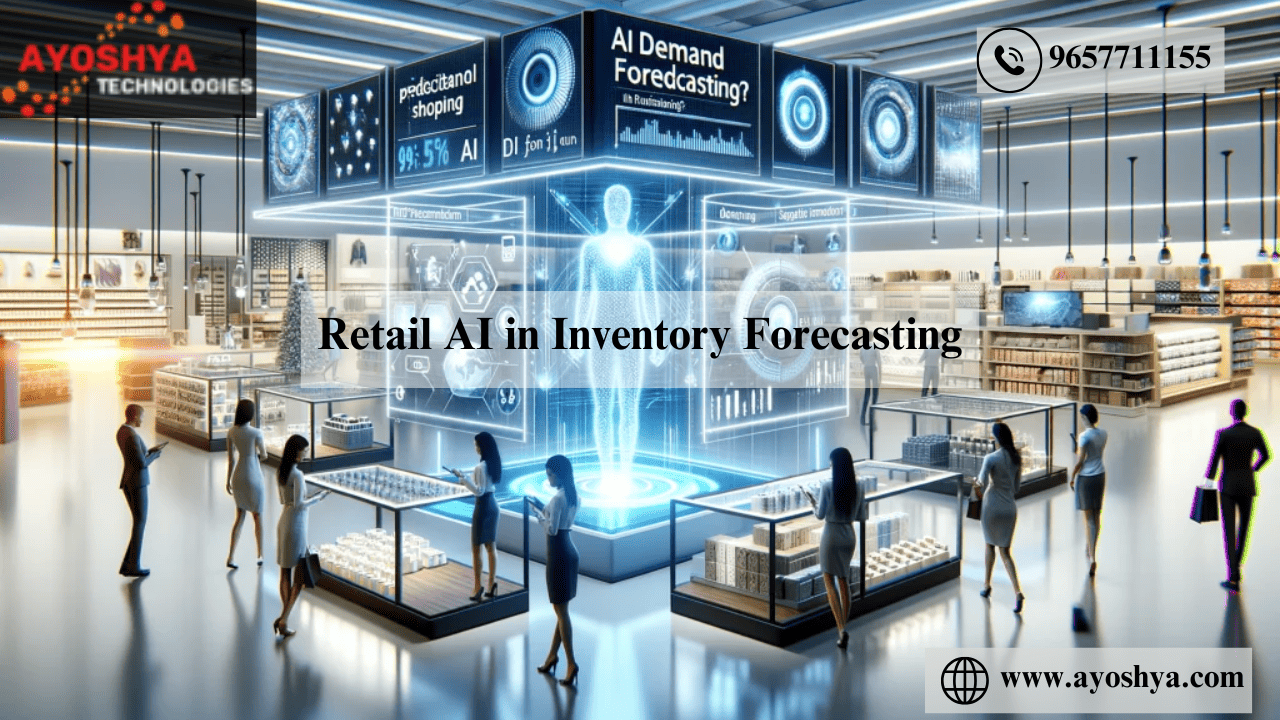
Retail AI in Inventory Forecasting

Retail AI in Inventory Forecasting

  • Historical Sales Data Analysis: Utilizes past sales trends to predict future inventory needs.
  • Machine Learning Algorithms: Enhances accuracy of predictions by learning from ongoing sales patterns.
  • Seasonal Trends Assessment: Adjusts forecasts based on seasonal buying behaviors.
  • Real-time Data Processing: Incorporates current sales data for up-to-date forecasting.
  • Supplier Performance Tracking: Monitors supplier reliability and adjusts inventory levels accordingly.
  • Demand Forecasting Models: Applies statistical models to predict future product demand.
  • Market Trend Analysis: Evaluates broader market trends to adjust inventory predictions.

The Necessity of Accurate Inventory Forecasting

Retail AI in Inventory

Inventory balance is a tightrope walk in the retail sector; excess and deficiency present challenges.

Accurate inventory forecasting is pivotal, ensuring this balance is maintained to foster retail success.

  • Impacts of Mismanaged Inventory:
    • Overstocking leads to increased holding costs, potential obsolescence, and wasted resources.
    • Conversely, understocking can result in lost sales, diminished customer satisfaction, and weakened brand loyalty as consumers turn to competitors to meet their needs.
  • Benefits of Optimization:
    • Financial Advantages: Proper inventory forecasting reduces unnecessary expenditure and optimizes cash flow. By aligning stock levels with actual demand, retailers can maximize their profitability.
    • Operational Efficiency: Streamlined inventory levels mean easier management, reduced storage costs, and a more agile response to market changes. This operational efficiency often translates into better customer experiences through consistent product availability.

AI’s Role in Inventory Forecasting

AI's Role in Inventory Forecasting

Artificial Intelligence (AI) is revolutionizing inventory forecasting by introducing levels of accuracy and efficiency previously unattainable with traditional methods.

  • Predicting Future Requirements:
    • AI leverages vast datasets encompassing sales trends, seasonal demands, and even broader market indicators to predict future inventory needs with remarkable precision. This foresight allows retailers to prepare for future demand without the risk of overstocking.
  • AI Technologies at Work:
    • Predictive Analytics: AI processes historical data to identify patterns and trends. AI can forecast future demand by analyzing past sales data, helping retailers make informed decisions about stock levels.
    • Machine Learning (ML): ML algorithms go further by learning from data over time, continuously improving their predictions. These models adapt to changes in consumer behavior, seasonal shifts, and other variables, ensuring that inventory forecasts remain accurate and relevant.

By using AI for inventory forecasting, retailers can achieve a fine-tuned balance in their stock levels. Ensuring they have the right amount of product to meet demand without incurring unnecessary costs.

The transition to AI-driven forecasting represents a significant leap forward in retail inventory management, promising financial benefits and a boost in operational effectiveness and customer satisfaction.

Predictive Analytics in Detail

Predictive Analytics in Detail

Predictive analytics has become a cornerstone in retail inventory management. It leverages historical sales data to create accurate forecasts of future demand.

This analytical approach combines various statistical techniques, including data mining and predictive modeling, to analyze past trends and predict future outcomes.

  • Analyzing Historic Sales Data: By meticulously examining past sales figures, predictive analytics can identify patterns and trends likely to recur. This includes recognizing peak periods, seasonal fluctuations, and product life cycles.
  • Case Studies:
    • Fashion Retailer Optimization: A leading fashion retailer implemented predictive analytics to forecast demand for new clothing lines. By analyzing historical sales data, they adjusted their inventory orders accurately, resulting in a 20% reduction in unsold stock.
    • Supermarket Stock Management: A supermarket chain uses predictive analytics to manage its perishable goods inventory. Predicting demand fluctuations based on historical sales, weather data, and holidays significantly reduces wastage and improves profitability.

Machine Learning for Dynamic Inventory Management

Machine Learning for Dynamic Inventory Management

Machine learning (ML) takes inventory management further by analyzing past sales data and learning from it to make increasingly accurate predictions.

ML algorithms can adjust to changes in sales trends, seasonal demands, and unexpected market shifts, optimizing stock levels dynamically.

  • Adapting to Sales Trends and Seasonal Demands: Machine learning algorithms continuously analyze sales data, adjusting their predictions for future demand based on real-time information. This allows retailers to maintain optimal stock levels, even during sudden market changes.
  • Examples of ML in Retail Operations:
    • Real-Time Stock Optimization: An electronics retailer implemented ML algorithms to adjust real-time inventory levels. This approach enabled them to respond quickly to changing consumer preferences, particularly for new tech gadgets, ensuring high-demand products were always in stock.
    • Seasonal Demand Prediction: A home improvement store used ML to better understand seasonal trends affecting various product categories. The ML model predicted increased demand for gardening tools in spring and heating solutions in winter, allowing the retailer to adjust inventory accordingly and maximize sales.

By integrating predictive analytics and machine learning into their inventory management systems, retailers can forecast demand more accurately and ensure their stock levels are dynamically adjusted to meet consumer needs efficiently.

This strategic inventory management approach reduces costs associated with overstocking or stockouts and enhances the customer shopping experience.

Impact on Retail Operations

Impact on Retail Operations

Integrating AI-driven inventory forecasting into retail operations heralds a new era of efficiency and accuracy.

By leveraging advanced algorithms to predict future demand, retailers can achieve stock optimization that significantly impacts their bottom line and customer satisfaction.

  • Optimized Stock Levels: AI’s predictive capabilities ensure that retailers maintain the ideal stock balance—enough to meet demand without overstocking. This precision in inventory levels reduces holding costs and minimizes the risk of unsold inventory.
  • Reduced Inventory Costs: Through accurate demand forecasting, AI helps retailers reduce excess inventory and associated costs. By investing only in stock that meets anticipated demand, retailers can allocate resources more effectively, enhancing profitability.
  • Improved Customer Satisfaction: One of the most tangible benefits of AI-driven forecasting is the improvement in product availability. Customers are more likely to find what they need when they need it, boosting satisfaction and loyalty.
  • Reduced Wastage: Especially relevant for perishable goods, AI’s ability to predict demand helps retailers order more accurately, thus reducing wastage and contributing to more sustainable business practices.

Implementing AI in Inventory Forecasting

Implementing AI in Inventory Forecasting

For retailers ready to embrace AI in inventory management, the journey from traditional methods to a technology-driven approach involves several key steps and considerations:

Steps for Integration:

  1. Assess Your Needs: Evaluate your current inventory management challenges and what you hope to achieve with AI. This will guide your choice of AI solution.
  2. Choose the Right AI Solution: Look for AI technologies specializing in inventory forecasting and offering features matching your retail sector and size.
  3. Data Preparation: Ensure your sales data, inventory records, and other relevant datasets are clean, accurate, and ready for analysis. AI’s effectiveness is directly tied to the quality of data it can learn from.
  4. System Integration: Work with IT specialists to integrate the AI solution with your inventory management system. Seamless integration ensures that AI-driven insights are effectively applied to inventory decisions.
  5. Training and Adoption: Train your team to use the new system and understand the insights it provides. Adoption across the organization is key to realizing the benefits of AI.

Considerations:

  • Data Requirements: The accuracy of AI predictions depends on the volume and quality of data. Ensure you have access to comprehensive and high-quality sales and inventory data.
  • System Compatibility: The AI solution should be compatible with your existing inventory management software and hardware infrastructure to avoid costly overhauls.
  • Scalability: Choose an AI solution that can scale with your business, accommodating increased data volume and complexity as your operations grow.

Implementing AI in inventory forecasting transforms how retailers manage stock and offers a competitive edge in today’s fast-paced market.

AI-driven forecasting has become an indispensable tool in modern retail by optimizing inventory levels, reducing costs, and enhancing customer satisfaction.

Challenges and Considerations

Adopting AI for inventory forecasting presents several challenges and considerations that retailers must navigate to harness this technology’s full potential.

  • Data Quality Concerns: AI’s predictive accuracy hinges on data quality fed into its algorithms. Inaccurate or incomplete data sets can skew forecasts, leading to suboptimal inventory decisions.
    • Solution: Implement robust data collection and processing systems to ensure high-quality, comprehensive data for AI analysis.
  • Privacy Concerns: The extensive data required for AI-driven forecasting, including customer purchase history, could raise privacy issues.
    • Solution: Adhere strictly to data protection regulations, such as GDPR, and ensure transparent communication with customers about their data use.

Addressing these challenges involves a proactive approach to data management and privacy, ensuring the AI system has the foundation to operate effectively and ethically.

Future Trends in AI and Inventory Management

Future Trends in AI and Inventory Management

As AI technology evolves, its application in inventory management is set to deepen, offering new ways to refine and enhance retail operations.

  • Predictive Accuracy Improvements: Continuous advancements in machine learning algorithms will further improve the predictive accuracy of AI systems, making inventory forecasts even more reliable.
  • Integration with IoT: The Internet of Things (IoT) technology, combined with AI, could lead to more dynamic inventory systems. Sensors and smart devices in warehouses could provide real-time data to AI systems, enabling even more nuanced inventory adjustments.
  • Automated Restocking: Future AI systems may directly control the restocking process, automatically placing orders with suppliers when inventory levels dip below-predetermined thresholds, streamlining the supply chain.
  • Customized Consumer Experiences: AI could use inventory data with customer preference insights to personalize shopping experiences, suggesting products more accurately and improving stock levels for high-demand items.

Emerging technologies and innovations promise to make AI-driven inventory forecasting more effective and integrate inventory management into a broader strategy for retail optimization.

The future of AI-powered retail operations will likely be marked by greater efficiency, reduced costs, and enhanced customer satisfaction.

FAQs

How does Historical Sales Data Analysis improve inventory forecasting?

Analyzing past sales trends helps retailers predict future inventory needs by identifying patterns and fluctuations in product demand over time.

What role do Machine Learning Algorithms play in forecasting?

Machine Learning Algorithms improve the accuracy of inventory predictions by continuously learning from and adapting to new sales patterns and data.

Why is Seasonal Trends Assessment important for inventory management?

Assessing seasonal trends allows retailers to adjust their inventory forecasts based on expected changes in buying behavior during different times of the year, such as holidays or seasonal shifts.

How does Real-time Data Processing impact inventory forecasting?

Real-time data processing enables retailers to incorporate the latest sales data into their forecasts, making predictions more current and responsive to market changes.

What is the purpose of Supplier Performance Tracking in inventory forecasting?

Tracking supplier performance helps retailers adjust their inventory levels based on suppliers’ reliability and lead times, ensuring stock availability matches demand.

Can you explain Demand Forecasting Models?

Demand Forecasting Models use statistical methods to analyze sales data and predict future product demand, helping retailers make informed inventory decisions.

How does Market Trend Analysis assist in adjusting inventory predictions?

Market Trend Analysis involves evaluating broader market and industry trends to refine inventory forecasts, considering factors like consumer behavior changes and economic conditions.

Is inventory forecasting accurate for all types of products?

While inventory forecasting can significantly improve accuracy, its effectiveness varies by product type and market conditions, with some items being more unpredictable than others.

How often should inventory forecasts be updated?

Inventory forecasts should be regularly updated to reflect new sales data, market trends, and changes in consumer behavior. Some retailers do so daily or weekly.

What impact do promotional events have on inventory forecasting?

Promotional events can significantly impact demand, requiring adjustments to inventory forecasts to account for anticipated increases in sales during promotions.

Can inventory forecasting reduce stockouts and overstock?

Effective inventory forecasting can minimize stockouts and overstock by aligning inventory levels more closely with actual demand.

How do external factors influence inventory forecasting?

External factors such as economic shifts, weather events, and changes in consumer preferences can influence demand patterns, necessitating adjustments to inventory forecasts.

What technologies are used in inventory forecasting besides machine learning?

Technologies used in inventory forecasting include data analytics platforms, cloud computing for data storage and processing, and ERP systems for integrating sales and inventory data.

How can small retailers implement inventory forecasting?

Small retailers can implement inventory forecasting by using simpler demand forecasting tools and software, focusing on analyzing sales data and key demand drivers relevant to their market.

What future developments can we expect in inventory forecasting?

Future developments may include more advanced AI and machine learning models, greater integration of external data sources, and more collaborative forecasting involving suppliers and partners.

What is Cloud Computing?

Art of Aesthetics: Mastering Theming and Styling in SAPUI5

Best practices for data migration in Salesforce

SAP

AI in Manufacturing: Production Line

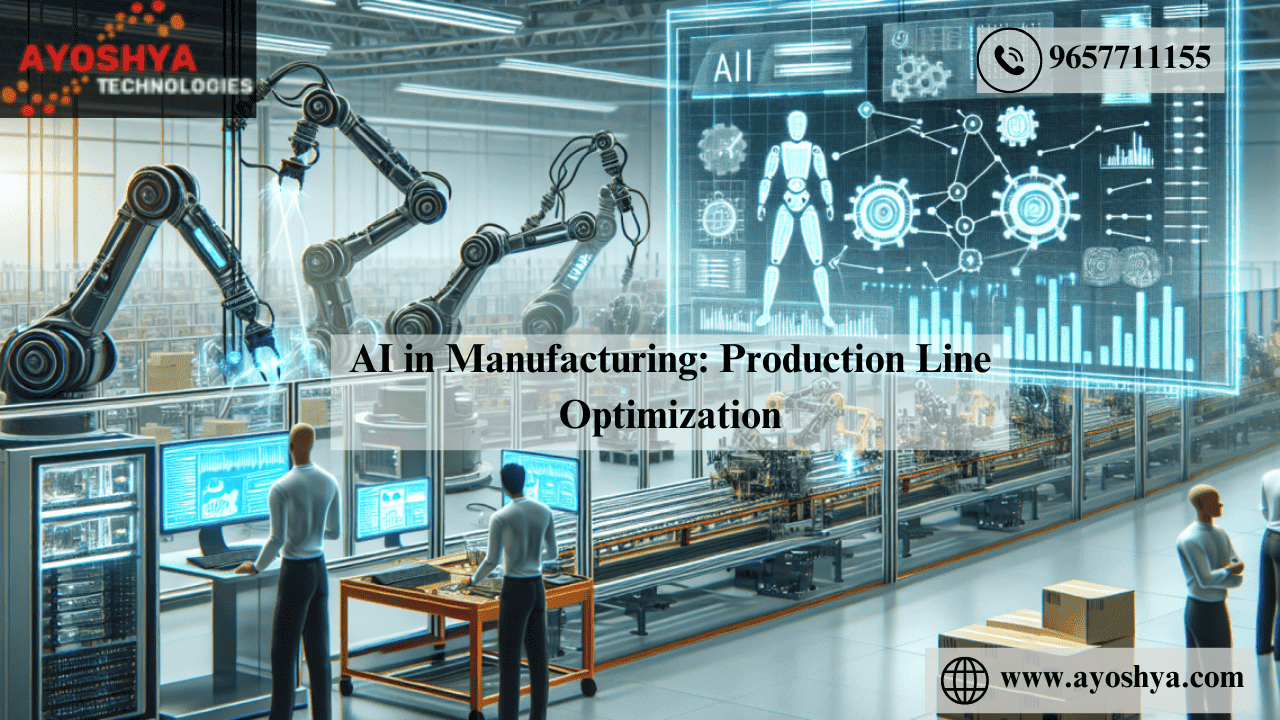
AI in Manufacturing: Production Line Optimization

  • Identify bottlenecks: Analyze the production line to pinpoint slow or inefficient steps.
  • Implement automation: Introduce automated machinery for repetitive tasks to increase speed and consistency.
  • Streamline workflows: Organize the production process to minimize delays between steps.
  • Train employees: Offer training to improve worker efficiency and skill levels.
  • Monitor and adjust: Regularly review performance data to identify improvement areas and adjust processes accordingly.

The Importance of Production Line Optimization

AI in Manufacturing Production Line Optimization

Production line optimization is the process of refining manufacturing operations to achieve maximum efficiency, quality, and throughput.

In the competitive landscape of the manufacturing sector, the ability to streamline production processes stands as a critical factor for success.

  • Significance in Manufacturing: Optimization efforts focus on minimizing bottlenecks, reducing downtime, and ensuring that resources are utilized effectively. By doing so, manufacturers can significantly enhance their production capacity and operational efficiency.
  • Direct Benefits:
    • Cost Savings: Streamlining production processes leads to a direct reduction in operational costs. Efficient use of materials, labor, and energy lowers overall production expenses.
    • Increased Output: Optimization enables manufacturers to increase production volumes without additional resources or extended work hours.
    • Sustainability: Reducing waste and improving resource efficiency contribute to more sustainable manufacturing practices, aligning with environmental goals and regulations.

AI’s Role in Improving the Manufacturing Processes

AI's Role in Improving the Manufacturing Processes

Artificial Intelligence (AI) is at the forefront of the technological revolution in manufacturing, offering sophisticated solutions to complex optimization challenges.

  • Revolutionizing Manufacturing Operations: AI technologies are instrumental in transforming traditional production lines into smart, adaptive systems capable of self-optimization. By analyzing data in real-time, AI identifies inefficiencies and suggests actionable improvements.
  • AI Tools and Methods:
    • Data Analytics: AI-powered data analytics tools process vast amounts of production data to uncover insights into operational inefficiencies, quality control issues, and maintenance needs. These insights inform strategic decisions to enhance productivity and reduce costs.
    • AI-Driven Simulation Models: These models allow manufacturers to simulate different production scenarios and predict their outcomes without disrupting operations. By testing various configurations, schedules, and processes, manufacturers can identify the optimal setup for their production lines before implementing any changes physically.

Through data analytics and simulation models, AI empowers manufacturers to anticipate problems, adapt to changes in demand, and continuously refine their production processes.

This proactive approach to optimization boosts operational efficiency and enhances manufacturing businesses’ agility and competitiveness in the global market.

Data Analytics in Manufacturing

Data Analytics in Manufacturing

Data analytics has become a linchpin in modern manufacturing, offering deep insights that drive efficiency and innovation.

By meticulously analyzing production data, manufacturers can pinpoint inefficiencies and optimize operations.

  • Unveiling Process Insights: Analytics can identify bottlenecks, predict equipment failures, and suggest improvements by aggregating and analyzing data from various stages of the manufacturing process. This capability is crucial for preemptive maintenance and minimizing downtime.
  • Case Studies:
    • Automotive Assembly Efficiency: A major automotive manufacturer used data analytics to reduce assembly line bottlenecks. By analyzing time-stamped data from the assembly process, the company identified delays in parts supply and optimized the workflow, resulting in a 15% increase in production speed.
    • Textile Manufacturer Waste Reduction: A textile company implemented real-time data analytics to monitor raw material usage and product quality. The insights obtained allowed them to adjust their processes, significantly reducing waste and improving product consistency.

AI-Driven Simulation Models

AI-Driven Simulation Models

AI-driven simulation models stand at the forefront of manufacturing innovation, offering a powerful tool for optimizing production lines.

These models use artificial intelligence to simulate various production scenarios, enabling manufacturers to foresee outcomes and make informed decisions without costly physical trials.

  • Predicting and Testing Scenarios: Simulation models can replicate the manufacturing environment and test configurations, schedules, and operational changes. This predictive capability is invaluable for planning and decision-making.
  • Examples of Breakthroughs:
    • Pharmaceutical Production Optimization: A pharmaceutical company utilized AI-driven simulation to redesign its drug production process. The model tested different equipment configurations and operational schedules, ultimately identifying a setup that increased output by 20% while maintaining compliance with stringent quality standards.
    • Electronics Manufacturer Efficiency: An electronics manufacturer applied simulation models to optimize their assembly line for a new product launch. The simulations identified the most efficient assembly sequence and equipment arrangement, reducing the production cycle by 25% and significantly lowering the initial production costs.

By leveraging data analytics and AI-driven simulation models, manufacturers can gain unprecedented visibility into their operations and explore optimization scenarios in a risk-free environment.

These technologies enhance production efficiency, reduce waste, and propel the manufacturing sector towards a more innovative and sustainable future.

Impact on Production Efficiency and Waste Reduction

Impact on Production Efficiency and Waste Reduction

Adopting AI-driven optimization in manufacturing has ushered in significant enhancements in production efficiency and waste reduction.

This is marking a pivotal shift in how manufacturers approach production and sustainability.

  • Increased Production Efficiency: AI applications streamline operations, from predictive maintenance reducing downtime to algorithms optimizing production flows, thereby increasing output rates. Manufacturers can now meet higher demand with the same resources, effectively boosting their operational capacity.
  • Reductions in Waste: AI’s precision in forecasting demand and optimizing material use leads to less overproduction and material waste. This waste reduction can lead to substantial cost savings in processes where raw material costs are a significant portion of total expenses.
  • Contribution to Bottom Line: Enhanced efficiency and reduced waste directly affect the company’s profitability. Lower operational costs and improved output translate to a healthier bottom line, making businesses more competitive and resilient.
  • Environmental Sustainability: AI-driven processes contribute to a manufacturer’s environmental sustainability efforts by minimizing waste and optimizing energy use. This helps reduce the environmental footprint and aligns with consumer and regulatory demands for greener manufacturing practices.

Implementing AI in Production Line Optimization

Implementing AI in Production Line Optimization

Integrating AI into manufacturing processes is a strategic move that requires careful planning and execution.

Here are the steps and considerations for a successful implementation:

Steps for Integration:

  1. Assessment and Goal Setting: Begin by thoroughly assessing current production processes to identify inefficiencies. Set clear goals for what AI should achieve: reducing downtime, increasing output, or minimizing waste.
  2. Selecting AI Solutions: Choose AI tools and technologies that best match your needs. This may involve predictive analytics for maintenance, machine learning for process optimization, or simulation models for planning.
  3. Data Preparation: Ensure the data needed to train and run AI models is available, accurate, and clean. AI’s effectiveness is directly tied to the quality of data it uses.
  4. System Integration: Work with IT specialists to integrate AI solutions with existing production and IT infrastructure. Seamless integration ensures that AI tools can effectively communicate with production systems.
  5. Pilot Testing: Before a full rollout, pilot tests of the AI implementation in selected production areas should be conducted. This allows for identifying and resolving any issues in a controlled environment.
  6. Training and Change Management: Train employees on how to work with new AI-enhanced processes and manage the change to ensure buy-in from all levels of the organization. Adequate training ensures staff can effectively interact with AI systems and interpret their outputs.

Considerations:

  • Data Quality and Availability: The success of AI implementations heavily depends on the availability of high-quality data. Investments may be required to upgrade data collection and management systems.
  • System Compatibility: Ensure the AI solutions are compatible with existing manufacturing and IT systems to avoid costly overhauls.
  • Ongoing Support and Maintenance: Plan for the ongoing support and maintenance of AI systems, including regular updates and training for users to adapt to system improvements.

By thoughtfully implementing AI technologies, manufacturers can realize significant gains in efficiency and sustainability. Positioning themselves for success in an increasingly competitive and environmentally conscious market.

Challenges and Future Directions

Adopting AI for production line optimization comes with its set of challenges, but it also opens the door to exciting future possibilities:

  • Technological Complexity: Implementing AI solutions requires a deep understanding of technology and manufacturing processes. For some manufacturers, integrating AI with existing systems can be daunting.
    • Solution: Investing in training and partnering with experienced AI providers can help overcome this hurdle.
  • Investment Costs: The initial investment in AI technology, including hardware, software, and expertise, can be significant.
    • Mitigation: Calculating the ROI and exploring financing options can help justify the investment through long-term savings and efficiency gains.

Future Predictions:

  • Emerging Technologies: The Internet of Things (IoT), advanced robotics, and edge computing will likely converge with AI to create even more sophisticated manufacturing ecosystems.
  • New Applications: AI’s role will expand beyond optimization to encompass entire manufacturing lifecycles, from design to after-sales service, enabling fully automated and highly personalized production processes.

FAQs

How can I identify bottlenecks in my production line?

Look closely at your production processes to find steps where delays frequently occur. Use data analysis and observations to pinpoint these areas.

What benefits does automation bring to the production line?

Automation introduces machinery for repetitive tasks, which increases both the speed and the consistency of those tasks.

How can I organize my production process to reduce delays?

Rearrange your production process to ensure smooth transitions between each step, minimizing waiting times and material handling.

Why is employee training important for optimizing production lines?

Training equips your workforce with the necessary skills and knowledge to perform tasks more effectively and safely, improving output quality and speed.

How often should I review and adjust my production processes?

Regular assessments are crucial. Analyze performance data frequently to identify areas for improvement and make necessary adjustments.

What role does quality control play in production line optimization?

Implementing stringent quality control measures at various stages helps reduce errors and rework, maintaining a steady production flow.

Can optimizing layout improve production line performance?

Redesigning the layout to reduce movement and facilitate easier access to materials can significantly reduce wasted time and effort.

How does predictive maintenance contribute to production optimization?

Predictive maintenance prevents downtime by anticipating machinery failures before they happen, keeping the production line running smoothly.

What impact does inventory management have on production efficiency?

Effective inventory management ensures that materials are available when needed, preventing production halts due to shortages or excess inventory.

How can I make my production line more adaptable to changes?

Incorporating modular designs and flexible processes allows quicker adjustments to production lines in response to changing demands or products.

What is the significance of cross-training employees?

Cross-training employees enables them to perform multiple roles, increasing the flexibility and adaptability of your workforce.

How can technology improve communication on the production floor?

Utilizing modern communication tools and systems enhances coordination and information sharing among team members, leading to smoother operations.

What strategies can reduce material waste in production?

Implementing lean manufacturing principles and closely monitoring material use can significantly reduce waste and improve cost-effectiveness.

How does customer feedback influence production line optimization?

Customer feedback can provide valuable insights into quality and design improvements, guiding adjustments to effectively meet market demands.

What is the role of leadership in successful production line optimization?

Strong leadership is essential for setting clear goals, motivating the team, and fostering a culture of continuous improvement and innovation.

You may be interested in:

A World of History and Culture: Exploring the Past

Oracle Consulting: the Power of Digital Transformation

Key SAP Modules and Their Benefits for Enterprises

How do I become a Oracle SQL Developer?

SAP

Top 20 CRM Tools in Market 2024

The top CRM tools for 2024:

  • Salesforce: For scalability and customization.
  • HubSpot CRM: User-friendly, great for SMBs.
  • Zoho CRM: Affordable with extensive features.
  • Microsoft Dynamics 365: Comprehensive for large enterprises.
  • Oracle NetSuite CRM: Ideal for global businesses.
  • Pipedrive: Excellent for sales management.
  • Freshsales: AI-driven insights, user-friendly.
  • Keap: Marketing automation for small businesses.
  • SugarCRM: Highly customizable for medium to large businesses.
  • Bitrix24: Collaboration and CRM for all sizes.
  • Monday Sales CRM: Integrates CRM with project management.
  • Nimble: Social media insights integration.
  • Copper: Great Google Workspace integration.
  • Less Annoying CRM: Simple and affordable.
  • Close CRM: Sales automation focus.
  • Apptivo: Integrated business apps.
  • Act!: Flexible deployment options.
  • Insightly: Project management plus CRM.
  • Recruit CRM: Specialized for recruitment agencies.
  • Ontraport: Marketing automation for e-commerce.

Each tool offers unique features tailored to different business sizes and needs, from SMBs to large enterprises.

Given the diversity and specificity of CRM tools tailored to different business sizes and needs, categorizing them into tiers based on the size of the customer they are targeting provides a structured way to assess which tool might be the best fit for a particular business. ‘

Top 20 CRM Tools in the Market

Top 20 CRM Tools in Market This Year

Choosing the right CRM tool in 2024 hinges on understanding your business needs, including the size of your operation, your industry specifics, and the level of customization required. ‘

Consider integration capabilities with existing systems, ease of use, and scalability to ensure the tool can grow with your business. Prioritize platforms that offer robust support and training resources to maximize your investment.

Tier 1: Large Enterprises

These CRM platforms offer extensive customization, powerful analytics, and comprehensive integration capabilities, catering to large enterprises with complex needs and the resources to implement and maintain such systems.

  • Salesforce is known for its scalability and extensive ecosystem. It suits businesses seeking deep customization and a wide array of integrations.
  • Oracle NetSuite CRM: Offers a robust business suite that combines ERP and CRM capabilities, ideal for global commerce and large-scale operations.
  • Microsoft Dynamics 365: Provides deep integration with Microsoft products, offering flexibility and powerful tools for large businesses.

Tier 2: Medium to Large Businesses

CRM tools in this tier are designed for businesses that require a high degree of customization and robust functionality but might have slightly less complexity than those in Tier 1.

  • SugarCRM offers a high degree of customization and strong analytics, making it suitable for businesses needing a tailored CRM solution.
  • Zoho CRM: With affordable pricing and extensive customization options, it fits growing businesses looking for scalable solutions.
  • Bitrix24: An all-in-one platform offering a broad range of tools for collaboration, CRM, and project management, suitable for businesses looking for comprehensive features.

Tier 3: Small to Medium Businesses

These platforms prioritize ease of use, affordability, and essential CRM functionalities, catering to small to medium businesses requiring efficient, user-friendly solutions without extensive customization.

  • HubSpot CRM: Known for its user-friendly interface and free tier option, HubSpot CRM is ideal for small businesses seeking to manage customer relationships effectively without significant investment.
  • Pipedrive: Focuses on sales pipeline management with an intuitive interface that is best suited for sales-driven SMBs.
  • Keap (formerly Infusionsoft): Offers robust marketing automation tools in a user-friendly package aimed at small businesses with strong sales and marketing needs.
  • Freshsales: Provides AI-driven insights with a simple pricing model, catering to SMBs looking for straightforward CRM solutions.
  • Less Annoying CRM: As the name suggests, it offers simplicity and affordability, which is ideal for solopreneurs and small businesses looking for basic CRM functionalities.

This categorization helps businesses navigate the vast landscape of CRM tools, allowing them to identify which platforms are most likely to align with their operational scale and specific needs.

Whether a large enterprise seeking a comprehensive solution or a small startup needing a straightforward CRM system, a tool is designed to effectively meet those needs.

Top 20 CRM tools in 2024

Top 20 CRM tools in 2024

HubSpot CRM

HubSpot CRM is a beacon for small to mid-sized businesses seeking a robust yet user-friendly platform to manage customer relationships.

Its allure largely stems from a generous free tier that offers a wide array of features without a time limit, a rarity in the CRM space.

This makes HubSpot particularly appealing to budget-conscious businesses still requiring a powerful CRM tool.

Unique Features:

  • Inbound Marketing Suite: HubSpot CRM is part of the broader HubSpot ecosystem, which includes marketing, sales, and service hubs. This integration provides seamless access to inbound marketing tools, allowing businesses to attract, engage, and delight customers from one platform. Features like landing pages, email marketing, and lead management work harmoniously to support a comprehensive inbound marketing strategy.
  • Intuitive Design: The platform is celebrated for its clean, intuitive interface. Navigation is straightforward, making it easy for users to find what they need. This design philosophy extends to its dashboard and reporting features, which provide clear, actionable insights into sales performance, marketing campaigns, and customer interactions.
  • Automation & Personalization: HubSpot offers automation capabilities that save time and increase efficiency. From automating email sequences to assigning tasks based on customer interactions, these features ensure businesses can focus more on strategy and less on manual tasks. Personalization options further enhance the customer experience, allowing for tailored communications at scale.

Pros:

  • Access to Core Features for Free: Businesses can access essential CRM functionalities without the upfront investment. This includes contact and deal management, task and activity tracking, and email scheduling.
  • Extensive Integration Capabilities: HubSpot CRM integrates with various tools and platforms, including Gmail, Outlook, and social media. This allows for a more streamlined workflow and ensures customer data is centralized.

Cons:

  • Cost Considerations: While the free tier offers substantial value, scaling up and accessing advanced features can lead to significant costs. As businesses grow and their needs become more complex, they may need to subscribe to premium plans.
  • Integration Limitations: Some key integrations and advanced features are gated behind premium plans. For businesses that rely heavily on specific third-party tools, this can mean additional costs to unlock full functionality.

In conclusion, HubSpot CRM is a standout option for small to mid-sized businesses due to its comprehensive features, ease of use, and integration capabilities.

However, as businesses scale and their needs evolve, they should be mindful of the potential for increased costs, especially when leveraging more advanced features and integrations.

Salesforce

For: Medium to large enterprises.

Salesforce, a titan in the CRM industry, has set a high bar for managing customer relationships, sales, and marketing efforts on a large scale.

Its platform is revered for its depth, flexibility, and the sheer breadth of functionality it offers businesses.

However, these features come with complexities and costs, making Salesforce a more suitable option for medium—to large enterprises with the resources to fully leverage the platform.

Unique Features:

  • Customization at Scale: Salesforce’s platform is incredibly robust, allowing for unprecedented customization. Thanks to Salesforce’s powerful configuration options, including custom fields, objects, and user interfaces, businesses can tailor the CRM to their specific processes and workflows.
  • Extensive Ecosystem: Salesforce’s AppExchange is a marketplace with thousands of third-party applications that integrate seamlessly with the CRM. This ecosystem extends Salesforce’s functionality, enabling businesses to add features or connect to other systems with minimal hassle.
  • Advanced Analytics and Reporting: The platform’s analytics and reporting capabilities are top-notch, offering deep insights into customer data, sales trends, and marketing campaign effectiveness. Salesforce’s AI-driven analytics tool, Einstein, provides predictive analytics, helping businesses anticipate customer needs and make informed decisions.

Pros:

  • Scalability: One of Salesforce’s greatest strengths is its scalability. The platform can grow with your business, accommodating increasing users, more complex processes, and larger data sets without compromising performance.
  • Comprehensive Integration: Beyond its extensive app marketplace, Salesforce offers powerful APIs for custom integration with other systems. This ensures that businesses can maintain a connected ecosystem of applications, even outside the Salesforce environment.

Cons:

  • Complexity of Setup and Customization: While Salesforce’s customization capabilities are a significant advantage, they also introduce complexity. Setting up and tailoring the CRM to a business’s specific needs can require a steep learning curve and potentially the assistance of Salesforce consultants or developers.
  • Cost Considerations: Salesforce’s cost can be a barrier for smaller businesses. Based on a per-user, per-month model, the platform’s pricing structure can quickly escalate as more features and users are added. Additionally, fully leveraging Salesforce’s capabilities often involves subscribing to higher-tier plans and purchasing add-ons, which can significantly increase the investment.

In essence, Salesforce presents a powerful option for medium to large enterprises that require a comprehensive, customizable CRM solution and have the resources to invest in its implementation and ongoing management.

Its scalability, extensive ecosystem, and advanced analytics stand out as key benefits, offering businesses the tools to manage complex customer relationships at scale.

However, the platform’s complexity and cost make it less accessible for smaller businesses or those just starting their CRM journey.

Zoho CRM

For: Small to medium-sized businesses.

Zoho CRM emerges as a formidable tool for small to medium-sized enterprises (SMEs) seeking a balance between affordability and functionality.

This CRM platform is designed to cater to the dynamic needs of growing businesses, offering a suite of features that support sales, marketing, and customer support activities.

Unique Features:

  • Customization and Flexibility: Zoho CRM’s extensive customization options allow businesses to tailor the platform to their specific processes and workflows. Whether modifying fields, creating custom modules, or setting up unique automation rules, Zoho adapts to your business model.
  • Automation of Sales Processes: Zoho CRM automates critical sales operations, from lead capture and qualification to deal closing. This automation extends to marketing and support, ensuring repetitive tasks are handled efficiently and freeing time for strategic endeavors.
  • Affordable Pricing Structure: Designed with SMEs in mind, Zoho CRM offers a competitive pricing structure that includes a free version for up to three users, making it accessible for startups and small businesses. Its tiered pricing model allows companies to scale their CRM solution as they grow.

Pros:

  • Cost-Effective Solution: With its tiered pricing model, Zoho CRM provides a cost-effective solution for businesses at various stages of growth. The free version for smaller teams and affordable plans for larger needs make it an attractive option for budget-conscious businesses.
  • Robust Integration Capabilities: Zoho CRM boasts many integration options, including native integrations with other Zoho products and third-party applications. This ensures businesses maintain a cohesive technology stack without significant investment in custom integration.

Cons:

  • Complex User Interface: New users may find Zoho CRM’s interface somewhat cluttered, especially as they navigate the myriad features and customization options. This complexity can impact the platform’s usability and the overall user experience.
  • Learning Curve for Advanced Features: While Zoho CRM is praised for its flexibility and depth, mastering its advanced features and customization options can require a significant time investment. Businesses may need to allocate resources for training to fully leverage the platform’s capabilities.

Zoho CRM offers a comprehensive suite of tools designed to meet the nuanced needs of small to medium-sized businesses.

Its affordability and strong customization and automation capabilities make it a valuable asset for companies aiming to optimize their sales and marketing efforts.

However, the platform’s complexity and the learning curve associated with its advanced features may present challenges for some businesses.

Pipedrive

For: Sales-focused small to medium businesses.

Pipedrive stands out for its dedication to sales teams. It provides an intuitive CRM that’s geared towards active deal management.

Its interface minimizes complexity, allowing teams to focus on the sales process without unnecessary distractions.

Unique Features:

  • Sales Pipeline Visualization: Pipedrive’s core strength lies in its visual approach to the sales pipeline, which enables teams to see deal statuses at a glance. This clarity supports swift decision-making and prioritization.
  • Deal Tracking: With Pipedrive, every deal’s progress is tracked meticulously, offering insights into potential bottlenecks and successes. This tracking extends to communications and interactions, ensuring no detail is missed.

Pros:

  • User-Friendly Interface: The platform is praised for its ease of use, making it accessible for teams without extensive CRM experience.
  • Focused Sales Management Tools: Pipedrive delivers tools specifically designed to boost sales efficiency, from scheduling activities to forecasting.

Cons:

  • Beyond Sales Management: While excellent for sales, Pipedrive’s functionality in areas outside sales management—like advanced marketing or service capabilities—is more limited.
  • Advanced Reporting: While Pipedrive offers reporting, businesses that need deep analytics might find these features lacking in complexity.

Freshsales

For: Small to medium businesses looking for a user-friendly solution.

Freshsales is designed with simplicity and efficiency, catering to businesses that wish to leverage CRM technology without a steep learning curve.

It blends AI insights with essential communication tools, streamlining sales processes.

Unique Features:

  • AI-Driven Insights: Freshsales uses artificial intelligence to offer predictive insights on lead scoring and behavior, helping teams prioritize their efforts for maximum impact.
  • Integrated Communication Tools: With built-in phone and email, Freshsales facilitates seamless communication within the platform, ensuring teams can connect with leads without switching between applications.

Pros:

  • Simplicity and Accessibility: The platform’s straightforward design and clear pricing make it an attractive option for SMEs.
  • AI Capabilities: Using AI to enrich sales data and insights sets Freshsales apart, offering a competitive edge in customer engagement.

Cons:

  • Third-Party Integrations: Compared to some competitors, Freshsales has fewer integrations, which could limit functionality for businesses reliant on a wide tech stack.
  • Customization: While offering a good degree of customization, some users may find options limited compared to more extensive CRM systems.

Monday Sales CRM

For: Teams seeking CRM with integrated project management.

Monday Sales CRM merges Monday.com’s project management prowess with CRM functionalities, creating a versatile platform that supports various business operations, from sales to project tracking.

Unique Features:

  • Customization and Flexibility: The platform excels at tailoring to different workflows and processes thanks to its customizable boards and integrations.
  • Integration with Monday.com: For teams already using Monday.com for project management, integrating CRM functionalities offers a unified approach to managing work across departments.

Pros:

  • Versatile Use Cases: Its adaptability makes it suitable for businesses looking for more than just a CRM, offering tools for project management, marketing, and more.
  • Integration Ecosystem: The CRM benefits from Monday.com’s wide range of integrations, enhancing its utility with external software and online services.

Cons:

  • Cost: Monday’s Sales CRM’s cost can significantly increase as teams expand and require more advanced features.
  • Feature Richness: For smaller teams or those with straightforward CRM needs, the platform may offer more functionality than necessary, potentially complicating its adoption and use.

Each CRM platform offers unique advantages tailored to specific business needs, whether focusing on sales processes, seeking a simple, AI-enhanced system, or integrating CRM with broader project management.

However, businesses must also consider each option’s limitations, from functional breadth to integration capabilities and cost implications.

Less Annoying CRM

For: Small businesses and solopreneurs.

Less Annoying CRM is crafted to deliver a hassle-free experience to its users. It specifically targets small businesses and solopreneurs who require a straightforward CRM solution. Its design philosophy emphasizes ease of use and affordability.

Unique Features:

  • Simplicity: This CRM is built to provide what you need without complicating the user experience, making navigating incredibly straightforward.
  • Unified Pricing Model: One of the most appealing aspects is its flat pricing strategy, ensuring that all features are available without tiered plans, making budgeting simpler for small businesses.

Pros:

  • Ease of Use: Its user interface is clean and intuitive, reducing the learning curve for new users.
  • Customer Support: The CRM provider takes pride in offering exceptional customer support, ensuring users can quickly resolve issues and get answers to their questions.

Cons:

  • Advanced Features: Businesses looking for more sophisticated CRM functionalities may find Less Annoying CRM’s offerings basic.
  • Integration Capabilities: The platform has limited integrations with other software, which could be a drawback for teams using multiple tools.

Close CRM

For: Small to medium-sized sales-driven organizations.

Close CRM empowers sales teams with tools and features to automate and streamline the sales process.

Its primary aim is to help sales professionals close more deals through improved efficiency and better communication tools.

Unique Features:

  • Sales Automation: Close CRM excels in automating repetitive tasks, allowing sales teams to focus more on engaging prospects and customers.
  • Integrated Communication Tools: The platform’s strong call and email integration ensures seamless communication within the sales cycle directly from the CRM.

Pros:

  • Focus on Sales: The platform is fine-tuned for sales activities, making it a powerful tool for sales-driven organizations.
  • Communication Integration: The ability to make calls and send emails from within the platform is highly valued by users for keeping track of all interactions.

Cons:

  • Cost: For smaller teams or startups, the pricing structure of Close CRM can be a significant consideration.
  • User Interface: Some users, particularly those new to CRM software, may find the wealth of features and options overwhelming.

Nimble

For: Small businesses integrating social media insights.

Nimble stands out for its innovative approach to CRM. It combines traditional customer relationship management functionalities with social media insights, providing a rich context for every customer interaction.

Unique Features:

  • Social Media Integration: Nimble’s ability to integrate social media profiles and insights directly into the CRM provides a comprehensive view of customers and prospects.
  • Ease of Use: The platform is praised for its user-friendly interface, which simplifies navigation and makes managing relationships less time-consuming.

Pros:

  • Social Insights: Understanding clients’ and prospects’ social activity adds depth to customer profiles, enhancing engagement strategies.
  • User-Friendly Design: Its intuitive design and straightforward functionality make it accessible to businesses new to CRM.

Cons:

  • Advanced CRM Features: Companies needing more complex CRM functionalities might find Nimble’s feature set limiting.
  • Comprehensive Reporting: While Nimble offers basic reporting capabilities, businesses requiring in-depth analytics may need to look elsewhere.

Each CRM platform presents unique features tailored to different business needs, from simplicity and affordability to sales automation and social media integration.

However, potential limitations regarding advanced functionalities, integration capabilities, and pricing structures should be carefully considered to ensure the chosen CRM aligns with the organization’s objectives and operational workflows.’

Ontraport

For: Small to medium-sized businesses, especially in e-commerce and digital marketing.

Ontraport offers a comprehensive suite for businesses looking to automate their marketing, sales, and information management processes.

E-commerce and digital marketing ventures particularly favor it because of its comprehensive approach to marketing automation and customer relationship management.

Unique Features:

  • Marketing Automation: Ontraport’s platform excels in automating complex marketing campaigns, streamlining the process of engaging customers across multiple channels.
  • Email Marketing Strength: With robust email marketing tools, businesses can craft personalized communication strategies, benefiting from high deliverability rates and advanced segmentation.

Pros:

  • Integrated Suite: Its all-in-one platform combines CRM, email marketing, payment processing, and more, simplifying the tech stack needed for business operations.
  • Powerful Email Marketing: The platform’s comprehensive features allow for sophisticated campaigns that can drive engagement and conversions.

Cons:

  • Learning Curve: The depth and breadth of Ontraport’s functionalities mean that new users might face a steep learning curve to fully utilize the platform.
  • Cost for Startups: While offering a range of powerful tools, the pricing structure may be challenging for startups or smaller businesses with limited budgets.

Recruit CRM

For: Recruitment agencies and HR departments.

Recruit CRM is specialized software designed to meet the unique needs of the recruitment industry.

It combines applicant tracking system (ATS) functionalities with customer relationship management features, offering a tailored solution for recruitment agencies and HR departments.

Unique Features:

  • Industry-Specific Tools: Recruit CRM provides tools specifically for recruiting, including job posting, candidate tracking, and communication capabilities.
  • ATS and CRM Integration: The seamless integration of ATS and CRM functionalities allows agencies to manage candidates and client relationships effectively within a single platform.

Pros:

  • Specialized Functionality: Tailored for recruitment processes, offering specific tools for managing job openings, candidates, and client interactions.
  • Comprehensive Solution: Acts as a complete solution for recruitment agencies, eliminating the need for multiple disjointed systems.

Cons:

  • Niche Focus: Its specialized nature might not suit businesses outside the recruitment industry looking for a more general CRM solution.
  • Pricing for Small Agencies: The cost of the platform can be a significant investment for smaller agencies or independent recruiters.

Insightly

For: Small to medium enterprises needing project management and CRM.

Insightly is a CRM platform that stands out for its dual focus on customer relationships and project management.

This combination makes it an attractive choice for small to medium enterprises (SMEs) that manage complex customer relationships alongside detailed projects.

Unique Features:

  • Project Management Integration: Insightly provides robust project management features, unlike many CRM systems. These allow teams to track the progress of tasks and projects directly alongside customer interactions.
  • Seamless Integrations: It easily integrates with popular productivity tools like G Suite and Microsoft Office, enhancing workflow efficiency.

Pros:

  • Dual Functionality: The blend of CRM and project management tools supports a holistic approach to managing business operations, from sales to delivery.
  • Productivity Tool Integrations: Its ability to integrate with key office tools streamlines operations, making information management more efficient.

Cons:

  • User Interface: Some users may find the interface less intuitive, particularly when navigating between CRM and project management functionalities.
  • Customization Options: Compared to more flexible CRM solutions, customizing the platform to fit specific business processes or needs may have limitations.

Each platform—Ontraport, Recruit CRM, and Insightly—offers distinct advantages tailored to specific business requirements, from comprehensive marketing automation and industry-specific functionalities to integrating project management within a CRM framework.

However, businesses should also weigh potential challenges, including ease of use, adaptability, and cost considerations, to ensure the selected software aligns with their operational needs and budget constraints.

Keap

For: Small businesses in need of sales and marketing automation.

Keap (formerly Infusionsoft) is designed to empower small businesses with powerful sales and marketing automation tools to capture leads and convert them into sales.

Its user interface is crafted for ease of use, allowing businesses to navigate and utilize the platform’s features efficiently.

Unique Features:

  • Marketing Automation: Keap excels in automating marketing workflows, including email campaigns and lead capture processes, tailored to effectively engage prospects.
  • Intuitive User Interface: The platform offers a clean, user-friendly experience, simplifying the management of contacts, campaigns, and sales processes.

Pros:

  • Comprehensive Tools: This company offers marketing and sales automation tools that can significantly impact a small business’s outreach and conversion rates.
  • Ease of Use: Despite its powerful capabilities, Keap remains accessible, thanks to its intuitive design.

Cons:

  • Pricing: As businesses grow and their needs expand, accessing the full range of Keap’s features can become costly.
  • Learning Curve: Some of the more advanced automation features require a commitment to learning and adaptation.

Microsoft Dynamics 365

For: Large enterprises that demand extensive customization.

Microsoft Dynamics 365 caters to large businesses with complex operational needs, offering a suite of enterprise resource planning (ERP) and customer relationship management (CRM) tools.

It’s known for its deep integration with other Microsoft products and its capacity for extensive customization.

Unique Features:

  • Microsoft Product Integration: Seamlessly integrates with a range of Microsoft products, enhancing productivity and data cohesion across tools like Office 365 and Power BI.
  • Customization and Flexibility: Dynamics 365’s modular approach allows businesses to tailor the platform extensively to their specific needs.

Pros:

  • Versatile and Powerful: It can support various business processes, from sales and customer service to finance and operations.
  • Integration Ecosystem: Offers strong synergies with other Microsoft tools, providing a cohesive user experience.

Cons:

  • Configuration Complexity: The platform’s vast capabilities come with a complexity that can make initial configuration challenging.
  • Cost: The total cost of ownership can be high, considering licensing, customization, and ongoing maintenance expenses.

Copper

For: Small to medium businesses that use Google Workspace extensively.

Copper is a CRM solution uniquely tailored for integration with Google Workspace. It provides a seamless experience for users deeply embedded in Google’s ecosystem.

Its focus on simplicity and ease of use makes it a preferred choice for businesses looking to streamline their CRM processes without a steep learning curve.

Unique Features:

  • Google Workspace Integration: This product offers deep integration with Google Workspace apps, enabling users to manage emails, calendar events, and documents within the CRM.
  • User-Friendly Design: Copper emphasizes an intuitive interface that mirrors the simplicity and familiarity of Google’s design, making it easy for teams to adopt and use.

Pros:

  • Seamless Google Integration: Enhances productivity by minimizing the need to switch between applications.
  • Intuitive Experience: The CRM’s design and functionality are straightforward, reducing the time needed for training and onboarding.

Cons:

  • CRM Capabilities: While excellent for integration with Google Workspace, Copper might not meet the needs of businesses looking for more complex CRM functionalities.
  • Pricing for Growth: As teams expand and require more advanced features, the cost of Copper can increase, potentially making it an expensive option for larger teams.

Act!

For: Small to medium-sized businesses desiring flexible deployment.

Act! is tailored for businesses that seek a CRM capable of adapting to their unique operational needs.

It emphasizes customization in marketing automation and offers deployment flexibility, catering to diverse business environments.

Unique Features:

  • Customizable Marketing Automation: Act! Provides tools to automate marketing campaigns, allowing for personalized customer outreach.
  • Flexible Deployment Options: Users can choose between cloud-based or on-premise deployment, suiting various IT and operational preferences.

Pros:

  • Adaptability: The platform’s flexible deployment options make it a fit for businesses with specific IT requirements.
  • Targeted Marketing Tools: Its marketing automation capabilities allow for targeted campaigns, enhancing customer engagement.

Cons:

  • User Interface: Some users find the interface outdated compared to newer CRM solutions, potentially affecting user experience.
  • Additional Costs: The need for add-ons and updates can introduce unexpected costs, impacting the overall budget for smaller businesses.

Oracle NetSuite CRM

For: Medium to large enterprises looking for an ERP solution with CRM capabilities.

Oracle NetSuite CRM is part of a comprehensive business suite that extends beyond traditional CRM functionalities.

This includes enterprise resource planning (ERP) and global commerce capabilities, making it an ideal choice for larger enterprises.

Unique Features:

  • Comprehensive Business Suite: This suite offers a full range of business management features, including financials, supply chain management, and CRM.
  • Strong ERP and Global Commerce Features: Robust functionalities support complex business operations and global commerce needs.

Pros:

  • Integration Across Business Functions: The seamless integration of CRM with ERP and commerce solutions provides a unified view of the business.
  • Scalability: Designed to support the growth of medium to large businesses with complex operations.

Cons:

  • Complexity: The breadth of features can make the system complex to configure and use, requiring a significant time investment.
  • Cost: Oracle NetSuite CRM’s comprehensive nature translates into a higher total cost of ownership, which may be prohibitive for smaller businesses.

SugarCRM

For: Medium to large businesses in need of a highly customizable CRM.

SugarCRM differentiates itself with its flexibility and customization capabilities. Businesses can tailor the platform extensively to their specific processes and workflows. It offers deep insights and analytics to inform strategic decisions.

Unique Features:

  • High Degree of Customization: Users can extensively customize fields, modules, and workflows to fit their unique business requirements.
  • Strong Reporting and Analytics: Advanced reporting features give businesses insights into customer behavior, sales trends, and more.

Pros:

  • Tailored Business Solutions: The platform’s customization options enable businesses to create a CRM solution that fits their needs.
  • Insightful Data Analysis: Robust analytics support data-driven decision-making and strategy development.

Cons:

  • Cost Considerations: SugarCRM’s customization and support can lead to higher costs, making it more suitable for businesses with larger budgets.
  • Resource Requirements: Implementing and maintaining a highly customized CRM solution may require dedicated IT staff and resources.

Each of these platforms—Act!, Oracle NetSuite CRM and SugarCRM—bring distinct advantages to businesses, from flexible deployment and comprehensive business management to deep customization and powerful analytics.

However, considerations around user interface design, cost, and the complexity of setup and customization are crucial in selecting the right CRM solution to meet the specific needs of small to medium-sized businesses or larger enterprises.

Apptivo

For: Small to medium-sized businesses looking for an integrated business management solution.

Apptivo stands out for its comprehensive suite of business applications, encompassing CRM, project management, invoicing, and more. It’s designed to offer small to medium-sized businesses a unified platform for managing various aspects of their business processes.

Unique Features:

  • Integrated Business Apps: Offers various applications, from CRM and project management to financials, helping businesses centralize their operations.
  • Customization and Flexibility: Apptivo allows for significant customization, enabling businesses to tailor the platform to their specific processes and workflows.

Pros:

  • Versatility: The wide array of integrated applications makes Apptivo a versatile tool that can adapt to various business needs.
  • Cost-Effective: With competitive pricing and a comprehensive feature set, Apptivo provides good value for businesses looking to consolidate their tools.

Cons:

  • Complexity With Broad Features: The sheer number of features and apps can be overwhelming, particularly for businesses new to integrated business management solutions.
  • Learning Curve: Getting the most out of Apptivo’s extensive offerings may require a dedicated effort to learn and adapt the platform to your business’s needs.

Bitrix24

For: Businesses of all sizes looking for a comprehensive collaboration and CRM platform.

Bitrix24 offers a unique combination of CRM, task management, communication, and website-building tools.

Its emphasis on collaboration makes it an attractive option for businesses looking to improve team interaction and customer management in one go.

Unique Features:

  • Comprehensive Collaboration Tools: Includes chat, video conferencing, and group task management features, facilitating effective team collaboration.
  • Website Builder: Bitrix24 has a built-in website builder, allowing businesses to create and manage their online presence directly from the platform.

Pros:

  • All-in-One Solution: With tools for CRM, task management, communication, and even website building, Bitrix24 covers a wide range of business needs.
  • Flexibility: Suitable for businesses of all sizes, offering scalable solutions that grow with your company.

Cons:

  • User Interface Complexity: The vast array of features can make the interface feel cluttered, potentially steepening the learning curve.
  • Performance Issues: Some users report sluggish performance, particularly with the web-based version, which can affect large teams.

These overviews for Apptivo and Bitrix24 and the previously detailed CRM platforms provide a broad spectrum of options catering to various business needs. ‘

From simple, focused CRM solutions to comprehensive, all-encompassing platforms for business management.

Each tool offers unique advantages but comes with considerations that businesses must weigh to find the best fit for their requirements.

Selecting Your Ideal CRM: Key Questions

Selecting Your Ideal CRM Key Questions

What are my organization’s primary goals for adopting a CRM?

Identify whether you aim to improve customer relations, increase sales, streamline communication, or another specific objective.

What is my budget for a CRM solution?

Define your financial constraints to narrow down options that fit within your budget.

Does the CRM need to integrate with my current tech stack?

Ensure your chosen CRM seamlessly integrates with your business’s software and tools.

How scalable is the CRM solution?

Consider if the CRM can accommodate your business’s growth and evolve with your needs.

What level of customization is necessary for my business?

Determine if you require a highly customizable CRM tailored to your business processes and customer engagement strategies.

Is the CRM user-friendly?
Evaluate the learning curve and usability to ensure your team can adopt and utilize the tool effectively.

What type of customer support does the CRM provider offer?

Look into the support and training resources available for implementation, troubleshooting, and questions.

Are there industry-specific features that would benefit my business?

Identify if the CRM offers functionalities tailored to the unique requirements of your industry.

How does the CRM manage data security and privacy?

Assess the CRM’s compliance with data protection regulations and its security measures to safeguard your customer information.

What do current users say about the CRM?

Research testimonials and reviews to understand other businesses’ CRM experiences, focusing on the positives and challenges they’ve encountered.

This approach addresses key aspects of CRM selection, guiding you through a thoughtful evaluation of how each option aligns with your business needs and goals.

CRMs in Different Industries

CRMs in Different Industries

The impact of CRM systems varies across industries due to specific needs and customer engagement strategies.

For example:

  • Real Estate: CRMs like Zoho and Salesforce are popular for their ability to manage client information and property listings and automate communication, which is essential for realtors juggling multiple clients and properties.
  • E-commerce: Shopify’s CRM tools integrate seamlessly with online stores, helping manage customer data and personalize marketing efforts.
  • Healthcare: Salesforce Health Cloud offers tailored solutions for patient management. It improves the patient journey by centralizing medical records and interactions.
  • Financial Services: Microsoft Dynamics 365 is favored for its robust compliance management features and ability to securely handle complex customer data.

In each industry, the chosen CRM must align with regulatory compliance, data sensitivity needs, and the nature of customer interactions, making industry-specific features a pivotal deciding factor.

Free CRM Tools vs. Paid CRM Tools

Free CRM Tools vs. Paid CRM Tools

Free CRM Tools offer a no-cost entry point for small businesses and startups to begin managing their customer relationships more effectively.

  • Pros:
    • No financial investment is required.
    • Often includes basic CRM functionalities needed by startups.
  • Cons:
    • Limited features compared to paid versions.
    • It may not scale well with business growth.

On the other hand, Paid CRM Tools require a subscription fee but come with a broader range of features and scalability options.

  • Pros:
    • Advanced features include automation, detailed analytics, and customization.
    • Better support and training resources.
  • Cons:
    • It can be a significant financial commitment.
    • Complexity and feature overload can overwhelm users.

Choosing between free and paid CRM tools hinges on your business’s size, growth stage, and specific needs. Startups may benefit from the cost-effectiveness of free CRMs.

At the same time, larger organizations or those with more sophisticated processes will likely find the investment in paid CRM systems justified because of the advanced functionalities and support offered.

You may be interested in:

SAP vs. Competitors: Which ERP Solution Is Right for Your Business?

Role of SAP Consultants in Modern Business Transformations

What is the salesforce sales cloud?

Oracle Fusion HCM interview questions

SAP

SMEs: Best CRM Platform

Finding the right fit is crucial for SMEs evaluating CRM platforms in 2024. Here are the top picks:

  • HubSpot CRM: Versatile and user-friendly, ideal for seamless sales and marketing integration.
  • Zoho CRM: Offers extensive customization and automation for diverse business processes.
  • Salesforce Essentials: Tailored for small businesses, providing powerful scalability.
  • Pipedrive: Known for its ease of use and effective sales pipeline management.
  • Freshsales: Features AI-driven insights and a comprehensive sales suite.

These platforms stand out for their ability to meet the specific needs of SMEs, offering a mix of functionality, scalability, and ease of use.

Introduction

For small and medium-sized enterprises (SMEs), the right Customer Relationship Management (CRM) platform is more than just software; it drives customer engagement, sales growth, and operational efficiency.

In 2024, CRM platforms have evolved significantly, becoming more advanced and accessible to SMEs.

They now offer solutions tailored to these businesses’ unique challenges and opportunities, enabling them to compete more effectively in a dynamic market landscape.

Criteria for Selecting a CRM Platform for SMEs

Criteria for Selecting a CRM Platform for SMEs

When SMEs are in the market for a CRM, several critical factors come into play that can significantly influence their final choice:

  • Cost: Affordability remains a top consideration, with SMEs needing to balance robust features against a platform’s total cost of ownership, including subscriptions and any additional fees for integrations or add-ons.
  • Customization Options: It is crucial to tailor the CRM to fit specific business processes and customer engagement strategies. A platform that offers extensive customization will likely be more beneficial in the long run.
  • Scalability: As businesses grow, their CRM needs to scale with them. SMEs should look for platforms that can accommodate increased demands without requiring a complete system overhaul.
  • User-Friendliness: An intuitive interface and ease of use ensure high adoption rates among team members, reducing the learning curve and enabling businesses to quickly realize the value of their CRM investment.
  • Integration Capabilities: The best CRM for any SME seamlessly integrates with existing tools and software, from email systems and social media platforms to accounting software, ensuring a unified workflow.

Selecting a CRM is a pivotal decision for SMEs, requiring careful assessment of these criteria against their current needs and future goals.

By prioritizing these factors, SMEs can choose a CRM platform that meets their immediate requirements, supports their growth, and adapts to changing market dynamics.

Top CRM Platforms for SMEs in 2024

Top CRM Platforms for SMEs in 2024

Navigating the CRM landscape for small and medium-sized enterprises (SMEs) reveals a variety of platforms tailored to meet diverse business needs.

From managing customer interactions to automating sales processes and deriving actionable insights from data, these CRM solutions stand out in 2024 for their robust features, user-friendly interfaces, and scalability that cater specifically to the dynamic environment of SMEs.

HubSpot CRM

Overview: HubSpot CRM is renowned for its comprehensive suite of services, which encompass contact and deal management, email marketing, and detailed analytics and reporting tools. Its ability to provide a 360-degree view of customer interactions makes it a cornerstone for SMEs looking to deepen customer relationships.

Pricing: With a free tier that offers a wide range of features and paid plans designed to scale your business, HubSpot CRM positions itself as an accessible solution for SMEs at various stages of growth.

Zoho CRM

Capabilities: Zoho CRM excels in automation, offering SMEs the tools to streamline their sales processes. With multichannel support, businesses can engage with customers across various platforms, while advanced analytics provide deep insights into performance and customer behavior.

Pricing Structure: Zoho CRM’s competitive pricing, including a free plan for small teams and scalable options, ensures businesses can leverage advanced CRM features without breaking the bank.

Salesforce Essentials

Summary: Tailored specifically for small businesses, Salesforce Essentials brings the power of Salesforce’s extensive CRM capabilities to SMEs. Focusing on sales and customer support features enables businesses to manage customer interactions efficiently and grow their customer base.

Pricing and Customization: Salesforce Essentials offers straightforward pricing and customization options, allowing SMEs to access powerful CRM features without a significant upfront investment.

Pipedrive

Features: Designed with sales teams in mind, Pipedrive aids SMEs in managing their sales pipeline and easily tracking activities. Its focus on usability and efficiency helps sales professionals concentrate on closing deals.

Pricing Tiers: Pipedrive provides clear, scalable pricing options, making it easy for SMEs to choose a plan that matches their needs without overcommitting resources.

Freshsales

Highlights: Freshsales stands out for its AI-driven insights, which empower SMEs to prioritize leads and opportunities effectively. Coupled with email integration and a user-friendly interface, it simplifies sales processes and enhances productivity.

Scalability and Pricing: Freshsales offers flexible pricing tiers, including a free version, ensuring SMEs can access powerful CRM functionalities that are scalable with their growth.

Comparing CRM Platforms: What SMEs Need to Know

Comparing CRM Platforms What SMEs Need to Know

When small and medium-sized enterprises (SMEs) evaluate CRM platforms, focusing on key areas can illuminate which system might best serve their needs.

These areas include ease of use, customization, integration capabilities, and pricing. Each platform has strengths that cater to different business needs:

  • Ease of Use: A user-friendly interface can significantly reduce the learning curve and increase adoption rates among your team. CRM systems like HubSpot and Zoho CRM are often praised for intuitive designs.
  • Customization: Being able to tailor the CRM to fit your specific business processes is vital. Salesforce Essentials and SugarCRM offer extensive customization options, allowing businesses to modify the system according to their unique requirements.
  • Integration Capabilities: The ability to integrate with existing business tools (e.g., email, accounting software, etc.) ensures a seamless workflow. Copper is known for its excellent integration with Google Workspace, making it a solid choice for businesses heavily invested in that ecosystem.
  • Pricing: Affordability is crucial for SMEs. Pipedrive and Freshsales offer competitive pricing models that provide essential CRM functionalities without a hefty investment.
  • Testimonials and Case Studies: Hearing from businesses successfully implementing a CRM platform can provide real-world insights.

Many CRM providers feature case studies on their websites, showcasing how SMEs across different industries have leveraged their tools to grow their businesses.

Implementation Tips for SMEs

Implementing a new CRM system can be a transformative step for SMEs. Here are best practices and common pitfalls to keep in mind:

Best Practices:

  • Start by clearly understanding your objectives. Know what you want to achieve with your CRM to select a platform that aligns with those goals.
  • Ensure the CRM integrates well with your existing tech stack to avoid disruptions in your workflow.
  • Provide thorough training for your team to facilitate the smooth adoption and utilization of the new system.

Common Pitfalls:

  • Avoid selecting a CRM based solely on price. Consider the value and ROI the platform can deliver in the long run.
  • Don’t underestimate the importance of user adoption. A CRM is only as good as the data it contains, so make sure your team is fully on board with using it.
  • Be wary of underutilizing the CRM’s features. Take the time to explore all functionalities to get the most out of your investment.

Choosing and implementing the right CRM platform requires careful consideration and planning. By focusing on key selection criteria and following best practices for implementation, SMEs can significantly enhance their customer relationship management and achieve greater business success.

FAQs

What makes HubSpot CRM a good choice for SMEs?

HubSpot CRM’s versatility and ease of use make it stand out, especially for businesses looking to integrate sales and marketing efforts smoothly without a steep learning curve.

How does Zoho CRM support diverse business processes?

Zoho CRM allows extensive customization and automation capabilities, enabling businesses to adapt the platform to fit their unique workflows and processes, making it highly flexible.

Why is Salesforce Essentials recommended for small businesses?

Salesforce Essentials is designed with small businesses in mind. It offers a scalable solution that grows with your business and provides access to powerful features of the Salesforce ecosystem.

What advantages does Pipedrive offer for sales pipeline management?

Pipedrive simplifies sales pipeline management with an intuitive interface, helping sales teams efficiently track and manage their deals and activities.

How does Freshsales utilize AI-driven insights?

Freshsales incorporates AI to offer insights and analytics, helping businesses prioritize leads and sales efforts based on data, enhancing decision-making and strategy.. It helps

Can SMEs afford these CRM platforms?

Each platform offers various pricing tiers, including free versions or trials, making them accessible to SMEs with different budgets.

Do these CRM platforms require IT expertise to implement?

While some setup is necessary, these CRMs are designed for user-friendliness with extensive support and resources, minimizing the need for advanced IT skills.

Are there industry-specific CRMs for SMEs?

Some CRMs offer industry-specific features or can be customized to suit particular industries, providing tailored solutions for unique business needs.

How secure are these CRM platforms?

Security is a top priority for these CRM providers, and they offer robust data protection measures and comply with privacy regulations to safeguard business and customer information.

Can these CRM platforms integrate with other tools?

Integration capabilities are a strong suit, allowing connection with a wide range of tools and software to streamline workflows and centralize data.

What type of customer support can SMEs expect?

These platforms provide various support options, including online resources, chat support, and, in some cases, dedicated account managers to assist with queries and issues.

How do these CRM platforms handle data analytics?

Each platform offers analytics and reporting features, with some providing advanced AI-driven insights to help businesses understand performance and customer behavior better.

Is mobile access available for these CRM platforms?

Mobile access is a common feature, enabling teams to manage customer relationships and access important data on the go.

How can SMEs choose the best CRM for their needs?

Assessing specific business needs, budgets, and desired features is crucial. Free trials are also helpful for testing the platform’s fit for your business.

What future trends should SMEs be aware of in CRM technology?

Trends include increased use of AI and machine learning for deeper insights, greater emphasis on customer experience, and the integration of CRM with other business technologies for a more unified approach.

This FAQ aims to guide SMEs in making informed decisions when selecting a CRM platform in 2024, focusing on the key features, benefits, and considerations of popular options.

You may be interested in:

SAP vs. Competitors: Which ERP Solution Is Right for Your Business?

Role of SAP Consultants in Modern Business Transformations

What is the salesforce sales cloud?

Oracle Fusion HCM interview questions

SAP

The Top Cloud CRM Services

The top cloud CRM services in 2024 are:

  • Microsoft Dynamics 365: Comprehensive suite, great for large companies.
  • HubSpot CRM: User-friendly, ideal for teams new to CRM.
  • Oracle NetSuite: Best for e-commerce with all-in-one solutions.
  • Zoho CRM: Excellent for remote and hybrid teams.
  • Salesforce: Highly customizable, with extensive integration options.
  • Pipedrive: Known for visual sales pipeline tracking​

Introduction to Cloud-based CRM Services

The Top Cloud CRM Services

A. What Is CRM?
Customer Relationship Management (CRM) is a technology for managing all your company’s relationships and interactions with potential and current customers.

It helps businesses improve customer relationships, leading to growth by tracking data across different channels or points of contact between the customer and the company.

B. From Traditional to Cloud-based CRM
CRM technology has evolved significantly, moving from on-premise solutions to cloud-based services.

This transition means companies can now access CRM software over the Internet instead of hosting software on their servers, offering greater flexibility and scalability.

C. The Role of CRM in Today’s Business Landscape
CRM plays a pivotal role in business strategy in today’s digital age. It’s not just about sales; it’s about building a relationship with your customer base to:

  • Improve customer satisfaction
  • Increase sales
  • Enhance customer retention

Exploring the Benefits of Cloud-based CRM Services

Exploring the Benefits of Cloud-based CRM Services

A. Scalability and Flexibility
Cloud-based CRM services stand out for their scalability and flexibility, allowing businesses to adjust resources according to their needs.

This adaptability is crucial for businesses aiming to grow or manage fluctuating demand.

  • Easy to scale up or down depending on business size and needs
  • Flexibility to customize features and access CRM data from anywhere

B. Cost-Effectiveness of Cloud-based CRMs
Moving to the cloud can significantly reduce costs associated with traditional CRM systems, such as:

  • No need for heavy upfront hardware investments
  • Lower IT maintenance costs since the service provider handles updates and security

C. Enhanced Accessibility for Remote Work
The global shift towards remote work has made the accessibility of cloud-based CRM invaluable.

Employees can access vital customer information from anywhere, leading to:

  • Improved collaboration among teams
  • No disruption in customer service or sales activities, regardless of the employee’s location

D. Enhanced Security Measures
Cloud CRM providers invest heavily in security, offering layers of protection for your data that might be hard to replicate with in-house solutions.

Key security features include:

  • Regular backups
  • Data encryption
  • Advanced threat detection systems

E. Seamless Integration with Other Software
Cloud-based CRMs often feature robust integration capabilities with other business tools like email, social media, and enterprise resource planning (ERP) systems.

This integration improves operations by:

  • Reducing data silos
  • Ensuring a unified view of customer interactions across different platforms

F. Continuous Updates and Innovations
One significant advantage of cloud-based CRM services is the continuous delivery of updates and new features without disrupting business operations.

This means businesses can always have access to the latest innovations in CRM technology, including:

  • Artificial intelligence (AI) and machine learning enhancements
  • New tools for analytics and customer engagement

Criteria for Evaluating Cloud CRM Services

Criteria for Evaluating Cloud CRM Services

Various aspects must be considered when choosing a cloud CRM to ensure the solution perfectly fits your business needs.

Here’s what to evaluate:

Customization and User Experience

  • Flexibility is key. The CRM should easily be tailored to your business workflows.
  • A user-friendly interface ensures quick team adoption and minimizes training time.

Data Security and Privacy

  • Essential features include data encryption, regular backups, and compliance with privacy laws to safeguard customer information.

Integration with Existing Systems

  • The CRM should integrate seamlessly with your current tools, enhancing productivity and efficiency without disrupting workflows.

Scalability

  • Your CRM should grow with you as your business grows, offering easy scalability to accommodate more users or advanced features.

Customer Support and Service

  • Robust support options (like training, help desks, and community forums) are crucial for smooth implementation and ongoing usage.

Pricing and Subscription Models

  • Evaluate the total cost, considering any additional premium features or service fees, ensuring it aligns with your budget.

Top Cloud CRM Services in 2024

Top Cloud CRM Services in 2024

Microsoft Dynamics 365

  • Features: Offers a comprehensive suite of applications for marketing, sales, customer service, field service, and project operations. It boasts deep integration with Microsoft Office 365 products.
  • Pros: Highly customizable and integrates well across locations, divisions, and departments. Offers advanced tools and analytics.
  • Cons: Complexity and pricing may be challenging for smaller businesses.
  • Pricing: The professional plan costs $65/user/month, while Microsoft Relationship Sales costs $162/user/month.

HubSpot CRM

  • Features: Known for user-friendliness, it offers contact and lead management, sales automation, and various integrations through the App Marketplace.
  • Pros: Free plan available; easy to set up and use. Ideal for companies new to CRM.
  • Cons: Adding premium features can become expensive; customer support is only available with paid versions.
  • Pricing: The service starts with a free plan, and paid plans begin at $30/month, with the enterprise plan at $5,000/month (all products billed annually).

Oracle NetSuite

  • Features: An all-in-one solution for e-commerce, including sales force automation, marketing automation, and customer service management.
  • Pros: Customizable with excellent tracking, reporting, and forecasting capabilities.
  • Cons: It is unavailable as a stand-alone CRM and requires a subscription to Oracle’s ERP.
  • Pricing: Requires contact for a customized quote.

Zoho CRM

  • Features: It offers sales force automation, AI-powered insights via its assistant Zia, and a motivator for team spirit. It’s well-suited for remote and hybrid teams.
  • Pros: User-friendly and integrates well with other apps; free plan available.
  • Cons: Limited custom fields; Zia AI is only available with higher-tier plans.
  • Pricing: The plan ranges from a free plan for up to 3 users to $65/user/month for the ultimate plan.

Salesforce

  • Features: Highly customizable with a vast AppExchange marketplace. Excels in customer service with features like case management and omnichannel support.
  • Pros: Tailors to specific workflows; excellent customer service features.
  • Cons: It can be costly, especially for smaller businesses; it may require specialized skills for customization.
  • Pricing: The Enterprise plan is $165/user/month, and the Unlimited plan is $330/user/month.

Pipedrive

  • Features: It is known for its visual sales pipeline management, email integration, and comprehensive sales reporting tools. It is designed for sales teams to manage deals effectively.
  • Pros: Intuitive interface; great for tracking sales processes.
  • Cons: Costs increase for added features; can become complex as teams grow.
  • Pricing: Starts at $14.90/user/month for the Essential plan, up to $99.00/user/month for the Enterprise plan.

This summary examines each CRM provider’s key strengths and potential limitations.

Pricing details provide a quick reference to help with budget considerations, but for the most accurate and up-to-date information, it’s best to check directly with the CRM providers.

Trends and Future Directions in Cloud CRM

Trends and Future Directions in Cloud CRM

The landscape of cloud-based CRM is continuously evolving, driven by technological advancements and changing business needs.

Here are some of the key trends shaping the future:

AI and Machine Learning Integration

  • Smarter CRM solutions are emerging with AI and machine learning at their core, providing predictive analytics, enhanced customer insights, and automated decision-making processes.

The Rise of Mobile CRM

  • With an increasingly mobile workforce, CRM solutions optimized for mobile devices are becoming essential, allowing sales teams and customer service reps to access vital information anytime, anywhere.

Increased Emphasis on Data Privacy

  • In light of global data protection regulations, CRM providers focus more on enhancing data privacy measures, ensuring businesses comply with laws like GDPR and CCPA.

Customization and Personalization Trends

  • Customization and personalization capabilities are advancing, allowing businesses to tailor CRM experiences to individual customer preferences, improving engagement and loyalty.

Predictions for the Future

  • Expect to see more integrated platforms that combine CRM with other business tools, voice-activated CRM interfaces for hands-free data access, and further innovations that streamline customer relationship management processes.

Choosing the Right Cloud CRM Service for Your Business

Choosing the Right Cloud CRM Service for Your Business

Selecting the most suitable cloud CRM service involves carefully analyzing your business’s unique needs and goals.

Here’s a guide to help you make an informed decision:

Assessing Your Business Needs and Goals

  • Identify your key objectives for using a CRM, such as improving customer service, increasing sales, or streamlining marketing efforts. This will help narrow down your options.

Considering Your Industry-Specific Requirements

  • Some CRM systems are tailored for specific industries, offering custom features relevant to your business sector (e.g., healthcare, real estate).

Understanding the Total Cost of Ownership

  • Look beyond the subscription fees to understand the total cost, including customization, integration, training, and support expenses.

Evaluating Scalability and Integration Needs

  • Ensure the CRM can scale with your business growth and integrate smoothly with your existing software ecosystem.

Recommendations for Different Business Sizes

  • Small Businesses: Start with cost-effective or free CRM solutions that offer basic features and scalability.
  • Mid-size Businesses: Focus on CRMs that balance functionality and cost with room for growth and customization.
  • Enterprises: Prioritize highly customizable solutions that integrate complex systems and offer advanced analytics and reporting.

Choosing the right CRM is a strategic decision that impacts almost every aspect of your business operations.

By carefully considering these factors, you can select a cloud CRM service that meets your current needs and supports your business as it evolves.

FAQs

What makes Microsoft Dynamics 365 suitable for large companies?

Microsoft Dynamics 365 offers a broad suite of applications covering various business processes, making it a solid choice for large enterprises that require a comprehensive solution for their complex needs.

How user-friendly is HubSpot CRM?

HubSpot CRM is designed with ease of use, making it ideal for teams new to CRM software. Its intuitive interface ensures quick adoption and minimal training.

Why is Oracle NetSuite recommended for e-commerce businesses?

Oracle NetSuite is an all-in-one solution for e-commerce, sales, and marketing, making it an excellent choice for businesses looking to manage their online presence effectively.

Can Zoho CRM support remote and hybrid teams?

Zoho CRM is well-suited for remote and hybrid teams, offering features that facilitate collaboration and access to customer data from any location.

What customization options does Salesforce offer?

Salesforce is known for its highly customizable platform, allowing businesses to tailor the CRM to their specific workflows and processes with a wide range of integration options.

How does Pipedrive enhance sales pipeline tracking?

Pipedrive provides a visual representation of the sales pipeline, making it easier for sales teams to manage deals and understand their pipeline’s current status.

Is Microsoft Dynamics 365 easy to integrate with other systems?

Yes, Dynamics 365 integrates well with other Microsoft products, such as Office 365, and offers API capabilities for connecting with various external systems.

What kind of support can new users expect from HubSpot CRM?

HubSpot CRM offers extensive online resources, community forums, and customer support to help new users get started and maximize the platform’s potential.

How does Oracle NetSuite handle customer data across different departments?

NetSuite provides a unified database that ensures customer data is accessible and consistent across all departments, from sales to customer service.

Does Zoho CRM offer any AI features?

Yes, Zoho CRM includes AI-powered insights and assistance through its AI assistant, Zia, which helps predict sales trends and customer behavior.

Can Salesforce integrate with third-party applications?

Absolutely. Salesforce’s AppExchange marketplace hosts thousands of third-party applications, allowing businesses to extend the functionality of their CRMs.

What makes Pipedrive different from other CRM software?

Pipedrive’s user interface focuses on simplicity and visual sales processes, distinguishing it from more complex CRMs by prioritizing ease of use and clear pipeline management.

How cost-effective is implementing HubSpot CRM for a small business?

HubSpot CRM offers a free plan with essential features, making it a cost-effective option for small businesses looking to start with CRM software.

Can Oracle NetSuite be customized for specific industries?

Yes, Oracle NetSuite is highly customizable, offering industry-specific solutions to meet the unique needs of various sectors, including e-commerce, manufacturing, and more.

What is the primary benefit of using cloud-based CRM services?

Cloud-based CRM services offer accessibility from anywhere, flexibility in scaling, and reduced costs on IT infrastructure, making them a practical choice for businesses of all sizes.

you may be interested in this blog here:-

How to use SOQL and SOSL?

Mastering Customer 360 in Salesforce

Elevating User Experiences: Unleashing Advanced UI Elements and Custom Controls in SAPUI5

SAP

Best Open-Source CRMs in the market

Open-source CRM platforms offer:

  • Customization to match specific business needs
  • Flexibility with a wide range of integrations
  • Cost savings on licensing fees
  • Community support for troubleshooting and development
  • Control over data and privacy
  • Opportunities for innovation through community contributions

Power of Open-Source CRM Platforms in 2024

Best Open-Source CRMs

In today’s rapidly evolving business environment, Customer Relationship Management (CRM) platforms have become indispensable tools for organizations aiming to cultivate strong customer relationships and drive business growth.

Among the myriad options available, open-source CRMs are gaining traction, offering unparalleled flexibility and innovation potential.

This surge in popularity is no coincidence; it reflects a broader shift towards transparency, customization, and control in technology procurement.

What Are Open-Source CRMs?

What are Open-Source CRMs

What Sets Open-Source CRM Apart?

At its heart, open-source CRM software is built on a model that makes its source code available for anyone to inspect, modify, and enhance.

This open approach starkly contrasts proprietary software, where the source code is closely guarded by its creators, limiting users’ ability to tweak the software to their specific needs.

The Compelling Advantages of Open-Source CRMs

Opting for an open-source CRM comes with a host of benefits:

  • Customization: Tailor every aspect of the CRM to fit your unique business processes and customer engagement strategies.
  • Flexibility: Integrate with various applications and systems, adapting as your business evolves.
  • Cost-Effectiveness: Avoid hefty licensing fees, paying only for the support or additional services you need.

Navigating the Challenges

While the advantages are significant, businesses should be mindful of the challenges that come with adopting an open-source CRM:

  • Technical Expertise Required: Implementing and customizing an open-source CRM can require a higher level of technical skill than off-the-shelf solutions.
  • Ongoing Maintenance: Keeping your CRM up-to-date and secure might necessitate dedicated resources, as updates and patches are not automatically applied.

By understanding the strengths and potential hurdles of open-source CRMs, businesses can make informed decisions aligning with their strategic goals and operational capabilities.

Implementing an open-source CRM involves carefully considering these factors, ensuring that the chosen solution meets immediate needs and positions the organization for future growth and success.

Key Features to Consider in Open-Source CRMs

Key Features to Consider in Open-Source CRMs

Selecting an open-source CRM is a pivotal decision. The right features can transform your customer relationship management.

Here’s what to look for:

  • Contact and Lead Management: The backbone of any CRM. Track every interaction, from first contact to long-term loyalty.
  • Sales and Marketing Automation: Saves time. Automates tasks like email campaigns and follow-ups. Focus on strategy, not routine.
  • Customer Support and Service Features: Keeps customers happy. Manage support tickets, feedback, and queries efficiently.
  • Reporting and Analytics Capabilities: Turn data into decisions. Understand sales trends, customer behavior, and more.
  • Integration Options: No tool is an island. Seamless integration with email, social media, and other business tools is crucial.
  • Community Support and Documentation: A vibrant community and comprehensive documentation are invaluable for troubleshooting and customization tips.

Best Open-Source CRMs of 2024

Best Open-Source CRMs  2024

SuiteCRM: Versatility at its best. Offers deep customization options to fit any business model. Its wide adoption speaks to its reliability and robust feature set.

Odoo: Flexibility shines here. Its modular design means you add what you need, from inventory management to accounting, alongside CRM functions.

EspoCRM is for those who prioritize ease of use. Ideal for small to medium businesses, it offers a straightforward, clean interface without sacrificing power.

CiviCRM: This software is tailored for non-profits and organizations. It manages memberships, donations, and more, aligning with the sector’s unique needs.

YetiForce: Pushing boundaries with its customization and advanced features. This is for businesses looking to tailor every aspect of their CRM experience.

Making the Choice

Each CRM shines in its way:

SuiteCRM suits those needing depth and customization.

Odoo fits businesses wanting to integrate CRM with other business processes seamlessly.

EspoCRM offers simplicity and efficiency, which is perfect for smaller teams.

CiviCRM is the go-to for non-profits looking for specific functionality.

YetiForce appeals to those who prioritize innovation and customization.

Consider your business needs, technical capability, and growth plans. The right open-source CRM can help you build better customer relationships.

Implementing an Open-Source CRM

Implementing an Open-Source CRM

Getting Your CRM Up and Running

  • Plan: Define your goals. What does your CRM need to do? Tailor a plan that aligns with your business strategy.
  • Install: Choose a hosting option. Install your CRM. Ensure your technical team is ready for action.
  • Customize: Make the CRM yours. Adjust features to match your workflows. Remember, the goal is to make your life easier.
  • Train: Equip your team. Offer comprehensive training. Ensure everyone understands how to maximize the CRM.
  • Migrate Data: Move your data. Be meticulous. Accuracy is key to avoiding headaches down the line.
  • Go Live: Test, then launch. Monitor closely for any issues and address them promptly.

Ensuring a Smooth Transition

  • Best Practices: Keep communication open. Involve your team in the process. Their buy-in is crucial for success.
  • User Adoption: Make it easy. Simplify processes. The easier the CRM is to use, the more your team will use it.
  • Leverage Support: Use forums, community resources, and professional services. You’re not alone. The community is an invaluable resource for help and advice.

Future Trends in Open-Source CRMs

Future Trends in Open-Source CRMs

Where We’re Headed

  • AI Integration: Smart CRMs are the future. Expect more automation, predictive analytics, and personalized customer interactions.
  • Mobile Accessibility: Access anywhere, any time. Mobile-first approaches will become standard, reflecting our on-the-go lifestyles.
  • Data Security: As we rely more on digital, security will tighten. Expect advancements in encryption and user authentication.

Predictions for Open-Source CRMs

  • Open-source CRMs will lead in innovation, thanks to community-driven development.
  • Integration with emerging technologies will become smoother, making CRMs even more powerful.
  • Businesses will increasingly adopt open-source CRMs for flexibility, security, and cost-effectiveness.

The landscape of open-source CRM is evolving. Staying informed and adaptable will be key to leveraging these powerful tools for business growth and customer satisfaction.

FAQs

What are open-source CRM platforms?

Open-source CRM platforms are tools with source code available for anyone to inspect, modify, and improve. They allow businesses to manage customer relationships with more flexibility and customization options.

Why choose an open-source CRM over proprietary software?

  • Customization: Tailor the CRM to specific business processes.
  • Cost: Generally lower expenses due to no licensing fees.
  • Control: Full control over data and how the CRM operates.
  • Community Support: Access to a wide community for help and new features.

Can open-source CRM platforms integrate with other business tools?

Yes, they offer extensive integration capabilities with email, social media, accounting software, and more, allowing for a seamless workflow.

Are there cost savings with open-source CRM?

Absolutely. The primary savings come from avoiding licensing fees. However, consider potential costs for customization and maintenance.

How do open-source CRMs offer customization?

They allow businesses to modify the code to add new features, change functionalities, or integrate with other systems, ensuring the CRM fits the business perfectly.

What kind of community support can I expect with an open-source CRM?

A vibrant community of developers and users contributes to forums, documentation, and development, providing solutions and enhancements to the software.

How does an open-source CRM provide control over data and privacy?

Businesses have complete oversight of where and how their data is stored and managed, ensuring compliance with privacy laws and regulations.

What opportunities for innovation do open-source CRMs offer?

The collaborative nature of open-source projects means businesses can benefit from continuous innovations and improvements contributed by the global community.

Is technical expertise required to implement an open-source CRM?

Some technical knowledge is beneficial, especially for initial setup, customization, and maintenance. However, community resources can help bridge the gap.

How secure are open-source CRM platforms?

Security issues can be quickly identified and addressed with active communities and transparent code. Still, businesses should implement their security protocols.

Can open-source CRM scale with my business?

Yes, their flexible nature allows for scaling up or down as business needs change without the constraints of licensing limits.

How do I choose the right open-source CRM for my business?

When selecting an open-source CRM, consider your business needs, technical capability, desired integrations, and the level of community support.

What are the potential challenges with open-source CRM?

  • Maintenance: Requires ongoing effort to update and secure.
  • Learning Curve: Some systems have a steep learning curve.
  • Support: Primarily community-driven, which may vary in responsiveness.

How can I contribute to the development of an open-source CRM?

Contributions can range from reporting bugs, developing new features, improving documentation, or supporting other community users.

Empowering Data Security: Navigating Record-Level Access Control in Salesforce

How can I get Outlook email using az cli?

How to Navigate the Different Sub-Modules in SAP Finance

SAP HANA in Indian Railways Ticketing System

SAP

How Software is Streamlining Operations in the Oil and Gas Industry

The oil and gas industry is highly complex and involves multiple phases, from exploration and production to transportation and refining.

With fluctuating oil prices and increasing competition, companies in this industry face immense pressure to streamline operations and reduce costs.

Adopting the latest software solutions can significantly boost productivity and profitability.

Introduction

Software revolutionizes how oil and gas companies manage data, gain insights, optimize supply chains, and predict failures.

Manage workforces, automate processes, ensure compliance, and model scenarios. Implementing these software-enabled capabilities provides numerous benefits:

  • Improved data management for faster and better decision-making
  • Powerful analytics to identify inefficiencies and optimization opportunities
  • Leaner supply chains through predictive analytics and automation
  • Reduced downtime from equipment failures
  • Enhanced workforce utilization and safety compliance
  • Automation of repetitive and dangerous tasks
  • Regulatory compliance through rigorous reporting
  • Accurate modeling for project feasibility analysis

With software, oil and gas companies can work smarter – producing more resources safely, efficiently, and sustainably.

The latest solutions enable operations across the industry’s complex value chain.

Data Management

The oil and gas industry generates massive amounts of data across its operations, from exploration and drilling to refining and distribution.

This data comes from sensors, equipment logs, geological surveys, financial records, etc. Collecting, organizing, storing, and accessing this data is crucial but challenging, given the variety of sources and sheer volume.

Advanced data management systems allow companies to store, clean, validate, and access all their data in a central repository.

This gives personnel a single source of truth when analyzing information across the value chain. Data lakes and warehouses are commonly used to ingest and process all data in one place.

Master data management ensures consistency for critical identifiers. Databases and data historians then provide the underlying architecture.

With reliable data management, oil and gas firms can analyze trends, spot inefficiencies, identify issues faster, and optimize operations. It provides the foundation for leveraging data analytics and AI, which are discussed in the next section.

Streamlined data management delivers major productivity and performance gains compared to fragmented, siloed data spread across legacy systems and files.

Companies are increasingly implementing modern data platforms to keep pace with their data growth and complexity.

Analytics and Insights

Analytics and Insights

The oil and gas industry generates massive amounts of data through sensors, equipment, and daily operations.

Companies can gain valuable insights to optimize operations by leveraging analytics and business intelligence software.

To understand how data analytics is revolutionizing the industry, one can read insightful resources to read about its applications in the oil sector.

Analytics helps identify inefficiencies, reduce costs, and boost productivity across the hydrocarbon value chain. Predictive analytics, for example, uses data mining, machine learning, and statistical modeling to forecast events and risks.

Companies can anticipate production declines in oil wells, predict when equipment needs maintenance, estimate future demand, and make other data-driven decisions.

Data visualization also plays a key role by presenting information in charts, graphs, and dashboards. This enables experts to spot trends and patterns easily.

Reporting tools generate automated reports to track KPIs. All of this provides management with a comprehensive view of operations.

Some of the critical analytics use cases in oil and gas include:

  • Production optimization – Identify wells with decreasing output to improve recovery rates. Analyze data to reduce downtime.
  • Reservoir modeling – Build simulation models that provide insights into how much oil can be recovered.
  • Predictive maintenance – Use sensor data to detect issues before they occur and schedule proactive repairs.
  • Supply chain analytics – Forecast demand, track inventory levels, and optimize logistics to reduce costs.
  • Operational safety – Detect abnormal conditions to mitigate environmental, health, and safety risks.

By leveraging big data and analytics, oil and gas firms can transition from reactive to proactive operations. Data insights allow them to streamline processes, reduce waste, and improve agility across the enterprise.

Supply Chain Optimization

The oil and gas industry relies on complex global supply chains. Moving resources efficiently from suppliers to production sites is critical, and software plays an important role in optimizing these logistics.

Companies use advanced analytics software to gain visibility into their supply chain operations.

The software analyzes data from across the supply chain to identify inefficiencies and delays. It can pinpoint where bottlenecks occur and how overall supply chain performance can be improved.

Some supply chain software focuses specifically on logistics optimization. These programs use algorithms to plan optimal delivery routes, schedule shipments efficiently, and ensure the right amount of inventory.

They factor in parameters like weather, traffic, equipment availability, and staffing levels. The software runs simulations to determine the best supply chain strategies.

Leveraging supply chain optimization software can help oil and gas companies reduce costs and delays. Resources arrive when and where they are needed to keep operations running smoothly.

The software enables dynamic supply chain planning as conditions change, leading to greater agility and resilience for global oil and gas supply chains.

Predictive Maintenance

Predictive maintenance helps oil and gas companies avoid unplanned downtime and equipment failures through data and analytics.

The software can detect when a component is likely to fail before it does by continuously monitoring equipment performance and other parameters.

Predictive maintenance driven by software analytics maximizes uptime, reduces costs, and improves worker and environmental safety. Unplanned failures are avoided through data-based prediction and proactive maintenance.

Workforce Management

The oil and gas industry employs a massive workforce across exploration, drilling, production, refining, and distribution operations.

Effectively scheduling, managing, and optimizing such a large workforce brings immense challenges. Software is enabling companies to streamline workforce management in several key ways:

  • Workforce scheduling and optimization – Scheduling thousands of workers across multiple locations and shifts is incredibly complex. Software can automate scheduling based on skills, certifications, locations, and availability. Optimization algorithms assign workers most efficiently to minimize labor costs and downtime.
  • Time tracking – With workers spread out across rigs, refineries, pipelines, and more, monitoring time and attendance is difficult. The software enables remote clock-in/out, GPS tracking, and integration with scheduling for real-time visibility.
  • Fatigue management—Managing fatigue is critical for safety in such hazardous work. The software helps analyze schedules to identify fatigue risks and optimize shifts and breaks to mitigate them.
  • Training and compliance—Workers require ongoing training and certification management. The software helps track credentials, identify lapses, schedule renewals, and assign proper training, ensuring a compliant, skilled workforce.

Workforce management software provides enhanced oversight, efficiency, safety, and cost reductions for managing large industrial workforces. Integrated scheduling, time tracking, compliance, and performance analysis are crucial capabilities streamlining oil and gas operations.

Automation

Automation

In recent years, the oil and gas industry has increasingly embraced automation to improve efficiency, reduce costs, and enhance safety.

Many manual and repetitive processes are now being automated with the help of advanced software and robotics.

Some key ways that automation is transforming operations in the oil and gas sector:

  • Automated drilling rigs that can precisely control the direction and angle of drilling. This allows for faster and more accurate well drilling with less manual work.
  • Using remotely operated underwater vehicles (ROVs) for pipeline inspections and maintenance. ROVs eliminate the need to put divers in dangerous underwater situations.
  • Automated systems for leak detection along pipelines and at facilities. These can quickly identify and shut off leaks, minimizing environmental impacts.
  • Autonomous haul trucks and robotic arms can take over hazardous materials, transport, and handling tasks previously done manually, removing workers from high-risk activities.
  • Automated production planning software optimizes oil and gas extraction, processing, and distribution based on changing market demands, allowing for more responsive and efficient operations.

With further advances in artificial intelligence and machine learning, oil and gas companies can automate increasing tasks.

This will boost productivity and enhance worker safety across the industry. The key will be effectively integrating automation technologies into existing operations and workforces.

Simulation and Modeling

Simulation and modeling software is used extensively in the oil and gas industry to model operations and test scenarios.

These powerful software tools allow companies to create digital twins of assets and processes. Engineers can then run simulations to identify problems, test solutions, and predict outcomes.

Simulation software provides significant advantages over real-world testing. Companies can iterate designs rapidly without taking systems offline. They can also test dangerous or expensive scenarios safely and cost-effectively.

With the ability to create and test digital twins of their operations, companies can continue to optimize processes and design better systems.

Simulation and modeling software will become even more critical as operations become more complex and automated.

Conclusion

Software is increasingly vital in streamlining operations and driving efficiency in the oil and gas industry.

By harnessing the power of data, analytics, automation, and other digital solutions, companies across the oil and gas value chain are optimizing processes, reducing costs, and enhancing productivity.

Key areas where software delivers significant benefits include data management, supply chain optimization, predictive maintenance, workforce management, and regulatory compliance. With centralized data platforms, organizations gain more insight into their operations and can identify areas for improvement.

Analytics and simulation models empower better planning and forecasting. Automating repetitive tasks boosts output and frees up employees for higher-value work.

Ultimately, digital transformation through software adoption is helping oil and gas firms work smarter—producing and delivering affordable, reliable energy more safely, responsibly, and efficiently.

Software innovation will only accelerate as computing power grows exponentially in the coming years. Companies that leverage these technological capabilities effectively will gain a competitive advantage in the marketplace.

Best practices for data migration in Salesforce

What is Cloud Computing?

Art of Aesthetics: Mastering Theming and Styling in SAPUI5

× How can I help you?