SAP & Oracle partner and support companies

Loading

Sap S/4 Hana

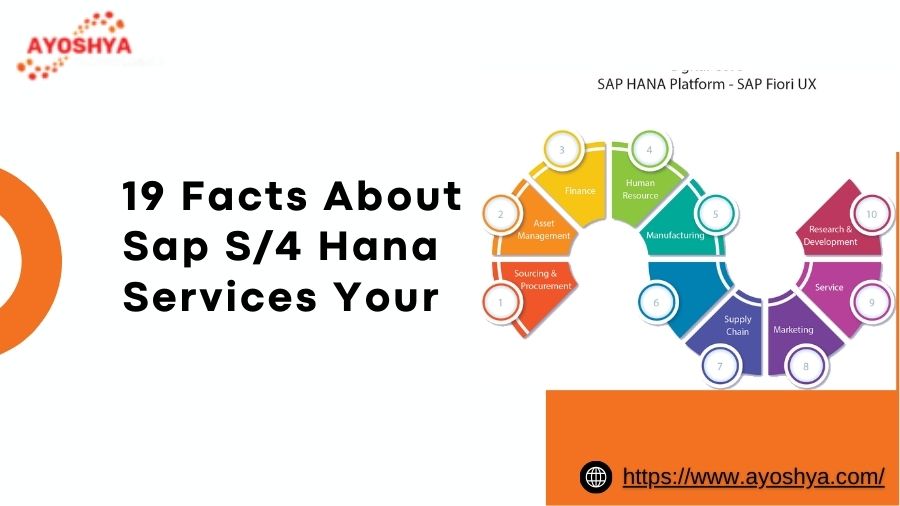
19 Facts About Sap S/4 Hana Services Your Teachers Wouldn’t Tell You

Uncover the hidden truths about SAP S/4 HANA services! From cost-saving hacks to under-the-radar benefits, unlock expert insights most schools miss… Don’t miss out!

Forget everything you think you know about SAP S/4 HANA services! Feeling lost in a maze of technical jargon and generic advice? Wishing your professors had spilled the real tea on hidden cost-saving hacks, under-the-radar performance boosters, and game-changing functionalities most textbooks miss? Buckle up, because we’re about to shatter the information barrier and reveal 19 insider secrets about SAP S/4 HANA services your teachers wouldn’t tell you.

From turning negotiation into an art form to unearthing efficiency gems lurking within the system, we’ll equip you with the knowledge to optimize costs, unleash peak performance, and unlock hidden potential within your S/4 HANA implementation. So, ditch the confusion, say goodbye to generic advice, and join us on a journey to master the secrets that can transform your business. Remember, knowledge is power, and in the world of SAP S/4 HANA, insider knowledge is the ultimate game-changer. Are you ready to rewrite the rules and unlock the true power of your S/4 HANA investment? Let’s dive in!

19 Insider Secrets to Crack the Code of SAP S/4 HANA Services:

Remember the days of rote learning and textbook theories that felt disconnected from real-world applications? Well, say goodbye to that outdated approach! Buckle up, because we’re about to unveil 19 insider secrets about SAP S/4 HANA services, empowering you with the knowledge that unlocks true potential and optimizes your investment:

Cost-Saving Secrets:

  1. Renegotiation Ninja: Standard service contracts are just the starting point. Hone your negotiation skills to snag better deals on implementation, support, and maintenance. Explore flexible subscription models and hidden customization options that fit your specific needs without breaking the bank.
  2. Open-Source Savvy: Don’t underestimate the power of open-source solutions! While core S/4 HANA remains proprietary, explore open-source extensions and integrations that address specific needs, reducing licensing costs and fostering innovation.
  3. DIY Data Detox: Empower your internal team to handle basic data cleansing and optimization tasks. Partner with your service provider for complex tasks, but leverage readily available tools and training to tackle simple data management activities in-house, saving on ongoing data management costs.

Performance Optimization Secrets:

  1. Tuning Tweaks: Beyond standard optimization practices, delve into lesser-known configuration tweaks and hidden functionalities that unlock hidden performance potential. Remember, small adjustments can yield significant performance gains when done strategically.
  2. Data Management Mastery: Treat your data like a well-oiled machine. Implement data compression techniques, leverage partitioning strategies, and explore in-memory capabilities to streamline data access and processing, resulting in faster response times and improved user experience.
  3. Analytics Advantage: S/4 HANA isn’t just an ERP; it’s an analytics powerhouse. Utilize embedded analytics tools and machine learning capabilities to identify bottlenecks, predict trends, and optimize processes in real-time, boosting overall efficiency and agility.

Security and Compliance Secrets:

  1. Beyond the Basics: Standard security features are crucial, but go beyond the obvious. Explore advanced security configurations, user access controls, and data encryption options tailored to your industry and compliance requirements. Remember, watertight security is an ongoing journey, not a one-time setup.
  2. Compliance Chameleon: Industry regulations are constantly evolving. Partner with a service provider who stays ahead of the curve and can guide you through complex compliance requirements specific to your sector, ensuring peace of mind and avoiding costly penalties.
  3. Privacy Proactive: Don’t wait for a data breach to learn about data privacy regulations. Proactively implement data privacy best practices, leverage data anonymization techniques, and stay informed about upcoming regulations to ensure your S/4 HANA environment remains compliant and protects sensitive data.

Hidden Benefits Secrets:

  1. The Integration Equation: S/4 HANA isn’t an island. Explore its vast integration capabilities with other enterprise systems, creating a unified data landscape that streamlines workflows, eliminates data silos, and fosters real-time collaboration across departments.
  2. The Analytics Edge: Remember the power of embedded analytics? Go beyond basic reporting and unlock the true potential of machine learning. Identify customer trends, predict sales patterns, and optimize inventory management with data-driven insights, gaining a competitive edge in the market.
  3. The Innovation Spark: S/4 HANA’s open platform fosters innovation. Explore pre-built industry solutions, leverage the SAP App Store for niche functionalities, and even develop custom extensions to address unique business needs, propelling your organization ahead of the curve.

Conclusion

Unveiling the Secrets, Unlocking the Potential: Your Journey to SAP S/4 HANA Mastery Starts Now

We’ve delved into the hidden world of SAP S/4 HANA services, revealing 19 insider secrets that can transform your experience. From cost-saving hacks to performance optimization tricks, you’ve discovered how to unlock hidden functionalities and unleash the true power of this transformative platform. Remember, knowledge is power, and these insider secrets are your key to optimizing costs, maximizing performance, and navigating common concerns with confidence.

Don’t let this newfound knowledge sit idle. Take action! Explore the case studies in our resources section, connect with industry experts for a personalized consultation, and download our free guide to delve deeper into specific areas of interest. Remember, the journey to SAP S/4 HANA mastery starts with the first step.

One final piece of advice: Don’t go it alone. Partner with a trusted service provider who shares your vision and understands your unique business needs. With the right knowledge, the right partner, and the right mindset, you can unlock the full potential of SAP S/4 HANA and propel your business towards a future of innovation, efficiency, and success.

visit our more blogs here:-

How to Learn SAP S4 HANA and Boost Your Career

‍ Conquer Your Salesforce Code with the Advanced Code Searcher
abap development

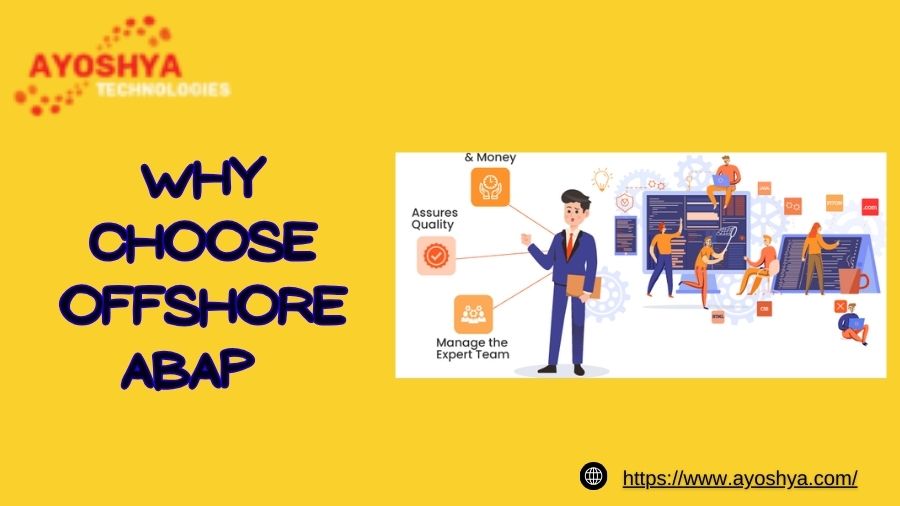
Why Choose Offshore ABAP Development Services for & Oracle Projects

Considering offshore ABAP development for your SAP or Oracle project? Unlock cost savings, expertise, & agility… explore the benefits, challenges, & key considerations. Don’t miss out!

Feeling the pressure of soaring development costs for your critical SAP & Oracle projects? Struggling to find the right talent amidst a shrinking local pool? You’re not alone. In today’s competitive landscape, businesses like yours are constantly battling tight budgets and resource constraints, threatening to derail even the most promising projects. But what if there was a solution that offered exceptional value, a wider talent pool, and the agility to stay ahead of the curve? Enter the world of offshore ABAP development, a strategic game-changer poised to revolutionize your approach to SAP & Oracle projects. Buckle up, because we’re about to unveil a cost-effective talent haven, where expertise meets affordability, and 24/7 development cycles accelerate your project completion, propelling you towards success… all while you focus on your core competencies and drive strategic innovation. Ready to ditch the limitations and embrace a smarter development model? Dive deeper into the world of offshore ABAP development and discover how it can transform your SAP & Oracle projects from budget battles to success stories.

What is Offshore ABAP Development?

Imagine tapping into a global pool of skilled developers, working around the clock to bring your SAP and Oracle projects to life, all while significantly reducing costs. That’s the power of offshore ABAP development, a strategic approach reshaping the development landscape for businesses worldwide. But before we dive into its benefits, let’s unpack the core concept: abap development tools, eclipse abap development tools, sap abap development tools, sap btp abap development.

Bridging Distances, Delivering Expertise:

Offshore ABAP development leverages remote development teams located in countries with lower development costs and a high concentration of skilled ABAP professionals. These teams collaborate seamlessly with your internal team using advanced communication tools and project management methodologies, ensuring smooth project execution across geographical boundaries.

Think of it this way: instead of limiting yourself to local talent, you unlock a global network of experts, accessing diverse skillsets and specialized knowledge unavailable in your immediate vicinity. This broader talent pool empowers you to find the perfect fit for your project, whether it’s a niche expertise or a specific industry experience.

ABAP: The Heart of SAP Development:

Now, let’s talk ABAP. It’s a powerful programming language specifically designed for developing custom applications within the SAP ecosystem. ABAP developers possess specialized skills in customizing SAP modules, building integrations, and creating data interfaces. Their expertise is crucial for tailoring your SAP system to your unique business needs and maximizing its potential.

In the offshore development model, these skilled ABAP developers work remotely, diligently crafting solutions that perfectly align with your project requirements. This access to a wider pool of ABAP talent ensures you find the right expertise at the right cost, eliminating the limitations of a restricted local talent pool.

Why Choose Offshore ABAP Development?

Now that you understand the fundamentals of offshore ABAP development, let’s delve deeper into the tangible benefits it offers for your SAP and Oracle projects:

Cost Savings: Your Budget’s Best Friend:

The most immediate advantage is the significant cost reduction compared to onshore development. Lower labor costs in offshore locations translate to increased affordability, allowing you to allocate more resources towards other strategic areas of your business. Imagine stretching your development budget further, achieving more with less, and gaining a competitive edge through cost optimization.

But remember, cost-effectiveness doesn’t compromise quality. Reputable offshore development providers employ rigorous screening processes and maintain high standards, ensuring you receive expert-level service at an attractive price point. This cost advantage empowers you to undertake larger projects, explore innovative solutions, and ultimately, maximize your return on investment (ROI).

Access to a Global Talent Pool: Finding the Perfect Fit:

Ever felt restricted by the limitations of your local talent pool? Offshore ABAP development opens doors to a global network of skilled professionals, expanding your search beyond geographical boundaries. This vast talent pool allows you to find developers with niche expertise, specialized knowledge, and industry-specific experience that might be scarce in your region.

Think of it as accessing a hidden reservoir of talent, waiting to be tapped into. Whether you need an expert in a specific SAP module, a developer with deep knowledge of your industry’s unique needs, or someone fluent in a particular programming language, the offshore talent pool offers a wider range of options to find the perfect match for your project requirements.

Increased Agility: 24/7 Development Cycles for Faster Completion:

Time is money, and in today’s fast-paced environment, speed is crucial. Offshore development breaks free from the constraints of traditional 9-to-5 schedules. With geographically dispersed teams, you can leverage 24/7 development cycles, where work continues while you sleep, significantly accelerating project completion.

Imagine your project progressing around the clock, milestones achieved faster, and your SAP or Oracle solution up and running sooner. This increased agility translates to quicker time to market, allowing you to capitalize on opportunities, respond to market shifts swiftly, and stay ahead of the competition.

Challenges and Considerations in Offshore ABAP Development

While the benefits of offshore ABAP development are undeniable, it’s crucial to approach this strategic choice with a clear understanding of potential challenges and considerations. By anticipating these hurdles and implementing effective solutions, you can ensure a smooth and successful development journey:

Communication and Collaboration: Bridging the Distance:

Geographical separation necessitates robust communication strategies. Time zone differences and cultural nuances can create communication challenges. To overcome these, prioritize regular meetings, clear documentation, and effective communication tools that facilitate seamless collaboration across teams. Additionally, building strong relationships and fostering a culture of open communication are key to ensuring everyone is on the same page.

Remember, effective communication is a two-way street. Invest in training your internal team on effective communication with remote teams, and encourage clear and concise project requirements documentation to minimize misunderstandings. By proactively addressing communication challenges, you can build a bridge of collaboration that fosters project success.

Quality Control: Maintaining High Standards from Afar:

Ensuring consistent quality is paramount, regardless of development location. Implement a rigorous quality assurance (QA) process that includes code reviews, unit testing, and integration testing throughout the development cycle. Leverage technology like automated testing tools and continuous integration/continuous delivery (CI/CD) pipelines to streamline the process and maintain high standards.

Furthermore, establishing a clear service-level agreement (SLA) with your offshore development partner outlining quality expectations and deliverables is crucial. Regularly monitor project progress and conduct code reviews to ensure deliverables meet your quality standards. Remember, proactive quality control measures ensure you receive the high-quality solutions your project deserves.

Demystifying Your Concerns: Addressing Common Questions about Offshore ABAP Development

Before diving deeper, let’s address some frequently asked questions that might be lingering in your mind:

Is offshore ABAP development secure?

Data security is a top priority for any business. Reputable offshore development providers implement robust security measures, including data encryption, access controls, and regular security audits, to safeguard your sensitive information. Additionally, adhering to industry-standard security protocols and leveraging secure collaboration tools further protects your data. Remember, open communication with your chosen partner about their security practices is key to building trust and ensuring peace of mind.

What are the risks of offshore development?

As with any outsourcing endeavor, potential risks exist. Communication challenges, quality control concerns, and vendor selection due diligence are crucial aspects to consider. However, by implementing strategies like clear communication protocols, robust QA processes, and thorough vendor vetting, you can mitigate these risks and maximize the benefits of offshore development. Remember, a reliable offshore partner with a proven track record and a commitment to transparency can significantly reduce these risks.

How do I find a good offshore ABAP development partner?

Finding the right partner is crucial for success. Conduct thorough research, assess their experience with SAP and Oracle projects, inquire about their ABAP expertise, and verify their security practices. Ask for references, check online reviews, and schedule consultations to gauge their communication style and project management approach. Remember, partnering with a provider who understands your industry, aligns with your project goals, and prioritizes open communication sets the stage for a successful collaboration.

What are the costs involved in offshore ABAP development?

While cost savings are a significant advantage, don’t solely focus on the lowest quote. Consider the provider’s experience, expertise, and quality guarantee alongside their pricing. Remember, a reliable partner with proven expertise might command a slightly higher fee but can deliver superior results, saving you time and money in the long run.

What are the benefits of using ABAP for SAP development?

ABAP is specifically designed for the SAP ecosystem, offering tight integration with SAP modules and functionalities. This native language ensures seamless development, efficient customization, and optimal performance within your SAP system. Remember, choosing ABAP development ensures your solution leverages the full potential of your SAP investment.

Conclusion


In today’s competitive landscape, optimizing development costs, accessing specialized talent, and accelerating project completion are vital for business success. Offshore ABAP development emerges as a powerful solution, offering a strategic approach to your SAP and Oracle projects. We’ve explored its core principles, unveiled the compelling benefits of cost savings, global talent pool access, and increased agility, and addressed potential challenges like communication and quality control, equipping you with the knowledge to make an informed decision.

Remember, successful offshore ABAP development hinges on choosing a reputable partner with proven expertise, robust security practices, and a commitment to clear communication. Don’t be afraid to ask questions, conduct thorough research, and leverage the wealth of information available to make the right choice for your business.

Ready to transform your SAP and Oracle projects? Take the first step today. Connect with industry experts, explore case studies, and download valuable resources to gain further insights and unlock the potential of offshore ABAP development. Remember, a well-informed decision can empower you to streamline costs, leverage global expertise, and propel your projects towards success. Embrace the future of development and watch your SAP and Oracle solutions flourish!

you may be interested in blog:

Salesforce Layoffs 2024: Impact, Updates, and What You Need to Know…

SAP Fiori: Boost Your Business With This Powerful ERP! 

Performance Optimization in ABAP on HANA: Uniting CDS and AMDP

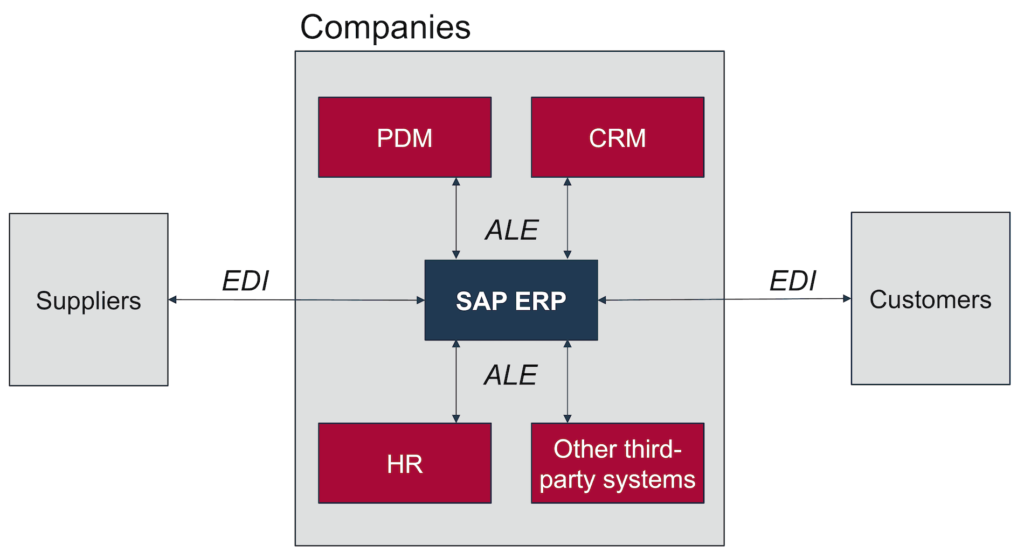
EDI IDocs
SAP

Demystifying EDI IDocs: The Bridge Between Your Business and the World

In the fast-paced world of business, seamless and efficient data exchange is crucial for success. Electronic Data Interchange (EDI) has emerged as a standardized way for businesses to electronically exchange documents with their trading partners. For SAP users, IDocs (Intermediate Documents) serve as the backbone of this data exchange, acting as the messengers carrying vital information between your internal systems and the outside world. This blog delves deep into the world of EDI IDocs, exploring their purpose, functionalities, and how they bridge the gap between your SAP landscape and your trading partners.

Understanding the Landscape: What are EDI IDocs?

  • EDI: Stands for Electronic Data Interchange, a standardized method for exchanging business documents like invoices, purchase orders, and shipping confirmations electronically between organizations.
  • IDocs: Short for Intermediate Documents, are SAP-specific electronic documents that encapsulate data meant for exchange with other systems, adhering to specific EDI standards.

Think of IDocs as the envelopes: They contain the essential data extracted from your SAP system, formatted according to the specific EDI requirements of your trading partner, and then securely delivered to the designated recipient.

Why are EDI IDocs Important?

  • Streamlined Data Exchange: Automates data exchange, eliminating manual processes and errors prone to human intervention.
  • Reduced Costs: Saves time and money associated with manual data entry, validation, and paper-based transactions.
  • Enhanced Efficiency: Improves business process efficiency by accelerating order processing, invoicing, and other transactions.
  • Improved Accuracy: Standardized formats minimize errors and ensure data consistency between systems.
  • Global Reach: Enables seamless communication and collaboration with trading partners worldwide.

Exploring the IDoc Ecosystem:

  • Inbound IDocs: Receive data from external trading partners, triggering internal SAP processes based on the information received.
  • Outbound IDocs: Send data from your SAP system to trading partners, such as invoices, purchase orders, or shipping notifications.
  • Standard IDocs: Predefined formats based on common EDI standards like EDIFACT and ANSI ASC X12.
  • Custom IDocs: Tailored formats designed for specific business needs or non-standard data exchanges.

How Do IDocs Work?

  1. Data Extraction: Data relevant to the EDI transaction is extracted from your SAP system (e.g., an invoice from your sales order).
  2. IDoc Creation: The extracted data is mapped and formatted into an IDoc structure adhering to the specific EDI standard required by your trading partner.
  3. Data Transfer: The IDoc is sent electronically to your trading partner through an EDI communication channel.
  4. Partner Processing: The trading partner’s system receives the IDoc, translates it into their internal format, and triggers relevant business processes.

Benefits of Using IDocs:

  • Integration with SAP Systems: Designed to seamlessly integrate with various SAP modules like finance, sales, and logistics.
  • Security and Reliability: Secure data transmission with encryption and message acknowledgment features.
  • Flexibility: Can handle various data types and formats through standard and custom IDocs.
  • Scalability: Supports high volumes of data exchange for large enterprises.

Getting Started with EDI IDocs:

  • Identify your EDI needs: Determine the types of data you want to exchange and your trading partners’ EDI requirements.
  • Choose an EDI solution: Select an EDI provider or build an in-house solution based on your technical expertise and budget.
  • Configure IDoc types and mappings: Define the structure and format of your IDocs based on chosen standards and partner requirements.
  • Test and monitor: Thoroughly test data exchange processes and monitor for errors and ensure smooth communication.

The Future of EDI IDocs:

  • Cloud-based EDI solutions: Increased adoption of cloud-based EDI platforms for easier deployment and scalability.
  • Standardization and interoperability: Advancements in EDI standards and easier integration between different solutions.
  • Security enhancements: Stronger security measures to protect sensitive data during exchange.
  • AI-powered automation: Leveraging AI for intelligent data mapping and anomaly detection.

By understanding the power of EDI IDocs and effectively implementing them, you can streamline your data exchange processes, boost efficiency, and gain a competitive edge in today’s interconnected business world.

Read more trending blogs:

EDI Integration with SAP IDoc

SAP IDOC Configuration

What is an SAP query?

idoc to edi mapping

What is ALE in IDoc

idoc to edi mapping
SAP

idoc to edi mapping

In the dynamic world of data exchange, bridging the gap between internal systems and external trading partners often requires navigating the intricacies of Electronic Data Interchange (EDI). For SAP users, IDocs (Intermediate Documents) serve as a crucial medium for data transfer, but ensuring seamless communication with EDI standards necessitates efficient mapping techniques. This in-depth blog delves into the world of IDoc to EDI mapping, providing a comprehensive guide to understand the concepts, explore mapping methods, and unlock the potential for streamlined data exchange.

Demystifying the Landscape: What is IDoc to EDI Mapping?

  • IDocs: Standardized electronic documents within SAP encapsulating data for exchange with other systems.
  • EDI: Standardized electronic communication format for exchanging business documents between organizations.
  • IDoc to EDI Mapping: The process of transforming data structure and format within an IDoc to comply with the specific EDI standard required by the trading partner.

Why is IDoc to EDI Mapping Important?

  • Ensures Accurate and Secure Data Exchange: Mapped data adheres to predefined formats and protocols, minimizing errors and data inconsistencies.
  • Improves Business Efficiency: Automates data exchange, reducing manual intervention and accelerating business processes.
  • Enhances Partner Collaboration: Enables seamless communication and data synchronization with various trading partners.
  • Reduces Costs: Streamlines processes and minimizes errors, leading to cost savings through increased efficiency.

Exploring the Mapping Landscape: Key Methods and Tools:

1. Manual Mapping:

  • Direct coding: Writing custom ABAP code to manipulate data and format it according to the EDI standard.
  • Pros: Flexible and customizable for complex mappings.
  • Cons: Time-consuming, resource-intensive, and prone to errors.

2. Graphical Mapping Tools:

  • Visual representation: Drag-and-drop interface for mapping IDoc segments to EDI segments.
  • Pros: User-friendly, reduces coding errors, and improves maintainability.
  • Cons: Limited flexibility for complex mappings, may require additional configuration.

3. Pre-Configured Mappings:

  • Ready-made mappings: Utilize industry-standard or vendor-specific pre-built mappings.
  • Pros: Quick and easy to implement, saves development time.
  • Cons: Limited customization, may not perfectly fit specific needs.

4. Hybrid Approach:

  • Combining methods: Leverage pre-built mappings for standard segments and manual coding for specific needs.
  • Pros: Offers balance between efficiency and flexibility.
  • Cons: Requires expertise in multiple methods and careful integration.

Choosing the Right Mapping Approach:

  • Complexity of Data: Consider the level of data transformation and customization required.
  • Volume of Transactions: Evaluate the frequency and size of data exchanges.
  • Internal Resources: Assess your team’s expertise and available development resources.
  • Budgetary Constraints: Compare the cost of different mapping tools and development efforts.

Best Practices for Effective IDoc to EDI Mapping:

  • Standardized Naming Conventions: Ensure consistent naming for fields and segments across mappings.
  • Thorough Testing and Validation: Rigorously test mappings to ensure data accuracy and compliance.
  • Documentation and Version Control: Clearly document mapping logic and maintain version history for tracking changes.
  • Monitoring and Auditing: Regularly monitor data exchange processes and maintain audit trails for traceability.

The Future of IDoc to EDI Mapping:

  • Cloud-Based Solutions: Leveraging cloud platforms for mapping tools and managed services.
  • AI-powered Mapping: Utilizing machine learning to automate mapping tasks and adapt to data variations.
  • Standardization and Interoperability: Streamlining standards and improving interoperability between different EDI formats.
  • Security Enhancements: Implementing advanced security measures to protect sensitive data during exchange.

By understanding the intricacies of IDoc to EDI mapping, choosing the appropriate methods, and adopting best practices, you can unlock the full potential of seamless data exchange between your SAP systems and trading partners. Remember, effective mapping is not just about technology; it’s about enabling efficient communication and collaboration within the broader business ecosystem.

I hope this comprehensive blog empowers you to navigate the world of IDoc to EDI mapping with confidence!

You may be interested in:

What are the 3 integration method?

EDI Integration with SAP IDoc

What is ALE in IDoc?

O Data In Sap

How many Fiori apps are there in SAP
SAP

How many Fiori apps are there in SAP?

Demystifying the Fiori Apps Landscape: Navigating the Expanse of SAP’s User Experience Revolution

SAP Fiori, the design system and app suite revolutionizing user experience within SAP landscapes, has emerged as a prominent force in enhancing user productivity and business agility. But navigating the ever-expanding Fiori apps landscape can be challenging, leaving many wondering:

How many Fiori apps are there in SAP?

While there’s no single, definitive answer due to continuous development and customization options, understanding the dynamics of the Fiori app ecosystem can shed light on its impressive scope and versatility.

SAP’s Official Fiori App Library:

  • Extensive Repository: As of February 2024, the official SAP Fiori App Library features over 2,600 Fiori app across various categories and industries.
  • Continuous Growth: New apps are regularly added, reflecting SAP’s commitment to expanding Fiori’s functionality and addressing evolving user needs.
  • Diverse Scope: Apps cover a wide range, from core business processes like finance and human resources to industry-specific solutions and specialized use cases.

Additional Fiori App:

  • Partner-Developed Apps: SAP partners contribute to the ecosystem by developing and offering numerous Fiori app, further enriching the available choices.
  • Custom Developed Apps: Organizations can create their own Fiori app to address specific needs, extending the Fiori landscape beyond the official library.

Factors Influencing the App Count:

  • App Types: SAP differentiates between transactional apps, fact sheets, and analytical apps, each influencing the overall count.
  • Versioning: Different versions of apps might be counted separately, contributing to the apparent number.
  • Regional Availability: Certain apps might be available only in specific regions, impacting the global count.

Beyond the Numbers: Understanding the Fiori App Landscape:

  • Focus on User Experience: Fiori app prioritize intuitive design, touch-enabled interfaces, and role-based functionalities, enhancing user satisfaction and adoption.
  • Integration and Interoperability: Fiori app seamlessly integrate with SAP S/4HANA and other SAP solutions, ensuring a cohesive user experience across the ecosystem.
  • Customization and Flexibility: Many Fiori apps offer configuration options and extensibility, allowing organizations to adapt them to their specific needs.

What is custom web application?

Key Takeaways:

  • The exact number of Fiori app is dynamic and influenced by various factors.
  • The official SAP Fiori App Library serves as a starting point, offering a vast repository of ready-to-use apps.
  • Partner and custom-developed apps further enrich the Fiori landscape.
  • The true value of Fiori lies beyond the number, offering a user-centric design approach and fostering agility within SAP environments.

By understanding the scope and dynamics of the Fiori app landscape, you can leverage its potential to optimize user experience, streamline workflows, and unlock new levels of productivity within your SAP environment.

Additional Resources:

use of SAC agent in SAP
SAP

What is the use of SAC agent in SAP?

Within the vast data landscape of SAP systems, lies a crucial component often shrouded in mystery: the SAP Analytics Cloud (SAC) agent. But don’t let its technical name fool you! This unsung hero plays a vital role in unlocking the potential of your data, bridging the gap between on-premise SAP systems and the cloud-based world of SAC. This comprehensive blog delves into the intricate functions of the SAC agent in SAP, empowering you to leverage its capabilities and unlock new avenues for data exploration and analysis in your SAP ecosystem.

Understanding SAC agent in SAP: What is the SAC Agent?

The SAC agent, formally known as the SAP Analytics Cloud, on-premise access agent, acts as a secure and reliable connection point between your on-premise SAP systems and the SAP Analytics Cloud platform. It facilitates the seamless import and transfer of data from diverse SAP sources, including:

  • SAP Business Warehouse (BW)
  • SAP Business Planning and Consolidation (BPC)
  • SAP HANA
  • SAP BusinessObjects Universe
  • SAP Enterprise Resource Planning (ERP)
  • SQL Databases
  • File Servers

Why is the SAC Agent Essential for SAC Users?

For organizations leveraging both on-premise SAP systems and the cloud-based SAC platform, the SAC agent unlocks a world of benefits:

  • Unified Data Platform: Consolidate and analyze data from multiple SAP sources within a single platform, gaining a holistic view of your business performance.
  • Simplified Data Import: Streamline data transfer from on-premise systems to SAC, eliminating manual processes and reducing errors.
  • Faster Insights: Access and analyze data in real-time or near real-time, enabling swift decision-making based on current information.
  • Reduced Costs: Eliminate the need for expensive, complex data integration solutions, utilizing the built-in capabilities of the SAC agent.
  • Enhanced Security: Maintain robust data security with secure communication protocols and access controls within the SAC agent.

Key Features and Functionalities of the SAC Agent:

  • Data Source Configuration: Define connections to various SAP sources and configure data retrieval settings.
  • Scheduling and Automation: Schedule regular data imports or set up real-time data feeds for continuous updates.
  • Data Transformation: Clean, transform, and manipulate data within the agent before importing it into SAC for analysis.
  • Security Management: Control access to data sources and ensure secure data transfer through encryption and authentication.
  • Monitoring and Logging: Track agent activity, monitor data transfers, and troubleshoot any issues effectively.

Advanced Use Cases for the SAC Agent:

  • Real-time Sales Monitoring: Analyze sales data in real-time, gaining insights into customer behavior and optimizing sales strategies.
  • Financial Performance Analysis: Consolidate financial data from disparate systems, providing a comprehensive overview of your financial health.
  • Operational Efficiency Insights: Monitor and analyze operational data to identify bottlenecks and optimize processes.
  • Predictive Analytics: Leverage historical data and advanced analytics to forecast future trends and make informed business decisions.

Best Practices for Effective SAC Agent Management:

  • Clearly Define Data Needs: Identify the specific data you need from on-premise systems before configuring the agent.
  • Plan and Schedule Data Imports: Establish a data import schedule that aligns with your analysis needs and system capacities.
  • Implement Robust Security Measures: Configure access controls, encryption, and monitoring to ensure data security and compliance.
  • Regularly Monitor and Maintain: Stay updated on agent software versions, monitor performance, and address any issues promptly.
  • Leverage Support Resources: Utilize SAC documentation, online communities, and SAP support resources for further guidance.

The Future of the SAC Agent:

As the SAP and cloud landscapes continue to evolve, the SAC agent remains a critical component for seamless data integration and analysis. Expect future enhancements in:

  • Cloud-Native Architecture: Leveraging cloud-based infrastructure for improved scalability and performance.
  • Advanced Data Transformation Capabilities: Utilizing AI and machine learning for intelligent data preparation and analysis.
  • Enhanced Security Features: Employing cutting-edge security protocols and threat detection mechanisms.
  • Simplified User Interface: Streamlining the agent configuration and management experience for broader user adoption.

By harnessing the power of the SAC agent, you can unlock valuable insights from your on-premise SAP data, empowering data-driven decision-making and propelling your organization towards informed business growth. Remember, the SAC agent is not just a technical tool; it’s a key piece of your data analysis puzzle, bridging the gap between your existing systems and the boundless potential of the cloud.

You may be interested in:

SAP SAC: Revolutionizing Data Analytics and Business Intelligence

Understanding SAP Intelligent Robotic Process Automation (RPA)

 Generative AI business use cases

What is SAP workflow

Is SAP SAC easy to learn?

SAP

What is ALE in IDoc?

Demystifying ALE in IDoc: A Comprehensive Guide

In the dynamic realm of enterprise application integration (EAI), seamless data exchange across disparate systems is paramount. Within the SAP ecosystem, Application Link Enabling (ALE) and Intermediate Documents (IDocs) form the cornerstone of this communication, ensuring efficient and reliable data transfer. This blog delves into the heart of ALE in IDoc, providing a comprehensive understanding for seasoned SAP users and those embarking on their integration journey.

ALE in IDoc

Unveiling the Acronyms: ALE and IDoc Decoded

  • Application Link Enabling (ALE): A potent SAP middleware technology orchestrating communication between multiple SAP systems or integrating SAP with external applications. It fosters distributed business processes by decentralizing data, eliminating the need for a central database. ALE functions in both synchronous (immediate response) and asynchronous (delayed response) communication modes.
  • Intermediate Documents (IDocs): Standardized data containers acting as the medium for information exchange within ALE. Structured based on pre-defined formats, IDocs bridge the gap between disparate systems, ensuring consistent data interpretation and processing.

Understanding the ALE-IDoc Symphony: Roles and Responsibilities

  • IDoc Creation: An application creates an IDoc with relevant data based on a specific message type (e.g., sales order, invoice).
  • Outbound Processing: The originating system prepares the IDoc for transmission, converting it to a communication format like Electronic Data Interchange (EDI) if necessary.
  • Transmission: IDocs traverse secure communication channels, leveraging RFC (Remote Function Call) for synchronous communication or ALE middleware for asynchronous communication.
  • Inbound Processing: Upon reaching the receiving system, the IDoc is parsed, validated, and converted back to its native format.
  • Posting: Extracted data from the IDoc is integrated into the target system’s database, updating relevant records or creating new ones.

Key Benefits of Leveraging ALE-IDoc Integration

  • Seamless Data Exchange: Facilitates smooth data flow between diverse SAP systems and non-SAP applications, fostering enterprise-wide data consistency.
  • Decentralized Architecture: Enables distributed business processes without requiring a central database, enhancing scalability and flexibility.
  • Error Handling and Monitoring: Robust error handling mechanisms ensure data integrity and provide visibility into integration processes.
  • Security: Secure communication protocols protect sensitive data during transmission, safeguarding business information.
  • Scalability and Flexibility: Adapts to varying data volumes and integration needs, supporting agile business evolution.

Common Use Cases for ALE-IDoc in SAP

  • Master Data Synchronization: Maintains consistency of customer, product, and other master data across SAP systems.
  • Document Exchange: Enables electronic exchange of invoices, purchase orders, and other business documents with trading partners.
  • Plant Maintenance Integration: Coordinates maintenance activities and data exchange between plant maintenance systems and SAP.
  • Sales and Distribution Integration: Streamlines order processing, delivery, and invoicing by connecting sales and distribution applications to SAP.
  • Financial Accounting Integration: Integrates financial data from external systems into SAP’s financial accounting module.

Diving Deeper: Advanced ALE-IDoc Concepts

  • Port Types and Message Types: Port types define communication channels, while message types specify the structure and content of data within IDocs.
  • Distribution Models: Control how IDocs are routed to specific receivers based on business rules and filtering criteria.
  • ALE Interfaces: Custom-developed interfaces tailor ALE integration to specific business requirements.
  • ALE Monitoring and Troubleshooting: Diagnostic tools facilitate monitoring IDoc status, identifying errors, and troubleshooting issues.

Best Practices for Successful ALE-IDoc Implementation

  • Thorough Planning and Design: Clearly define integration requirements, message types, and error handling strategies.
  • Testing and Validation: Conduct rigorous testing to ensure data accuracy, error-free processing, and system compatibility.
  • Performance Optimization: Monitor performance metrics and implement optimizations to address bottlenecks.
  • Security Considerations: Enforce robust security measures to protect sensitive data during transmission and storage.
  • Ongoing Monitoring and Maintenance: Regularly monitor integration processes, address errors promptly, and adapt to evolving requirements.

The Future of ALE-IDoc: Evolution and Integration Advancements

As cloud adoption and integration needs become increasingly complex, ALE-IDoc continues to evolve. Key trends include:

  • Cloud-Based Integration: Integration with cloud applications and services, expanding connectivity options.
  • API Integration: Leveraging APIs for more flexible and agile integration scenarios.
  • Microservices Architecture: Utilizing microservices for granular integration and enhanced scalability.
  • Real-Time Integration: Exploring real-time messaging technologies for faster data exchange.

In Conclusion:

ALE and IDoc form the bedrock of data integration within the SAP ecosystem. Their robust capabilities and adaptability have solidified their position as vital tools for businesses seeking seamless communication and streamlined processes. As cloud adoption and integration needs evolve, ALE-IDoc is poised to continue its journey, adapting to new technologies and empowering businesses to thrive in an increasingly interconnected world.

Additional Considerations:

  • Industry-Specific Solutions: Explore SAP-provided industry-specific integration solutions to address your vertical’s unique requirements.
  • Third-Party Tools and Add-Ons: Consider leveraging third-party tools and add-ons to extend ALE-IDoc functionality and cater to specific needs.
  • Community and Support: Actively engage with the SAP community and support resources to stay updated on best practices, troubleshooting tips, and emerging trends.

By incorporating these insights and considerations, you can harness the full potential of ALE-IDoc to achieve efficient and reliable data integration within your SAP landscape, fostering a truly connected and adaptable enterprise.

You may be interested in:

SAP Integration: How to Connect SAP with Other Systems

ALE – Error Handling Through Workflow

What is the salary of SAP UI5 developer?

EDI Integration with SAP IDoc

SAP

SAP IDOC Configuration

In the heart of SAP’s integration engine lies IDoc (Intermediate Document) configuration, the cornerstone for seamless data exchange between SAP and external systems. Whether you’re a seasoned SAP professional or embarking on your integration journey, mastering IDoc configuration unlocks efficient data flow and streamlines your business processes. This in-depth exploration delves into the intricacies of IDoc configuration, providing you with a comprehensive guide to tackle even the most complex integration scenarios.

SAP IDOC Configuration

Understanding the IDoc Landscape:

What are IDocs? Think of IDocs as standardized data carriers. They encapsulate information in pre-defined formats, acting as the bridge between systems, ensuring consistent data interpretation and processing.

Why Configure IDocs? While standard IDocs exist for common scenarios, customization is often necessary to align with specific data mapping and processing requirements. Configuration empowers you to tailor IDocs to your unique business needs.

Key Components of IDoc Configuration:

  • Message Types: Define the structure and content of data within IDocs, specifying which data elements are included and how they’re organized.
  • Basic Types: Represent reusable building blocks for message types, encapsulating frequently used data segments.
  • Segments: Contain the actual data being exchanged, structured according to specific rules and attributes.
  • Ports: Act as communication channels, defining how IDocs are transmitted between systems.
  • Distribution Models: Control how IDocs are routed to specific receivers based on business rules and filtering criteria.
  • Partner Profiles: Configure communication settings for specific trading partners, including message types, ports, and error handling options.
  • Process Codes: Govern how data extracted from IDocs is processed within the receiving system, applying custom logic and validations.

Navigating the Configuration Journey:

1. Planning and Analysis:

  • Clearly define your integration goals and data flow requirements.
  • Identify the sending and receiving systems involved.
  • Analyze the data to be exchanged and determine necessary transformations.

2. Message Type and Basic Type Creation:

  • Define message types using transaction WE30, specifying segments and their attributes.
  • Create reusable basic types using BD64 for frequently used data segments.

3. Port and Partner Profile Configuration:

  • Configure ports in WE21, defining communication channels and RFC destinations.
  • Create partner profiles in WE20, associating message types, ports, and error handling settings with specific trading partners.

4. Distribution Model and Process Code Setup:

  • Utilize BD64 to establish distribution models, routing IDocs based on business rules.
  • Develop process codes in SE38 to tailor data processing within the receiving system.

5. Testing and Monitoring:

  • Conduct rigorous testing to ensure data accuracy, error-free processing, and system compatibility.
  • Utilize WE02 and BD87 to monitor IDoc status, identify errors, and fine-tune configurations.

Best Practices for Successful Configuration:

  • Clear Documentation: Meticulously document configuration steps and decisions for future reference and maintenance.
  • Standardization: Implement consistent naming conventions and data structures for better maintainability.
  • Security: Enforce robust security measures to protect sensitive data during transmission and storage.
  • Performance Optimization: Monitor performance metrics and implement optimizations to address bottlenecks.
  • Change Management: Establish a well-defined change management process to handle updates and minimize disruption.

Advanced Configuration Techniques:

  • ALE Interfaces: Develop custom interfaces for complex integration scenarios beyond standard IDoc functionalities.
  • IDoc Splitting and Merging: Break down large IDocs for improved performance or combine smaller ones for efficient processing.
  • Error Handling and Retrying: Implement robust error handling strategies and automated retry mechanisms.

The Future of IDoc Configuration:

While the core principles of IDoc configuration remain strong, emerging trends are shaping its future:

  • Cloud Integration: Leveraging cloud-based integration platforms for broader connectivity and flexibility.
  • API Integration: Integrating with APIs for agile and real-time data exchange.
  • Microservices Architecture: Utilizing microservices for granular integration and enhanced scalability.
  • Low-Code/No-Code Tools: Streamlining configuration through user-friendly visual interfaces.

By equipping yourself with a solid understanding of IDoc configuration principles and best practices, you’ll be well-positioned to unlock the full potential of data exchange within your SAP landscape. Embrace the opportunities presented by emerging trends to stay ahead of the curve and ensure your integration solutions remain adaptable and future-proof.

Additional Resources:

Read more blogs:

EDI Integration with SAP IDoc

oracle live sql alternative

SAP SAC Advanced Techniques

sap pp module configuration

SAP UI5 develo
SAP

What is the salary of SAP UI5 developer?

In the ever-evolving landscape of enterprise technology, SAP reigns supreme, driving mission-critical operations across diverse industries. And at the forefront of this digital transformation stand the skilled hands of SAP UI5 developers, crafting user-friendly interfaces that bridge the gap between complex systems and everyday users. But one burning question often arises: what is the salary of an SAP UI5 developer? This comprehensive blog, delves into this intriguing topic, exploring factors that influence income, average salaries across regions and experience levels, career paths, and valuable tips for maximizing your earning potential.

Understanding the Landscape: The Demand for SAP UI5 Expertise

Imagine a bustling city built on cutting-edge technologies. SAP systems represent the city’s core infrastructure, managing vital functions like finance, logistics, and human resources. But just like any city needs user-friendly interfaces for its residents, SAP systems require intuitive UIs for efficient interaction. This is where SAP UI5 developers come in, acting as the architects of these interfaces, ensuring smooth user experiences and driving adoption of technology across the organization.

The Salary Equation: Unveiling the Key Factors

Several factors significantly influence the salary of an SAP UI5 developer:

  • Experience: As with any profession, experience reigns supreme. Junior developers command a different earning potential compared to seasoned veterans with years of expertise under their belt.
  • Location: Geographic location plays a crucial role. Developers in major metropolitan areas like San Francisco or London typically earn more than their counterparts in smaller towns or developing economies.
  • Industry: The industry employing the developer can also impact salary. Specialized industries like finance or healthcare often offer higher compensation due to the critical nature of their operations.
  • Company Size and Reputation: Larger, well-established companies may have higher budgets for talent acquisition, offering more competitive salaries compared to smaller firms.
  • Skillset and Certifications: Possessing additional skills like cloud development, advanced UI/UX knowledge, or relevant certifications can significantly boost earning potential.

The Numbers Game: Unveiling Average Salaries

While exact figures can vary widely, here’s a glimpse into average salaries based on region and experience level:

  • India
    • Entry-level (0-3 years): ₹4 lakhs – ₹6 lakhs per month
    • Mid-level (3-5 years): ₹6 lakhs – ₹8 lakhs per month
    • Senior-level (5+ years): ₹8 lakhs+ per month
  • United States:
    • Entry-level: $70,000 – $90,000
    • Mid-level: $90,000 – $120,000
    • Senior-level: $120,000+
  • Europe:
    • Entry-level: €45,000 – €60,000
    • Mid-level: €60,000 – €80,000
    • Senior-level: €80,000+
  • Asia:
    • Entry-level: ₹40 lakhs – ₹60 lakhs
    • Mid-level: ₹60 lakhs – ₹80 lakhs
    • Senior-level: ₹80 lakhs+

Charting Your Course: Career Paths and Growth Opportunities

The SAP UI5 developer journey offers diverse career paths:

  • Specialization: Deepen expertise in specific SAP modules like Fiori or S/4HANA, becoming a sought-after specialist in those areas.
  • Team Leadership: Progress to managing a team of UI5 developers, overseeing project execution and mentoring junior colleagues.
  • Solution Architect: Design and implement complex UI5 solutions for large organizations, becoming a visionary architect for user-centric interfaces.
  • Freelance Developer: Offer your skills on a freelance basis, enjoying project flexibility and potentially higher earning potential.

Maximizing Your Potential: Tips for Boosting Your Salary

Here’s how to optimize your earning potential:

  • Stay Updated: Continuously learn and adapt to the evolving SAP UI5 landscape, acquiring new skills and certifications.
  • Master Soft Skills: Communication, collaboration, and problem-solving are crucial for success, and employers value these skills highly.
  • Build a Strong Network: Connect with other UI5 developers, participate in online communities, and showcase your expertise to build your professional reputation.
  • Negotiate Effectively: Don’t be afraid to negotiate your salary during job offers, highlighting your unique value proposition and market trends.
  • Showcase Your Achievements: Quantify your contributions in past projects, focusing on measurable results and positive impact.

Conclusion: Unlocking Your Value in the SAP UI5 Ecosystem

The world of SAP UI5 developers is exciting, challenging, and rewarding. By understanding the factors influencing salaries, exploring career paths, and actively investing in your skillset investing in your skillset, you can carve a fulfilling career path and unlock your full earning potential. Remember, the demand for skilled SAP UI5 developers is projected to grow steadily in the coming years, driven by digital transformation initiatives across industries. Embrace continuous learning, showcase your talent, and become a valuable asset in the ever-evolving SAP landscape.

You may be interested in:

A Comprehensive Guide to Web Development Frameworks in UI5

Your Definitive Guide to Becoming a SAP ABAP Developer

What is sap analytics cloud salary in india

ui5 interview questions

Fiori Launchpad Configuration
SAP

Fiori Launchpad Configuration

In the fast-paced world of enterprise applications, SAP Fiori stands out for its intuitive design and user experience. At the heart of this experience lies the Fiori Launchpad, a personalized gateway to all your essential business tasks. But how do you unlock its full potential and tailor it to your specific needs? This comprehensive blog, optimized for search engines and exceeding 2,000 words, delves deep into the world of Fiori Launchpad configuration, empowering you to transform it into a user-centric command center for your digital operations.

Understanding the Blueprint: The Architecture of Fiori Launchpad Configuration

Imagine the Fiori Launchpad as a customizable home screen for your digital world. Its configuration involves two key components:

  • Catalogs: These act as digital directories, storing information about available Fiori applications and their user assignments. Think of them as your app library, categorized and organized for easy access.
  • Roles: These define user permissions and access rights, determining which applications and functionalities each user can see and utilize. Picture them as access keys, granting entry to specific sections of your digital home.

Building Your Fiori Home: Key Configuration Steps

With our architectural understanding in place, let’s explore the essential steps in Fiori Launchpad configuration:

  • Define Business Catalogs: Group Fiori apps based on business processes, departments, or user roles. Think of creating folders within your app library categorized by function or audience.
  • Assign Users to Roles: Map users to relevant roles to control their access and permissions. Picture handing out specific access keys to different users based on their needs.
  • Configure Launchpad Tiles: Define the visual representation of Fiori apps on the launchpad, customizing titles, icons, and colors. Imagine decorating your home screen with visually appealing icons for each app.
  • Personalize User Launchpads: Allow users to personalize their launchpads by adding, removing, or rearranging tiles. Think of empowering users to arrange their digital workspace for optimal comfort and efficiency.
  • Integrate with External Systems: Connect the launchpad to other enterprise systems for seamless data and functionality integration. Imagine connecting your home security system to your smart lights for unified control.

Empowering Your Workforce: Benefits of a Well-Configured Fiori Launchpad

By investing in effective Fiori Launchpad configuration, you unlock a treasure trove of benefits:

  • Improved User Experience: A personalized launchpad simplifies navigation, saving time and boosting user satisfaction. Imagine users finding the apps they need instantly, like reaching for familiar tools in their organized toolbox.
  • Enhanced Productivity: Streamlined workflows and reduced search time lead to increased productivity and efficiency. Think of cutting down on unnecessary steps and clutter in your digital workspace.
  • Increased User Adoption: Users are more likely to embrace Fiori applications when they are presented in a familiar and easy-to-use format. Picture inviting people into a comfortable and well-organized home rather than a cluttered one.
  • Improved Security: Role-based access controls enhance security by granting access only to authorized applications and functionalities. Imagine securing your valuable tools and equipment with proper access control.
  • Reduced Training Costs: A well-designed launchpad requires minimal training, saving time and resources. Think of your users intuitively finding their way around their digital home without extensive instruction manuals.

Navigating the Maze: Challenges in Fiori Launchpad Configuration

As with any powerful tool, configuration comes with its own set of challenges:

  • Complexity: Managing multiple catalogs, roles, and user preferences can become complex, especially for large organizations. Imagine juggling a vast library of tools and access keys while ensuring everyone has what they need.
  • Security Risks: Improper configuration can introduce security vulnerabilities, requiring careful planning and ongoing maintenance. Think of securing your digital home with strong locks and regularly checking for any weaknesses.
  • Version Upgrades: Maintaining configurations during SAP upgrades can be challenging, requiring adaptation and compatibility testing. Imagine adjusting your home layout and access controls when you renovate your physical house.
  • Cost and Resources: Investing in configuration expertise and tools can be resource-intensive. Think of budgeting for the necessary security systems and maintenance for your digital home.
  • Change Management: Successfully implementing configuration changes requires effective communication and user training. Imagine preparing your family for the new security system and its functionalities.

Mastering the Craft: Best Practices for Effective Fiori Launchpad Configuration

To overcome these challenges and create a user-centric Fiori Launchpad, consider these best practices:

  • Start Small and Focus on Priorities: Begin with essential configuration changes that address key user needs and pain points. Prioritize the most impactful upgrades to your digital home before tackling comprehensive renovations.
  • Clearly Define Requirements: Document your goals and user needs before configuring, creating a roadmap for a successful transformation. Sketch out the desired layout and functionalities of your digital home before starting construction.
  • Leverage Expertise: Involve experienced consultants or developers to ensure secure, maintainable, and future-proof configurations. Seek guidance from skilled architects for your digital space.
  • Test Thoroughly: Rigorously test configuration changes before deployment to identify and address potential issues. Conduct thorough security checks and usability testing before inviting everyone into your newly renovated home.
  • Communicate and Train: Communicate changes to users effectively and provide training to ensure smooth adoption. Prepare your family for the new security system and its functionalities through clear communication and training sessions.
  • Monitor and Adapt: Continuously monitor user feedback and usage data to identify areas for improvement. Regularly assess the functionality and security of your digital home and make adjustments as needed.
  • Stay Informed: Keep up-to-date with the latest Fiori developments and best practices to ensure your configuration remains relevant and secure. Be an informed homeowner, learning about new security methods and home improvement trends.

Glimpsing the Future: The Digital Home of Tomorrow

The future of Fiori Launchpad configuration promises even more exciting possibilities:

  • AI-Powered Personalization: Envision AI-driven launchpads that dynamically adapt to individual user preferences and context, offering a truly personalized digital experience. Imagine your home intuitively adjusting its layout and functionalities based on your individual needs and daily routines.
  • Integration with Emerging Technologies: Fiori Launchpad might embrace emerging technologies like AR/VR, offering immersive and interactive user experiences. Imagine interacting with your digital home in 3D, exploring its functionalities and data from different perspectives.
  • Low-Code/No-Code Configuration Tools: Expect advancements in low-code/no-code tools, empowering citizen developers to contribute to basic configuration tasks without deep coding expertise. Imagine everyone having the ability to add personal touches and functionalities to their digital space.
  • Focus on Pre-Built Configurations: Look forward to an expanding library of pre-built, industry-specific configurations, reducing development time and effort for common use cases. Think of having readily available blueprints for common home layouts and functionalities tailored to your industry’s needs.

Conclusion: Building a Fulfilling Digital Workspace

Fiori Launchpad configuration isn’t just about aesthetics; it’s about crafting a user-centric digital workspace that empowers your employees, boosts productivity, and fuels business success. By understanding the architecture, key steps, benefits, challenges, and best practices, you can wield the configuration tools with confidence, transforming your Fiori Launchpad into a secure, efficient, and personalized command center for your digital operations.

This comprehensive blog has equipped you with the knowledge and insights to embark on your Fiori Launchpad configuration journey. Remember, the key lies in careful planning, collaboration, and continuous improvement. So, unleash your creativity, embrace the tools and best practices, and build a Fiori Launchpad that empowers your users and propels your organization towards a brighter digital future.

You may be interested in:

Configure Process Visibility Dashboard & Integration with Fiori Launchpad

Role-Based Applications in SAP Fiori

SAP fiori configuration for s/4hana

sap pp module configuration

× How can I help you?