SAP & Oracle partner and support companies

Loading

SAP Business Technology Platform
SAP

SAP Business Technology Platform: Empowering Digital Transformation

In today’s fast-paced business landscape, organizations must embrace digital transformation to stay competitive and drive innovation. SAP Business Technology Platform (BTP) has emerged as a comprehensive solution to enable businesses to harness the power of intelligent technologies, integrate data and processes, and build innovative applications. This blog provides an introduction and overview of SAP BTP, highlighting its key components, benefits, and potential use cases.

What is SAP Business Technology Platform?

SAP Business Technology Platform (BTP) is an integrated suite of cloud-based tools and services offered by SAP. It provides a scalable and flexible foundation for businesses to create, extend, and integrate enterprise applications, leverage advanced analytics, and connect with diverse data sources. BTP combines cutting-edge technologies, such as artificial intelligence (AI), machine learning (ML), Internet of Things (IoT), and blockchain, to help organizations transform their digital landscapes and drive business success.

Key Components of SAP BTP

  1. Integration Suite: Integration is a crucial aspect of digital transformation, and SAP BTP’s Integration Suite simplifies the process by enabling seamless connectivity across different applications, data sources, and systems. It provides a unified integration platform that facilitates data exchange, process orchestration, and API management, ensuring smooth interactions between various business systems.
  2. Extension Suite: The Extension Suite empowers organizations to extend and customize their existing SAP solutions or build new applications using cloud-native development tools. It enables developers to create innovative applications, leverage SAP services and APIs, and integrate them into the SAP ecosystem effortlessly. The Extension Suite supports agile development methodologies and provides a rich set of development and deployment options.
  3. Analytics Suite: Data-driven insights are crucial for making informed business decisions, and the Analytics Suite of SAP BTP enables organizations to unlock the full potential of their data. It offers a wide range of analytics capabilities, including data visualization, predictive analytics, and embedded machine learning, empowering users to gain actionable insights and drive better business outcomes.
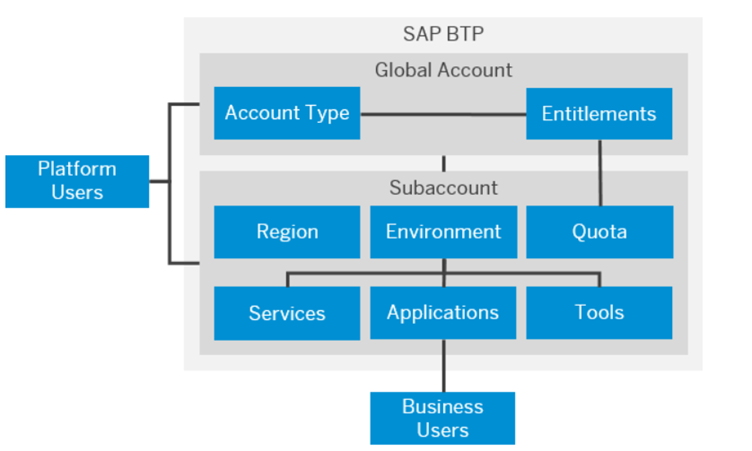
SAP BTP
  1. Database & Data Management: SAP BTP provides a scalable and secure environment for managing diverse data types. It offers advanced database services, data integration, and data governance capabilities, ensuring reliable and consistent access to data. The platform supports both on-premises and cloud databases, enabling organizations to leverage their existing data infrastructure while benefiting from cloud-native innovations.
  2. Intelligent Technologies: SAP BTP integrates advanced technologies like AI, ML, IoT, and blockchain into its platform. These intelligent technologies enable organizations to automate processes, enhance productivity, and create personalized experiences for their customers. With capabilities like natural language processing, image recognition, and predictive analytics, businesses can unlock new insights and drive innovation.

Benefits

  1. Accelerated Innovation: SAP BTP provides a powerful platform for innovation by enabling organizations to build new applications, extend existing solutions, and leverage advanced technologies. It fosters a culture of continuous improvement and empowers businesses to respond quickly to changing market demands.
  2. Seamless Integration: The Integration Suite of SAP BTP simplifies the process of connecting disparate systems, applications, and data sources. It streamlines business processes, improves data visibility, and enhances collaboration across the organization and with external partners.
  3. Data-driven Decision Making: With the Analytics Suite and advanced data management capabilities, SAP BTP enables organizations to harness the power of data. It provides actionable insights, predictive analytics, and real-time reporting, allowing businesses to make informed decisions and drive business growth.
  4. Scalability and Flexibility: SAP BTP is a highly scalable and flexible platform that can adapt to the evolving needs of businesses. It supports hybrid landscapes, allowing organizations to leverage their existing infrastructure while embracing cloud-based innovations.
  5. Enhanced User Experience: By integrating intelligent technologies, SAP BTP helps organizations create exceptional user experiences. It enables personalized interactions, automates routine tasks, and improves employee and customer satisfaction.

Use Cases of SAP Business Technology Platform

  1. Intelligent Supply Chain: SAP BTP can optimize supply chain operations by leveraging IoT devices to monitor inventory levels, track shipments, and enable predictive maintenance. Real-time data analysis and AI-powered insights help organizations streamline processes, reduce costs, and enhance customer service.
  2. Customer Experience Transformation: By integrating customer data from various touchpoints, SAP BTP enables organizations to deliver personalized experiences. AI and ML capabilities can be utilized to analyze customer behavior, preferences, and sentiment, allowing businesses to offer tailored products, services, and recommendations.
  3. Intelligent Asset Management: With SAP BTP, organizations can leverage IoT and predictive analytics to optimize asset performance and maintenance. Real-time monitoring, proactive maintenance, and asset health tracking help reduce downtime, improve operational efficiency, and extend the lifespan of critical assets.

Conclusion

SAP Business Technology Platform empowers organizations to embark on their digital transformation journey with confidence. By integrating intelligent technologies, providing seamless connectivity, and enabling data-driven insights, SAP BTP unlocks new opportunities for innovation, agility, and growth. As businesses continue to evolve in the digital era, SAP BTP serves as a reliable partner, enabling them to stay ahead of the competition and deliver exceptional experiences to customers.

SAP Commissions – Smart Data Integration [SDI]
SAP

SAP Commissions – Smart Data Integration [SDI]

In today’s competitive business landscape, effective incentive management is crucial for motivating sales teams and driving performance. SAP Commissions, a comprehensive solution for managing commissions and incentives, offers powerful capabilities to streamline and optimize compensation processes. With the integration of Smart Data Integration (SDI), SAP Commissions enables seamless data connectivity and transformation. In this blog post, we will explore the benefits of SDI in SAP Commissions and provide coding examples to illustrate its usage.

Understanding Smart Data Integration (SDI) in SAP Commissions:

Smart Data Integration (SDI) is a feature of SAP Commissions that facilitates the integration of external data sources with the commissioning system. It allows businesses to connect to various data systems, retrieve relevant information, and transform it into actionable insights for compensation calculations. SDI eliminates the need for manual data extraction, manipulation, and reconciliation, ensuring accurate and timely commission calculations.

Benefits of SDI in SAP Commissions:

  1. Real-Time Data Integration: SDI enables real-time data integration, ensuring that compensation calculations are based on the latest information. It connects directly to external data sources, such as CRM systems or ERP systems, and retrieves relevant data in real-time. This ensures that commissions are calculated accurately and promptly, reflecting the most up-to-date sales information.
  2. Enhanced Data Transformation: SDI provides powerful data transformation capabilities, allowing businesses to cleanse, enrich, and harmonize data from multiple sources. This ensures data consistency and accuracy, reducing errors and discrepancies in commission calculations. With SDI, businesses can easily map and transform data to align with the commissioning system’s requirements.
  3. Seamless Connectivity: SDI offers seamless connectivity to a wide range of data sources, including databases, flat files, web services, and more. This flexibility enables businesses to integrate with diverse systems and retrieve relevant data for commission calculations. SDI supports various protocols and standards, ensuring compatibility with different data sources and formats.
  4. Code Examples for SDI Integration:

Let’s explore a couple of coding examples to illustrate the usage of SDI in SAP Commissions:

Example 1: Retrieving Sales Data from an ERP System

css

}source ErpSales { type: ODATA; location: “https://erpapi.example.com/sales”; username: “username”; password: “password”; query: “SELECT * FROM Sales WHERE Date >= ‘2023-01-01′”; } target CommissionsSalesData { type: RDBMS; location: “jdbc:mysql://commissionsdb.example.com/sales”; username: “dbuser”; password: “dbpassword”; } flow MainFlow { source: ErpSales; target: CommissionsSalesData; 

This code snippet demonstrates how to connect to an ERP system via OData and retrieve sales data. The retrieved data is then loaded into the CommissionsSalesData table in a MySQL database, ready for commission calculations.

Example 2: Data Transformation and Mapping

css

source SalesforceData { type: WEBSERVICE; location: “https://salesforceapi.example.com/opportunities”; username: “salesforceuser”; password: “salesforcepassword”; query: “SELECT Name, Amount, CloseDate FROM Opportunities WHERE Stage = ‘Closed Won'”; } target CommissionsOpportunities { type: FILE; location: “/data/commissions/opportunities.csv”; format: “csv”; } mapping OpportunityMapping { source: SalesforceData; target: CommissionsOpportunities; map: { Name: Name, Amount: Amount, CloseDate: CloseDate } } flow MainFlow { source: SalesforceData; mapping: OpportunityMapping; target: CommissionsOpportunities; }

In this example, we retrieve opportunity data from a Salesforce system via a web service. The data is then transformed and mapped to the CommissionsOpportunities CSV file for further processing in SAP Commissions.

Conclusion:

Smart Data Integration (SDI) in SAP Commissions revolutionizes incentive management by providing seamless connectivity, real-time data integration, and powerful data transformation capabilities. With SDI, businesses can automate data retrieval, streamline commission calculations, and ensure accuracy in compensation processes. The provided coding examples demonstrate the flexibility and ease of integrating external data sources into SAP Commissions. By harnessing the power of SDI, organizations can drive sales performance, enhance commission accuracy, and optimize incentive management.

SAP Subscription Billing
SAP

New Features in SAP Subscription Billing

As businesses adapt to evolving customer demands and consumption models, subscription-based billing has become increasingly popular. SAP Subscription Billing, part of the SAP Billing and Revenue Innovation Management (BRIM) solution portfolio, empowers organizations to effectively manage subscription-based services and drive recurring revenue. In this blog post, we will dive into the latest features and enhancements in SAP Subscription Billing, highlighting the benefits they bring to businesses and their customers.

Exploring the Latest Features in SAP Subscription Billing

  1. Flexible Pricing and Packaging:

SAP Subscription Billing offers enhanced flexibility in pricing and packaging options, allowing businesses to tailor their subscription plans to meet customer needs. The latest features enable dynamic pricing based on usage metrics, tiered pricing models, and personalized subscription bundles. This flexibility allows businesses to create compelling offerings that cater to different customer segments and increase customer satisfaction.

  1. Advanced Subscription Management:

Efficient subscription management is vital for a seamless customer experience. The new features in SAP Subscription Billing enable businesses to manage the entire subscription lifecycle, from onboarding to renewal and beyond. Organizations can handle complex scenarios, such as upgrades, downgrades, and mid-term changes in subscriptions, ensuring accurate and transparent billing processes.

  1. Subscription Analytics and Reporting:

Data-driven insights are essential for making informed business decisions. SAP Subscription Billing offers robust analytics and reporting capabilities to provide comprehensive visibility into subscription performance. Organizations can track key metrics such as subscriber growth, churn rate, and revenue analysis. These insights empower businesses to optimize pricing strategies, identify upsell and cross-sell opportunities, and drive customer retention.

  1. Integration with SAP Customer Experience Solutions:

Seamless integration with other SAP Customer Experience solutions, such as SAP Commerce Cloud and SAP Customer Data Cloud, enhances the end-to-end customer journey. Integration enables synchronized data exchange, providing a unified view of customer interactions, preferences, and billing information. This unified approach enhances personalization, simplifies billing processes, and strengthens customer engagement.

  1. Automation and Self-Service Capabilities:

Automation is key to streamlining operations and reducing manual effort. The latest features in SAP Subscription Billing introduce automation and self-service capabilities, empowering customers to manage their subscriptions independently. Customers can view and update their subscription details, access billing information, and make changes without extensive manual intervention. This self-service approach enhances customer satisfaction while reducing administrative overhead.

  1. Compliance and Revenue Recognition:

It addresses complex compliance requirements, such as revenue recognition standards (e.g., ASC 606 and IFRS 15). The solution ensures accurate revenue recognition, automates revenue allocation, and generates compliant financial reports. Businesses can confidently adhere to regulatory guidelines and reduce the risk of revenue recognition errors.

Conclusion:

It continues to evolve and adapt to the changing landscape of subscription-based business models. With its latest features and enhancements, businesses can unlock the full potential of subscription billing by offering flexible pricing, managing subscriptions efficiently, gaining data-driven insights, integrating with customer experience solutions, enabling self-service capabilities, and ensuring compliance with revenue recognition standards.

By leveraging the power of SAP Subscription Billing, organizations can drive recurring revenue, enhance customer satisfaction, and stay ahead in the competitive subscription economy. It’s a valuable tool for businesses looking to optimize their subscription management processes and achieve sustainable growth.

SAP Solution Manager and SAP Cloud ALM
SAP

Comparing Job Monitoring in SAP Solution Manager and SAP Cloud ALM

Efficient job monitoring is crucial for organizations running SAP systems, as it ensures smooth operations, minimizes downtime, and enables timely error resolution. SAP provides two prominent solutions for job monitoring: SAP Solution Manager and SAP Cloud ALM (Application Lifecycle Management). In this blog post, we will explore the features, capabilities, and differences between job monitoring in SAP Solution Manager and SAP Cloud ALM, helping you make an informed decision about the most suitable solution for your organization’s needs.

Job Monitoring in SAP Solution Manager and SAP Cloud ALM:

SAP Solution Manager is a comprehensive application management and administration platform that supports end-to-end management of SAP solutions. Here are key aspects of job monitoring in SAP Solution Manager:

  1. Centralized Monitoring: SAP Solution Manager allows centralized monitoring of jobs across multiple SAP systems. It provides a unified interface to view job statuses, schedules, and logs, ensuring proactive monitoring and troubleshooting.
  2. Alerting and Notification: Solution Manager offers robust alerting and notification capabilities. It can trigger alerts based on predefined thresholds, enabling IT teams to promptly address critical issues and minimize downtime.
  3. Advanced Analytics: Solution Manager provides advanced analytics and reporting features for job monitoring. It allows the creation of custom dashboards and reports, providing insights into job performance, execution times, and historical trends.
  4. Integration with other Solution Manager Modules: Job monitoring in Solution Manager seamlessly integrates with other modules, such as incident management and change control, enabling end-to-end IT service management.

Job Monitoring in SAP Cloud ALM:

SAP Cloud ALM is a cloud-based application lifecycle management platform designed for managing SAP solutions in the cloud. Let’s explore the key features of job monitoring in SAP Cloud ALM:

  1. Cloud-Centric Monitoring: SAP Cloud ALM focuses on monitoring SAP cloud-based systems, including SAP S/4HANA Cloud and SAP SuccessFactors. It offers a centralized view of job schedules, statuses, and logs specific to cloud environments.
  2. Real-Time Monitoring and Alerting: Cloud ALM provides real-time monitoring of job execution and delivers instant alerts and notifications for any issues. This proactive approach ensures quick responses and minimizes potential disruptions.
  3. Integrated Incident Management: Job monitoring in Cloud ALM seamlessly integrates with incident management capabilities. It allows IT teams to track and resolve job-related incidents efficiently, ensuring swift resolution and minimal business impact.
  4. Cloud Analytics: SAP Cloud ALM incorporates cloud analytics capabilities to provide insights into job performance, trends, and resource utilization. The platform offers preconfigured analytics dashboards and customizable reports to support data-driven decision-making.

Differences and Considerations:

When comparing job monitoring in SAP Solution Manager and SAP Cloud ALM, several factors come into play:

  1. Deployment: SAP Solution Manager is an on-premises solution, while SAP Cloud ALM is cloud-based. Consider your organization’s preferences and requirements regarding deployment options.
  2. System Landscape: Solution Manager supports monitoring for a broader range of SAP systems, including both on-premises and cloud-based systems. Cloud ALM, on the other hand, focuses specifically on cloud-based SAP systems.
  3. Functional Scope: SAP Solution Manager offers a more extensive range of functionalities beyond job monitoring, such as change management, test management, and IT service management. Cloud ALM focuses primarily on application lifecycle management for cloud-based solutions.
  4. Integration Requirements: Consider the level of integration required with other SAP modules or third-party tools. Solution Manager provides extensive integration capabilities, while Cloud ALM offers a more streamlined integration approach within the cloud ecosystem.

Conclusion:

Choosing the right job monitoring solution for your organization depends on your specific requirements, system landscape, and deployment preferences. SAP Solution Manager offers comprehensive capabilities for job monitoring across various SAP systems, while SAP Cloud ALM focuses on cloud-based SAP solutions. Consider the functional scope, deployment model, system landscape, and integration requirements to make an informed decision.

Ultimately, both SAP Solution Manager and SAP Cloud ALM contribute to effective job monitoring, enabling organizations to proactively manage and resolve issues, minimize downtime, and ensure the smooth execution of critical jobs within their SAP ecosystem.

APL MODELS TO NON-APL MODELS
SAP

APL Models to Non-APL Models COMPARING : A Comprehensive Guide

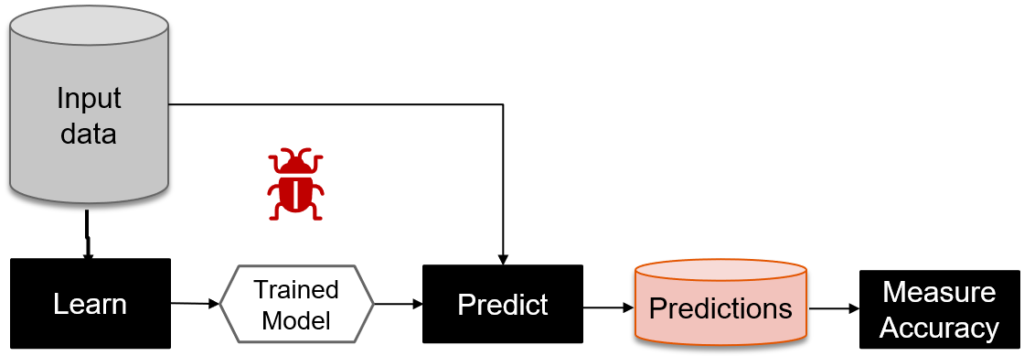
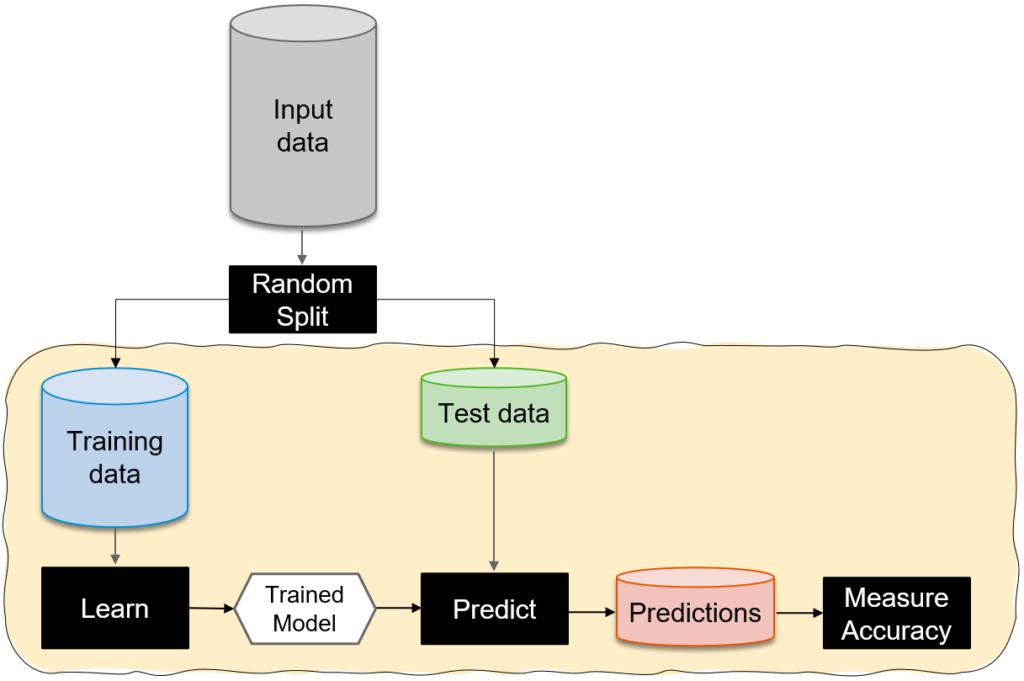
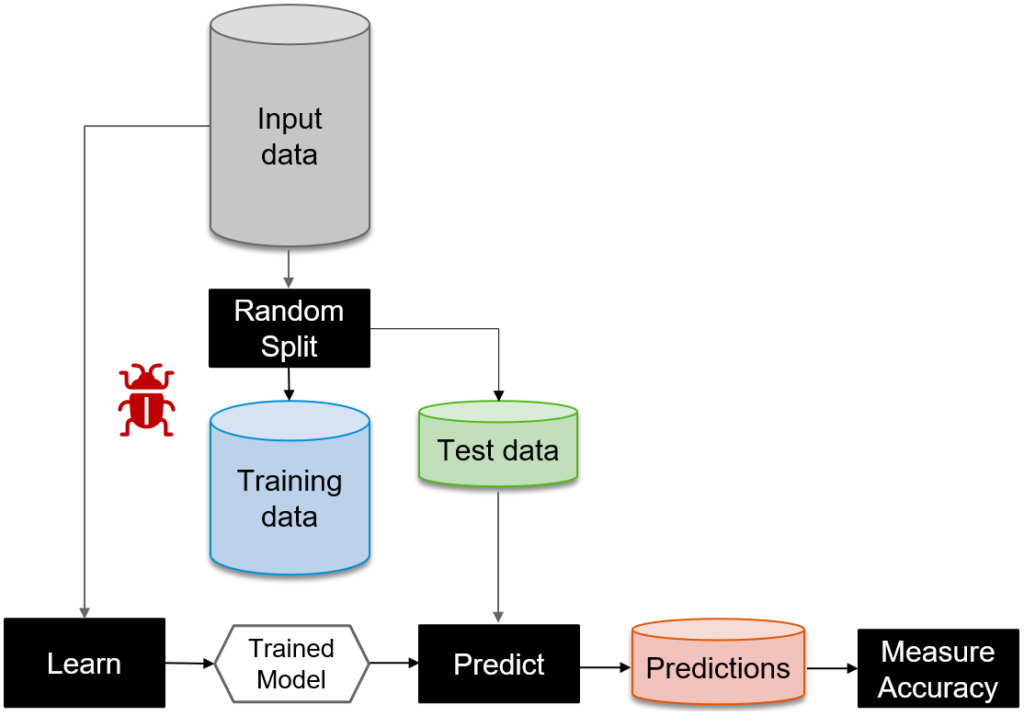
In the field of machine learning and artificial intelligence, various modeling techniques and frameworks exist to solve complex problems and make accurate predictions. One such approach is Automatic Programming Learning (APL), which uses algorithms to automatically generate code for a given task. While APL models offer unique advantages, it is essential to understand how they compare to non-APL models in terms of performance, interpretability, and scalability. In this blog post, we will explore the key factors to consider when comparing an APL model to a non-APL model, enabling you to make informed decisions in your machine learning endeavors.

Performance and Accuracy of APL models to non-APL models:

Performance and accuracy are critical aspects of any model comparison. When comparing an APL model to a non-APL model, consider the following factors:

  1. Training time: APL models often have faster training times due to their ability to automatically generate code. This can be advantageous when working with large datasets or time-sensitive applications.
  1. Predictive accuracy: While APL models can yield accurate predictions, non-APL models, such as deep learning models, may excel in specific domains, especially when dealing with unstructured data like images or text.
  1. Generalization: A key consideration is how well the model generalizes to unseen data. Non-APL may require extensive fine-tuning and hyperparameter optimization, whereas APL may automatically generate code that performs well across different datasets.

Interpretability and Explainability:

The interpretability and explainability of a model are crucial, especially in domains where regulatory compliance, ethical considerations, or human decision-making are involved. Here’s how APL compare to non-APL models:

  1. APL models: APL models might lack interpretability as they generate code automatically, making it challenging to understand the underlying decision-making process. However, some APL approaches, such as genetic programming, can generate human-readable code snippets, providing partial interpretability.
  2. Non-APL models: It is, such as decision trees or linear regression, often offer better interpretability. The models’ structures and feature importance can be analyzed to gain insights into how predictions are made.

Scalability and Flexibility:

The scalability and flexibility of a model are crucial factors, particularly when dealing with large-scale applications and evolving requirements. Consider the following:

  1. Scalability: Non-APL models, especially deep learning models, may require significant computational resources, such as GPUs, to train and deploy. APL models, on the other hand, can generate optimized code, which may lead to more efficient implementations.
  2. Flexibility: Non-APL models typically offer greater flexibility, as they allow fine-grained control over the model’s architecture, hyperparameters, and feature engineering. This flexibility can be advantageous when the problem domain is complex and requires customization.

Domain Expertise and Application:

Domain expertise and the specific application context play a vital role in choosing between APL and non-APL:

  1. APL models: It can be beneficial when there is limited domain expertise available or when tackling complex problems where hand-coding the solution is challenging. They automate the process of generating code, reducing the need for deep domain knowledge.
  2. Non-APL models: It may be preferred when there is a well-defined problem space and domain expertise available. These models allow for greater control, customization, and incorporation of domain-specific insights.

Conclusion:

Comparing APL models to non-APL models involves evaluating factors such as performance, interpretability, scalability, and domain expertise. APL offer advantages such as faster training times and automatic code generation, while non-APL excel in interpretability, flexibility, and handling complex data types. The choice between these two models depends on the specific requirements of your application, the available domain expertise, and the desired trade-offs between performance and interpretability.

Ultimately, it is essential to carefully assess your objectives and constraints before deciding which modeling approach to adopt. A thorough understanding of the strengths and limitations of both models will empower you to make informed decisions and drive successful machine learning projects.

ECC to S/4HANA
SAP

ECC TO S/4HANA: A Comprehensive Guide

The business world is in a constant state of evolution, and organizations need to adapt to stay ahead of the competition. In the realm of enterprise resource planning (ERP) systems, SAP ECC (Enterprise Central Component) has long been a trusted solution for businesses across various industries. However, as technology advances and demands change, SAP introduced its next-generation ERP suite, S/4HANA. In this blog post, we will explore the journey from ECC to S/4HANA, highlighting its benefits, challenges, and key considerations.

Understanding ECC and S/4HANA:

SAP ECC has been the cornerstone of SAP’s ERP offering for many years. It is a robust and feature-rich system that provides functionalities such as finance, procurement, sales, and manufacturing. However, ECC relies on a traditional relational database system, which limits its ability to handle massive data volumes and complex analytics in real-time.

SAP S/4HANA, on the other hand, is an intelligent, in-memory ERP suite built on SAP’s proprietary HANA database. It leverages in-memory computing to enable real-time data processing, advanced analytics, and simplified user interfaces. S/4HANA represents a significant shift from ECC, offering enhanced capabilities, improved user experiences, and greater agility in responding to evolving business needs.

Benefits of Transitioning to S/4HANA:

  1. Real-time insights: S/4HANA’s in-memory computing allows businesses to process vast amounts of data in real-time, enabling faster decision-making and improved operational efficiency.
  2. Simplified user experience: S/4HANA provides a modern and intuitive user interface, fostering productivity and reducing training efforts for end-users.
  3. Advanced analytics: The embedded analytics capabilities of S/4HANA empower organizations to gain deeper insights, perform predictive analysis, and make data-driven decisions.
  4. Enhanced functionality: S/4HANA offers enhanced functionalities and industry-specific solutions, allowing businesses to leverage new features and optimize their processes.
  5. Cloud readiness: S/4HANA provides the foundation for businesses to move towards a cloud-based ERP solution, unlocking the benefits of scalability, flexibility, and reduced infrastructure costs.

Challenges and Considerations:

While the transition from ECC to S/4HANA brings numerous benefits, it also poses some challenges and considerations for organizations:

  1. Data migration: Migrating data from ECC to S/4HANA requires careful planning, data cleansing, and validation to ensure data integrity and consistency in the new system.
  2. Custom code adaptations: As S/4HANA adopts a simplified data model and new technologies, custom code developed for ECC may need to be adjusted or redeveloped to align with S/4HANA’s architecture.
  3. Business process reengineering: The transition presents an opportunity to review and optimize existing business processes. Organizations should assess and redefine processes to fully leverage S/4HANA’s capabilities and industry best practices.
  4. Training and change management: As S/4HANA introduces a new user interface and functionalities, adequate training and change management initiatives are crucial to ensure a smooth transition and user adoption.
  5. Project planning and resource allocation: The transition from ECC to S/4HANA is a significant undertaking. Proper project planning, resource allocation, and collaboration between business and IT teams are essential for successful implementation.

Conclusion:

The move from SAP ECC to S/4HANA represents a strategic shift towards a modern, intelligent, and future-ready ERP system. By embracing S/4HANA, organizations can unlock real-time insights, simplified user experiences, and advanced analytics to drive operational excellence and business growth. However, the transition requires careful planning, data migration, process reengineering, and change management to maximize the benefits of the new system.

As you embark on the journey from ECC to S/4HANA, consider partnering with experienced SAP consultants and experts to guide you through the process. With the right approach, your organization can seamlessly transition to S/4HANA and embrace the full potential of next-generation ERP.

SAP Cloud Integration (CPI)
SAP

SAP Cloud Integration (CPI) – Understanding OR and AND in Message Mapping

In today’s digital era, businesses are increasingly adopting cloud-based solutions to streamline their operations and drive innovation. SAP Cloud Integration (CPI), commonly referred to as CPI (Cloud Platform Integration), has emerged as a popular choice for organizations seeking a robust integration platform. With its powerful features and flexibility, CPI allows seamless communication between various systems and applications. In this blog post, we will delve into the intricacies of CPI’s message mapping and specifically explore the concepts of OR and AND in message mapping.

Understanding Message Mapping in SAP CPI:

Message mapping is a critical aspect of any integration project. It involves transforming messages from one format to another, allowing different systems to exchange data seamlessly. SAP CPI provides a graphical mapping editor that simplifies the process of message transformation. The mapping editor allows developers to define rules and logic for mapping fields between the source and target messages.

The Role of OR and AND Operators in Message Mapping:

The OR and AND operators in SAP CPI’s message mapping play a crucial role in defining conditional logic for field mapping. They enable developers to define complex conditions and transformations based on the source message data.

OR Operator:

The OR operator in message mapping provides a way to define multiple conditions, where at least one condition needs to be met for a particular mapping rule to be executed. For example, consider a scenario where you want to map a field in the target message only if either Field A or Field B in the source message is not empty. In this case, you can define a mapping rule with the OR operator, specifying the conditions (Field A ≠ ” OR Field B ≠ ”).

Using the OR operator allows for flexibility in mapping conditions, as it accommodates scenarios where multiple fields can satisfy the condition independently.

AND Operator:

In contrast to the OR operator, the AND operator in message mapping requires all specified conditions to be met for a mapping rule to be executed. It enables developers to define more granular conditions, ensuring that multiple fields meet certain criteria before executing the mapping rule.

For instance, imagine a situation where you want to map a field in the target message only if Field A is not empty and Field B is greater than 100. In this case, you can define a mapping rule with the AND operator, specifying the conditions (Field A ≠ ” AND Field B > 100).

The AND operator is beneficial in scenarios where multiple conditions must be satisfied simultaneously for accurate mapping.

Best Practices for Working with this:

To make the most of OR and AND operators in message mapping, consider the following best practices:

  1. Keep conditions clear and concise: Define conditions that are easily understandable and align with the integration requirements. Complex conditions can make the mapping rules harder to maintain and troubleshoot.
  2. Test thoroughly: Always test your message mappings with different test scenarios to ensure they behave as expected. Verify that the OR and AND operators are functioning correctly and producing the desired results.
  3. Leverage the graphical mapping editor: SAP CPI’s graphical mapping editor provides a user-friendly interface for defining mapping rules. Utilize its drag-and-drop features and visual representation of mappings to enhance productivity and reduce errors.

Conclusion:

SAP Cloud Integration (CPI) offers a powerful message mapping capability, enabling seamless integration between different systems and applications. By understanding the OR and AND operators in message mapping, developers can define complex conditions and transformations to ensure accurate and efficient data exchange. These operators provide flexibility and control in designing mapping rules that align with specific integration requirements. By following best practices and leveraging the graphical mapping editor, developers can optimize their use of CPI and unlock the full potential of cloud-based integration.

Remember, successful integration relies not only on technical expertise but also on a deep understanding of the business processes and requirements.

SAP BW on HANA
SAP

SAP BW on HANA: Accelerating Data Warehousing and Business Intelligence

In today’s fast-paced business landscape, organizations rely on efficient data warehousing and business intelligence solutions to make informed decisions and gain a competitive edge. SAP BW on HANA (SAP Business Warehouse on SAP HANA) emerges as a powerful combination of SAP’s data warehousing solution and the high-performance in-memory computing capabilities of SAP HANA. In this blog, we will delve into the key features, benefits, and potential applications of SAP BW on HANA, highlighting its ability to accelerate data processing, enhance analytics, and drive meaningful insights for businesses.

In-Memory Computing and Data Processing in SAP BW on HANA:

SAP BW on HANA harnesses the speed and power of in-memory computing provided by SAP HANA, enabling organizations to process large volumes of data in real-time. Traditional data warehousing systems typically store data on disk-based storage, leading to slower data retrieval and processing. With SAP BW on HANA, data is stored and processed directly in-memory, eliminating the need for disk access and dramatically reducing data latency. This results in significantly faster query response times, accelerated data loading, and improved overall system performance.

Enhanced Analytics and Reporting in SAP BW on HANA :

By leveraging the in-memory computing capabilities of SAP HANA, SAP BW on HANA enables advanced analytics and real-time reporting. The platform supports complex calculations, ad-hoc queries, and multidimensional analysis, empowering users to gain deeper insights from their data. Real-time reporting capabilities enable users to make data-driven decisions based on up-to-date information. With the ability to handle massive data volumes, businesses can perform complex analyses, visualize data through intuitive dashboards, and generate comprehensive reports faster than ever before.

Simplified Data Modeling and Management in SAP:

It provides a simplified data modeling environment, making it easier for organizations to design and manage their data warehouse structures. The platform offers a graphical modeling interface that allows users to create data models, define relationships, and manage data transformations efficiently. The intuitive interface reduces the dependency on technical skills, enabling business users to actively participate in the data modeling process. Additionally, It supports advanced data compression techniques, optimizing storage utilization and reducing hardware requirements.

Real-Time Data Integration and Replication:

SAP BW on HANA seamlessly integrates with various data sources, including SAP and non-SAP systems, enabling real-time data integration and replication. The platform supports both batch and real-time data extraction, ensuring that the data in the data warehouse is always up to date. Real-time data replication allows businesses to react swiftly to changing market conditions and make informed decisions based on the latest information. The ability to consolidate data from multiple sources provides a holistic view of the business, fostering data-driven decision-making across departments.

Scalability and Future-readiness:

It offers scalability to meet the evolving needs of organizations. The in-memory computing architecture of SAP HANA allows businesses to handle large data volumes efficiently. As the volume and complexity of data grow, SAP BW on HANA can scale horizontally by adding additional servers or vertically by increasing memory capacity. The platform also integrates with other SAP solutions, such as SAP Analytics Cloud, enabling organizations to extend their analytics capabilities further.

Conclusion:

Itcombines the strengths of SAP’s data warehousing solution and the in-memory computing power of SAP HANA, offering organizations a high-performance and agile data warehousing and business intelligence platform. With accelerated data processing, enhanced analytics, and real-time reporting, businesses can make faster, more informed decisions. Simplified data modeling and real-time data integration capabilities further optimize data management processes. As organizations strive to gain a competitive advantage in today’s data-centric world, SAP BW on HANA stands out as a game-changing solution that enables businesses to unlock the full potential of their data and drive meaningful insights for success.

sap sac
SAP

SAP SAC: Revolutionizing Data Analytics and Business Intelligence

In today’s data-driven world, organizations across various industries rely on robust analytics and business intelligence solutions to extract valuable insights and make informed decisions. One such powerful tool gaining significant attention is SAP SAC (SAP Analytics Cloud). SAP SAC is a cloud-based analytics platform that seamlessly combines data visualization, advanced analytics, and planning capabilities. In this blog, we will explore the key features, benefits, and potential applications of SAP SAC, highlighting its potential to revolutionize data analytics and drive business success.

Unifying Data and Visualization of SAP SAC:

SAP SAC serves as a centralized hub that brings together data from various sources, such as on-premises databases, cloud systems, and external applications. This unified approach eliminates the need for multiple tools and simplifies the data preparation process. Users can easily connect to different data sources, blend data sets, and create comprehensive visualizations, including charts, graphs, and interactive dashboards. The intuitive drag-and-drop interface allows business users to effortlessly explore and analyze data without relying on IT or data experts, promoting self-service analytics.

Advanced Analytics and Predictive Insights of SAP SAC :

SAP SAC goes beyond traditional reporting and offers advanced analytics capabilities, enabling users to derive deeper insights from their data. With built-in algorithms and statistical functions, users can perform complex calculations, conduct predictive analyses, and uncover hidden patterns and trends. The platform supports machine learning algorithms, empowering organizations to leverage predictive insights for forecasting, anomaly detection, and optimization. These advanced analytics features empower decision-makers to make proactive decisions, identify growth opportunities, and mitigate risks effectively.

Collaborative Planning and Budgeting in SAC:

It integrates robust planning and budgeting functionalities, allowing organizations to streamline their financial processes. The platform offers collaborative planning capabilities, enabling teams to work together in real-time, share insights, and align their goals. Users can create planning models, allocate resources, and monitor progress through interactive planning boards and scorecards. The ability to link planning models to actuals and perform variance analysis ensures accurate financial reporting and forecasting.

Mobile Accessibility and Real-time Updates:

In today’s dynamic business environment, access to real-time data and analytics on the go is crucial. SAP SAC offers a mobile app that allows users to view and interact with dashboards, reports, and planning models from their smartphones or tablets. Whether in the office or on the move, decision-makers can stay connected and make data-driven decisions anytime, anywhere. Real-time updates ensure that users are always working with the most current data, enhancing agility and responsiveness.

Integration with SAP Ecosystem:

SAP SAC seamlessly integrates with other SAP solutions, such as SAP S/4HANA, SAP BW/4HANA, and SAP Data Warehouse Cloud. This integration enables organizations to leverage their existing SAP investments and combine data from various SAP systems to gain a comprehensive view of their business. By accessing real-time data directly from these systems, users can perform detailed analysis and leverage SAP SAC’s capabilities to uncover valuable insights and improve decision-making.

Conclusion:

SAP SAC is a powerful analytics platform that offers a wide range of features, from data integration and visualization to advanced analytics and collaborative planning. Its cloud-based nature ensures scalability, flexibility, and accessibility, making it an ideal choice for organizations of all sizes. By leveraging SAP SAC, businesses can harness the power of data to drive growth, optimize operations, and stay ahead in a competitive landscape. As the world continues to generate vast amounts of data, SAP SAC stands as a game-changing tool that revolutionizes data analytics and business intelligence, empowering organizations to make smarter, data-driven decisions.

SAP BO
SAP

SAP BO: Unlocking Business Insights with SAP Business Objects

In today’s fast-paced and data-driven world, organizations require robust business intelligence (BI) tools to extract meaningful insights from their vast amounts of data. SAP BusinessObjects (SAP BO) is a comprehensive suite of BI solutions that empower businesses to make informed decisions, improve efficiency, and drive growth. This blog will delve into the key features, benefits, and applications of SAP BO, showcasing how it enables businesses to unlock the true potential of their data.

Understanding SAP Business Objects (SAP BO)

SAP Business Objects is an integrated suite of BI tools designed to provide organizations with a holistic view of their data, enabling them to make intelligent decisions. The suite includes various components such as reporting, dashboarding, data visualization, ad hoc querying, and data integration. With SAP BO, businesses can access data from multiple sources, transform it into meaningful insights, and share them across the organization.

Key Features and Benefits of SAP BusinessObjects 

a. Reporting and Dashboards: It offers powerful reporting capabilities, allowing users to create dynamic reports and dashboards with intuitive drag-and-drop interfaces. These reports can be customized, scheduled, and distributed to stakeholders, providing them with real-time insights into key performance indicators (KPIs) and business metrics.

b. Data Visualization: SAP BO includes advanced data visualization tools that help transform complex data sets into compelling visual representations. With interactive charts, graphs, and infographics, users can easily identify trends, patterns, and outliers, making data analysis more accessible and actionable.

c. Ad Hoc Querying: The ad hoc querying feature in SAP BO empowers users to perform on-the-fly data exploration and analysis without the need for predefined reports. It allows users to drill down into specific data sets, apply filters, and generate instant insights, fostering a self-service BI culture within organizations.

d. Data Integration: It seamlessly integrates with various data sources, including databases, spreadsheets, and enterprise systems. It enables users to consolidate and combine data from disparate sources, ensuring data accuracy and integrity for comprehensive analysis.

e. Mobile Compatibility: SAP BO provides mobile compatibility, allowing users to access reports, dashboards, and insights on-the-go. This feature facilitates quick decision-making and empowers remote teams to stay connected and informed at all times.

Applications of SAP Business Objects:

a. Financial Analysis: SAP BO aids financial analysts in extracting valuable insights from financial data, helping them monitor profitability, identify cost-saving opportunities, and make accurate forecasts.

b. Sales and Marketing: It enables sales and marketing teams to analyze customer behavior, track sales performance, and optimize marketing campaigns. It provides a comprehensive view of customer data, allowing organizations to enhance customer engagement and drive revenue growth.

c. Supply Chain Management: With SAP BO, organizations can gain visibility into their supply chain operations, track inventory levels, analyze supplier performance, and identify bottlenecks. This helps streamline operations, reduce costs, and improve overall supply chain efficiency.

d. Human Resources: SAP BO assists HR professionals in analyzing workforce data, monitoring employee performance, and identifying talent gaps. It enables data-driven decision-making in areas such as recruitment, training, and performance management.

e. Risk and Compliance: SAP BO provides robust tools for risk assessment, fraud detection, and compliance monitoring. It helps organizations proactively identify and mitigate risks, ensuring regulatory compliance and safeguarding business interests.

Conclusion:

SAP BusinessObjects offers a comprehensive suite of BI tools that empower organizations to transform raw data into actionable insights. With its robust reporting capabilities, intuitive data visualization, ad hoc querying, and seamless data integration, SAP BO enables businesses to make informed decisions, drive growth, and gain a competitive edge in today’s data-centric landscape. From finance and sales to supply chain and HR, SAP BO finds applications across various business functions, enhancing efficiency and driving better outcomes. By harnessing the power of SAP BusinessObjects, organizations can unlock the true potential of their data and pave the way for success in a rapidly evolving business environment.

× How can I help you?